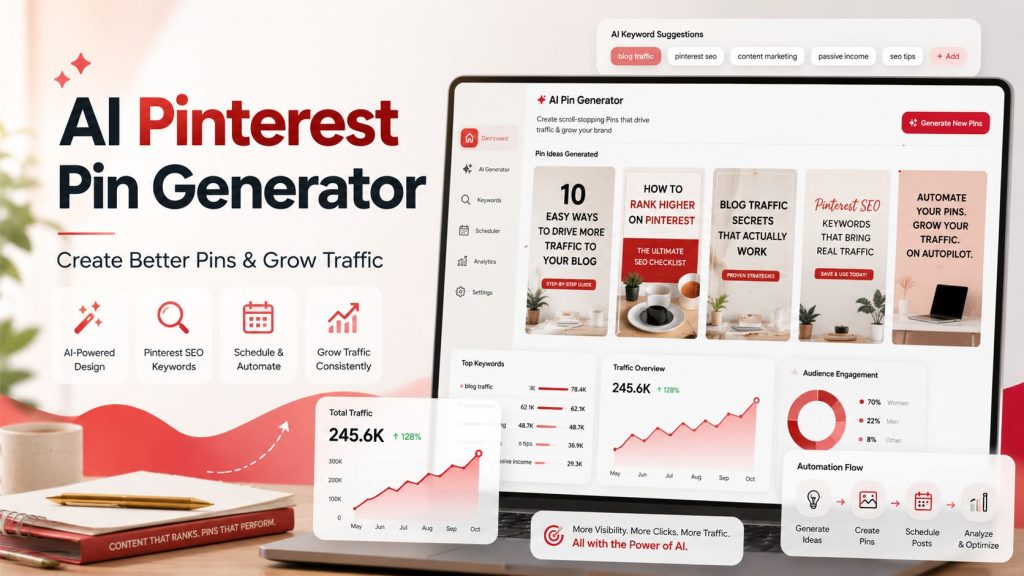
Pinterest is no longer just a place to save pretty ideas. For bloggers, affiliate marketers, recipe creators, ecommerce brands, and content publishers, Pinterest can become a powerful traffic engine.
But there is one big problem.
Creating Pinterest pins consistently is hard.
You need eye-catching designs. You need strong headlines. You need the right keywords. You need fresh pin variations. You need to post at the right time. Then you need to track what works, improve weak pins, and keep publishing again and again.
That is where an AI Pinterest pin generator can change the game.
Instead of manually designing every pin from scratch, writing every title, guessing keywords, and spending hours planning your Pinterest content, an AI-powered Pinterest tool can help you create better pins faster and build a smarter Pinterest growth system.
In this guide, we will break down what an AI Pinterest pin generator does, why bloggers and creators need one, and how it connects with Pinterest SEO, scheduling, automation, keyword research, and traffic growth.
What Is an AI Pinterest Pin Generator?
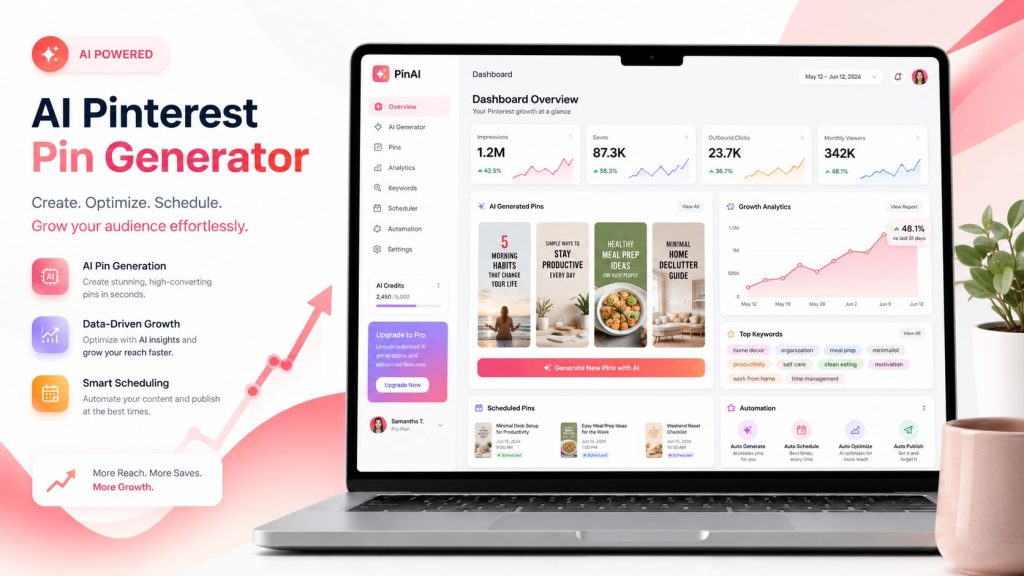
An AI Pinterest pin generator is a tool that helps you create Pinterest pin designs, titles, descriptions, keyword ideas, and content variations using artificial intelligence.
A normal Pinterest pin generator may only help you design graphics. But an AI-powered version can go further.
It can help you:
- Generate Pinterest pin titles
- Create pin descriptions
- Suggest Pinterest SEO keywords
- Create multiple pin variations from one blog post
- Recommend design styles based on your niche
- Turn blog content into Pinterest-ready promotional assets
- Help you post consistently without starting from zero every time
For example, if you publish a blog post about “Air Fryer Garlic Parmesan Chicken Thighs,” an AI Pinterest pin generator can create multiple pin ideas like:
- “Crispy Air Fryer Chicken Thighs”
- “Easy Garlic Parmesan Chicken Dinner”
- “Juicy Air Fryer Chicken in 25 Minutes”
- “Family-Friendly Air Fryer Chicken Recipe”
Each title targets a slightly different search angle, giving your content more chances to appear in Pinterest search and related feeds.
Why Pinterest Still Matters for Bloggers and Creators
Pinterest works differently from platforms like Instagram, TikTok, or Facebook.
On most social media platforms, content disappears quickly. A post may perform for a few hours or a few days, then it fades. Pinterest is different because it behaves more like a visual search engine.
People use Pinterest to search for ideas, tutorials, products, recipes, outfits, travel plans, home decor, business tips, and solutions.
That means your pins can continue bringing traffic long after you publish them.
For bloggers, this is powerful.
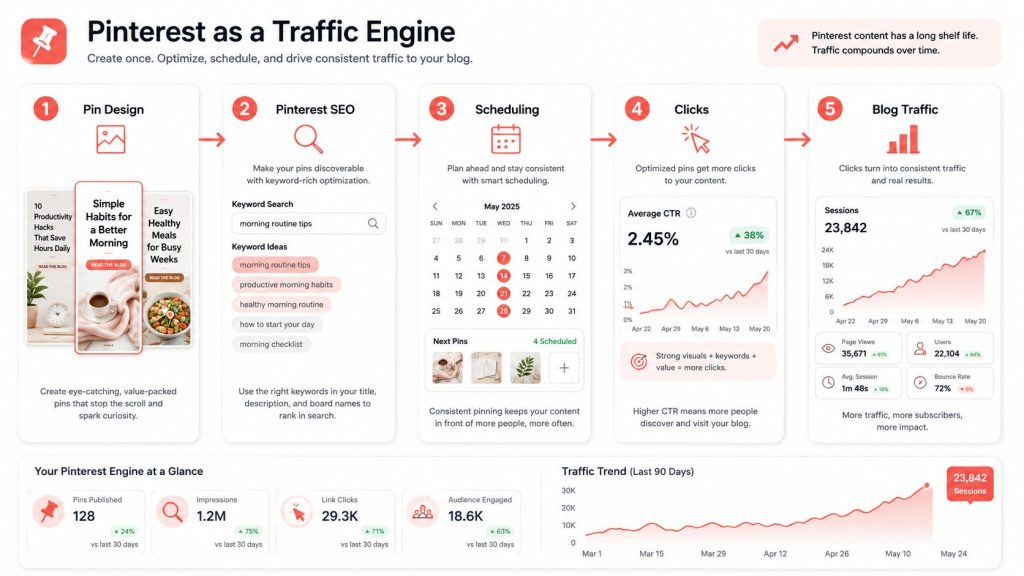
A well-optimized pin can send visitors to your blog post, recipe page, product page, email opt-in, or affiliate article for weeks, months, or even longer. But to get those results, you need more than pretty graphics. You need a proper Pinterest marketing system.
That includes:
- Strong pin design
- Keyword-rich titles
- Optimized descriptions
- Fresh pin variations
- Consistent scheduling
- Traffic tracking
- Pinterest SEO improvements
This is why a complete Pinterest marketing tool is more valuable than a simple design tool.
AI Pinterest Pin Generator vs Regular Design Tools
Many creators already use tools like Canva or other design platforms. Those tools are useful, but they are mostly design-first.
An AI Pinterest pin generator should be growth-first.
Here is the difference:
| Feature | Regular Design Tool | AI Pinterest Pin Generator |
|---|---|---|
| Create pin graphics | Yes | Yes |
| Generate pin titles | Usually no | Yes |
| Suggest Pinterest keywords | No | Yes |
| Create multiple pin variations | Manual | AI-assisted/Automated |
| Optimize for Pinterest SEO | Limited | Yes |
| Help with content strategy | No | Yes |
| Connect with scheduling | Sometimes | Yes |
| Track traffic performance | No | Yes |
A design tool helps you make something look good.
A strong Pinterest traffic tool helps you create pins that are designed to attract clicks, rank in Pinterest search, and support long-term growth.
That is the real difference.
Why Bloggers Need a Pinterest Tool Built for Growth
Bloggers have a different workflow from normal social media creators.
A blogger is not just posting for likes. A blogger wants traffic.
That traffic may lead to:
- Display ad revenue
- Affiliate commissions
- Email subscribers
- Digital product sales
- Recipe card views
- Course sales
- Service inquiries
- Brand deals
This is why a Pinterest tool for bloggers should not only focus on pin design. It should understand blog content and help turn that content into Pinterest assets.
For example, a blogger may need to create pins for:
- New blog posts
- Old blog posts that need traffic
- Seasonal content
- Affiliate product roundups
- Recipe posts
- Listicles
- How-to guides
- Lead magnets
- Product pages
A good AI Pinterest tool should help bloggers answer important questions like:
- What should I pin today?
- Which blog post should I promote next?
- What keywords should I target?
- What title angle should I use?
- Which pins are underperforming?
- Which topics are getting clicks?
- What content should I create next?
This moves Pinterest from random posting into a real growth system.
The Role of Pinterest SEO in Pin Performance
Pinterest SEO is one of the most important parts of Pinterest growth.
Pinterest needs to understand what your pin is about before it can show it to the right people. That means your pin title, description, board, image text, and destination page should all send clear signals.
A good Pinterest SEO tool can help you optimize these signals.
Pinterest SEO usually includes:
- Researching keywords people search for
- Adding keywords naturally to pin titles
- Writing helpful pin descriptions
- Matching pin content with the blog post topic
- Using relevant boards
- Creating fresh pin variations for the same URL
- Avoiding spammy keyword stuffing
For example, instead of using a weak title like:
“Chicken Recipe”
You could use:
“Crispy Air Fryer Garlic Parmesan Chicken Thighs”
That title is clearer, more searchable, and more attractive.
Pinterest SEO is not about stuffing every keyword into one pin. It is about matching user intent.
Someone searching “easy air fryer chicken dinner” has a different intent from someone searching “healthy chicken meal prep.” Your pin title and description should match the angle you want to target.
Why a Pinterest Keyword Tool Is Essential
Guessing keywords is one of the biggest mistakes Pinterest creators make.
A proper Pinterest keyword tool helps you find the words and phrases people are actually using when they search on Pinterest.
This matters because Pinterest users often search with practical phrases like:
- Easy dinner recipes
- Small bathroom ideas
- Fall outfit ideas
- DIY home decor
- Wedding guest dresses
- Air fryer chicken thighs
- Blog traffic tips
- Pinterest marketing strategy
If your pin uses the wrong wording, Pinterest may not fully understand who should see it.
A Pinterest keyword tool can help you discover:
- Main keywords
- Long-tail keywords
- Seasonal keywords
- Related search terms
- Niche-specific content ideas
- Blog post ideas based on Pinterest demand
This is especially powerful when combined with an AI Pinterest pin generator.
Instead of creating one generic pin, you can create several keyword-focused variations from the same article.
For example, one blog post about banana bread could generate pins targeting:
- Easy banana bread recipe
- Moist banana bread
- Banana bread without mixer
- Healthy banana bread
- Old fashioned banana bread recipe
Each version gives your content another chance to reach a slightly different audience.
Pinterest Automation Tool: Saving Time Without Losing Quality
Pinterest growth requires consistency.
But posting manually every day can quickly become exhausting.
That is why many creators look for a Pinterest automation tool.
A Pinterest automation tool can help with tasks like:
- Scheduling pins
- Reposting evergreen content
- Creating pin variations
- Planning content calendars
- Tracking pin performance
- Finding the best times to post
- Organizing boards and campaigns
But automation should not mean low-quality spam.
The goal is not to publish random pins at scale. The goal is to create a smart system that saves time while still keeping your content relevant, useful, and high-quality.
A strong Pinterest automation tool should help you work faster, not make your brand look robotic.
The best workflow is:
- Choose the blog post or URL you want to promote.
- Generate multiple Pinterest pin ideas.
- Select the best designs and titles.
- Optimize keywords and descriptions.
- Schedule pins across the right days.
- Track clicks, saves, impressions, and performance.
- Improve future pins based on real data.
That is how automation becomes growth-focused.
Pinterest Scheduler: Why Timing Still Matters
A Pinterest scheduler helps you plan and publish pins consistently.
This is important because Pinterest growth usually does not come from posting once and waiting. It comes from publishing fresh, relevant pins over time.
A scheduler helps you:
- Stay consistent
- Avoid posting everything at once
- Plan seasonal content early
- Promote old blog posts again
- Spread pin variations across multiple days
- Keep your Pinterest account active
For bloggers, scheduling is especially useful for seasonal content.
For example:
- Christmas recipes should be pinned before December.
- Halloween ideas should start earlier than October.
- Summer travel content should be scheduled before summer.
- Back-to-school content should be prepared before school season.
A smart Pinterest scheduler should ideally connect with your keyword strategy and content calendar. That way, you are not just posting randomly. You are building a planned traffic system.
How an AI Pinterest Pin Generator Helps Increase Traffic
The real goal is not just to create more pins.
The goal is to get more Pinterest traffic.
An AI Pinterest pin generator can help improve traffic by making your workflow faster and more strategic.
Here is how:
1. It Creates More Fresh Pin Variations
Pinterest likes fresh content. That does not mean every pin needs a completely new blog post. You can create different pin designs and title angles for the same URL.
For example, one article can become:
- A list-style pin
- A how-to pin
- A problem-solution pin
- A seasonal pin
- A curiosity-based pin
- A beginner-friendly pin
This gives your content more chances to get discovered.
2. It Helps You Write Better Pin Titles
Your pin title can make or break the click.
A weak title gets ignored. A clear, benefit-driven title gets attention.
Instead of:
“Pinterest Tips”
Use:
“7 Pinterest SEO Tips to Get More Blog Traffic”
That title is specific, keyword-rich, and benefit-focused.
3. It Speeds Up Content Promotion
Many bloggers publish posts but do not promote them properly.
An AI tool can help you turn every blog post into multiple Pinterest assets quickly. That means your content gets more distribution instead of sitting quietly on your website.
4. It Supports Better Pinterest SEO
When keyword suggestions, pin descriptions, and title variations are built into your workflow, you are more likely to create optimized pins every time.
5. It Helps You Learn From Performance
The best Pinterest traffic tool should show what is working.
You need to know:
- Which pins get impressions
- Which pins get clicks
- Which titles perform best
- Which designs get saves
- Which topics drive traffic
- Which blog posts deserve more promotion
Without analytics, you are guessing. With analytics, you are improving.
What to Look For in the Best Pinterest Marketing Tool
Not every Pinterest marketing tool is built the same.
If you are choosing one, look for features that support the full growth process, not just one small task.
A strong Pinterest marketing tool should include:
- AI Pinterest pin generation
- Pin title generator
- Pin description generator
- Pinterest keyword research
- Pinterest SEO suggestions
- Pin scheduling
- Blog URL importing
- Multiple design variations
- Performance analytics
- Best-time-to-post suggestions
- Content calendar
- Traffic tracking
- Easy workflow for bloggers
The more connected the system is, the better.
For example, if your tool can generate pins but cannot help with keywords, you still need another tool. If it can schedule pins but cannot help with content ideas, you still have to do strategy manually.
The future of Pinterest marketing is not just scheduling.
It is AI-assisted growth.
A Simple Pinterest Growth Workflow Using AI
Here is a simple workflow bloggers can follow:
Step 1: Choose a Blog Post
Start with a blog post that has traffic potential.
Good options include:
- Evergreen tutorials
- Recipes
- Product roundups
- Seasonal guides
- List posts
- Beginner guides
- Affiliate articles
Step 2: Find Pinterest Keywords
Use a Pinterest keyword tool to find search terms related to the topic.
Look for main keywords and long-tail variations.
Step 3: Generate Pin Titles
Use an AI Pinterest pin generator to create multiple title angles.
Try different styles:
- How-to
- Listicle
- Curiosity
- Benefit-driven
- Problem-solution
- Seasonal
- Beginner-friendly
Step 4: Create Pin Designs
Generate multiple pin designs using different layouts, colors, and headline structures.
Do not make every pin look the same. Test different visual angles.
Step 5: Write Optimized Descriptions
Create pin descriptions that include keywords naturally while still sounding helpful.
Step 6: Schedule Pins
Use a Pinterest scheduler to spread your pins across several days or weeks.
Step 7: Track and Improve
Check performance. Create more of what works. Improve or replace what does not.
This is how Pinterest becomes a repeatable system instead of random posting.
Common Mistakes to Avoid
Even with AI tools, you can still make mistakes.
Avoid these:
Keyword Stuffing
Do not force every keyword into one pin description. It looks spammy and hurts readability.
Using the Same Design Every Time
Fresh pin designs matter. Create variations.
Ignoring Search Intent
A keyword is only useful if the content matches what the user wants.
Posting Without Tracking
If you do not check analytics, you will not know what is working.
Designing Pretty Pins That Do Not Get Clicks
A pin can look beautiful and still fail. Clarity, headline strength, and user intent matter more than decoration.
Relying Only on Automation
Automation saves time, but strategy still matters. Use automation to support quality, not replace it.
Who Should Use an AI Pinterest Pin Generator?
An AI Pinterest pin generator is useful for:
- Bloggers
- Recipe creators
- Affiliate marketers
- Etsy sellers
- Ecommerce brands
- Coaches
- Digital product creators
- Content marketers
- SEO writers
- Pinterest managers
- Small business owners
It is especially useful if you already have content but struggle to promote it consistently.
If you have blog posts sitting on your site with little traffic, Pinterest can give them a second life.
Final Thoughts: Pinterest Growth Needs More Than Pretty Pins
Pinterest success does not come from design alone.
You need a full system:
- Pin creation
- Keyword research
- Pinterest SEO
- Scheduling
- Automation
- Analytics
- Traffic optimization
That is why an AI Pinterest pin generator works best when it is part of a complete Pinterest growth platform.
For bloggers and creators, the advantage is simple.
You can create better pins faster, optimize them with smarter keywords, schedule them consistently, and learn from real performance data.
That is how Pinterest becomes more than a place to post graphics.
It becomes a long-term traffic channel.
If you want to grow your blog, promote your content, and save time, using an AI-powered Pinterest workflow is one of the smartest moves you can make.