See the pins PinBoostr would make from your page
Paste a blog post or product page. PinBoostr reads it and designs 5 pins with titles and descriptions, so you see the result before you sign up.
PinBoostr is a Pinterest automation tool for bloggers and online shops. Paste a post or connect your site, and it designs on-brand pins, writes the titles, descriptions and alt text, and picks the board. You approve each pin, then it publishes on a steady schedule through Pinterest's official API.
See what PinBoostr would make from one of your pages, or design a pin yourself. Both work without an account.
Paste a blog post or product page. PinBoostr reads it and designs 5 pins with titles and descriptions, so you see the result before you sign up.
Pick a template, add your photo and headline, and download the pin. It runs in your browser and needs no sign-up.
One-time deal Ends October 28
1 year of PinBoostr. One payment.
Three sizes, no subscription and nothing renews. Pay once, use PinBoostr for 1 year, then you choose whether to pick a plan. Your account and pins stay.
Deal ends in
Starter Pass
For one blog or shop
$29.99 $59.99
Save 50%Paid once, about $2.50 a month
Only 4 of 5 spots left at this price
Get Starter PassRecommended
Pro Pass
For a few sites or brands
$49.99 $99.99
Save 50%Paid once, about $4.17 a month
Only 2 of 5 spots left at this price
Get Pro PassAgency Pass
For agencies and site portfolios
$99.99 $199.99
Save 50%Paid once, about $8.33 a month
Only 3 spots at this price
Get Agency Pass14-day refundNothing renewsSecure checkout
Compare the passes in detailSet it up once. After that, your part takes a few minutes a week: look over the pins, approve the ones you like.
Link Pinterest through the official API, then add your website or the free WordPress plugin. Add LinkedIn too if you post there. No passwords stored and no browser extension acting as you.
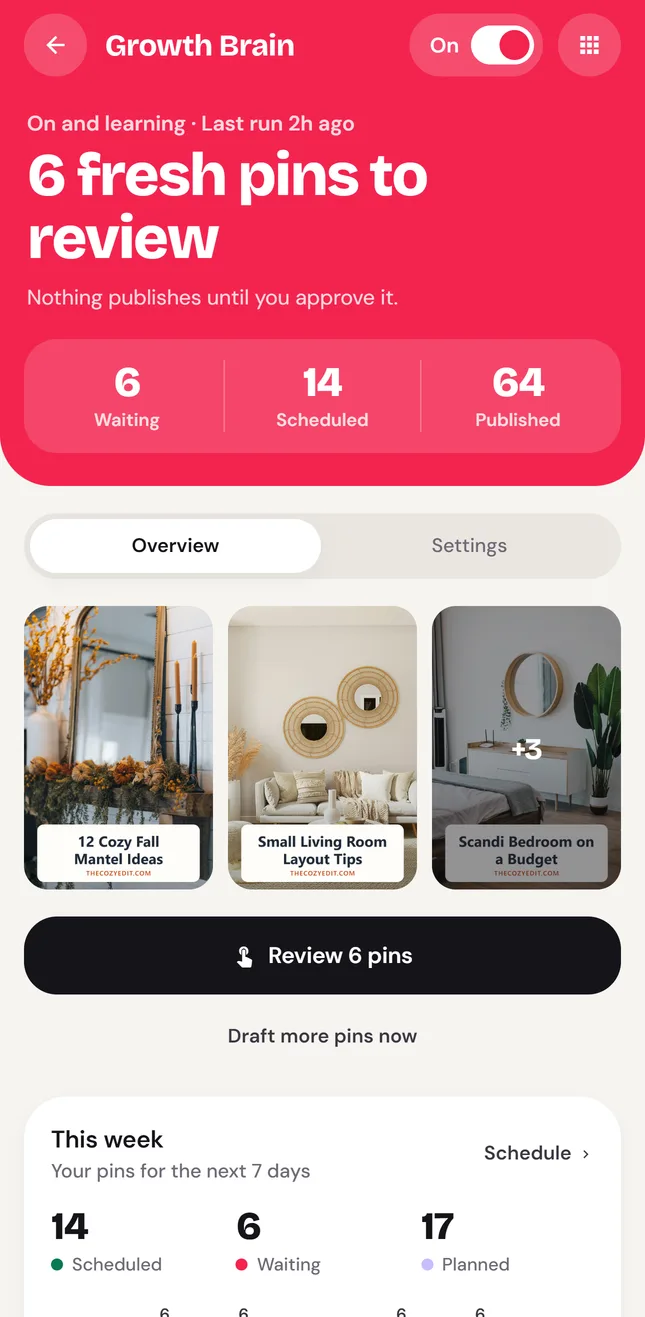
Growth Brain reads your posts and products, suggests what is worth promoting, and designs several on-brand pins for each page. Every pin targets a real Pinterest search, with a keyword-rich title, a description, alt text and a suggested board.
Approve pins one by one or clear a whole week in one sitting. Approved pins publish through the official Pinterest API at a steady pace, spread across links, boards and days, while analytics show what is working.
Five short videos recorded inside the dashboard, about 13 minutes in all: from adding your website to approving your first week of pins. Captions are on the CC button.
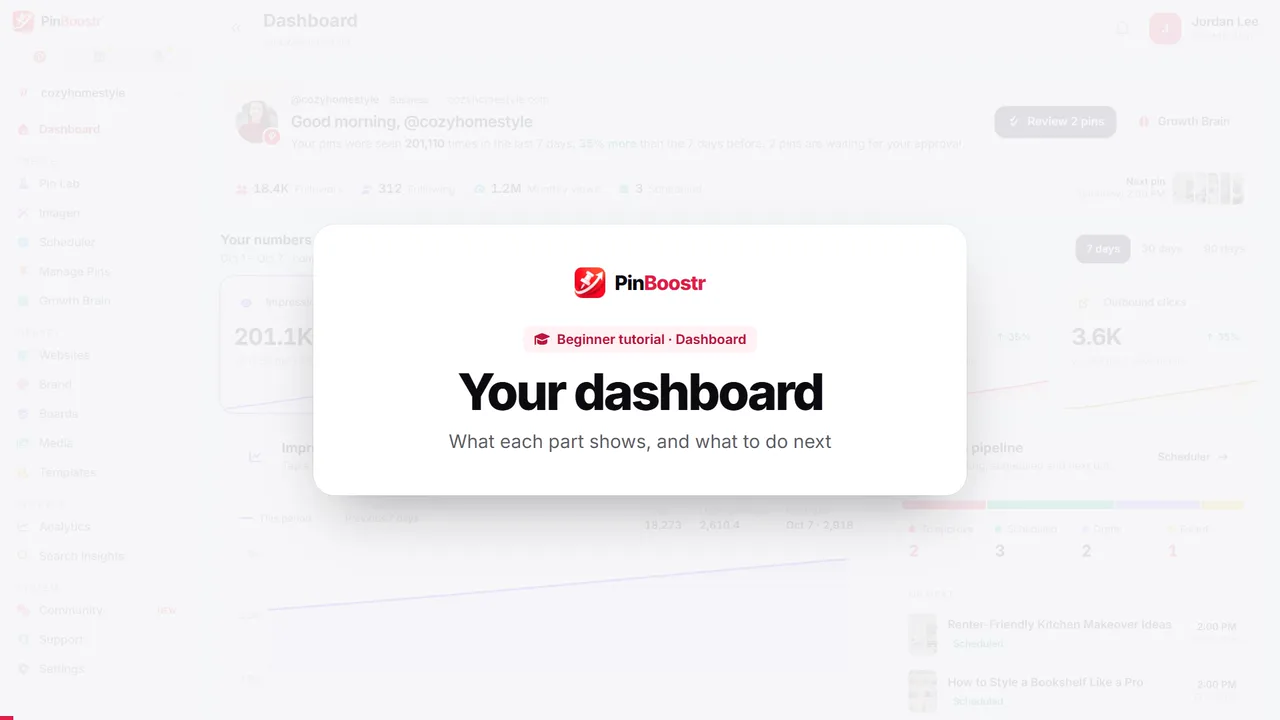
Your dashboard
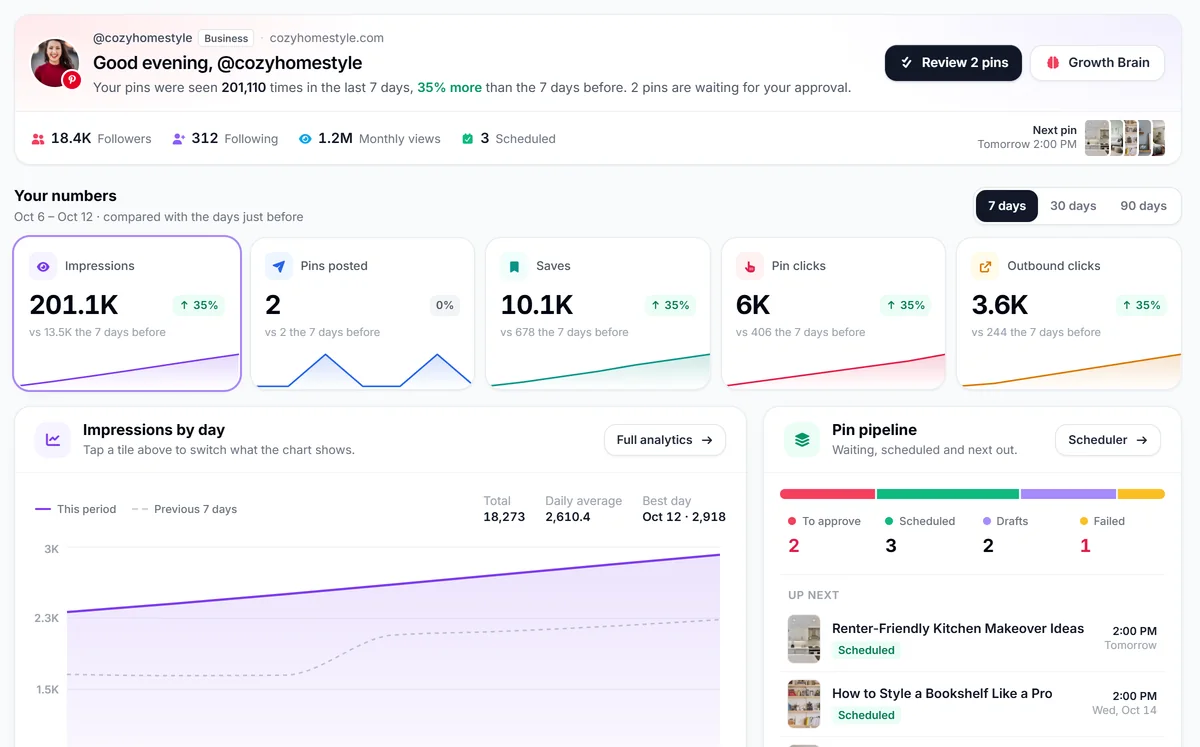
A two-minute tour of the dashboard: the menu, your weekly summary, the five numbers that matter, the pin pipeline and the next step to take.
 2:21
2:21
 1:28
1:28
 2:27
2:27
 3:08
3:08
 3:31
3:31
Everything between "I published a post" and "it is getting clicks from Pinterest", without juggling five apps.
Paste a URL, or let PinBoostr pick up new posts and products on its own. It designs several pins per page in your colors and fonts, and writes the title, description and alt text for Pinterest search. Product and affiliate links go straight through.
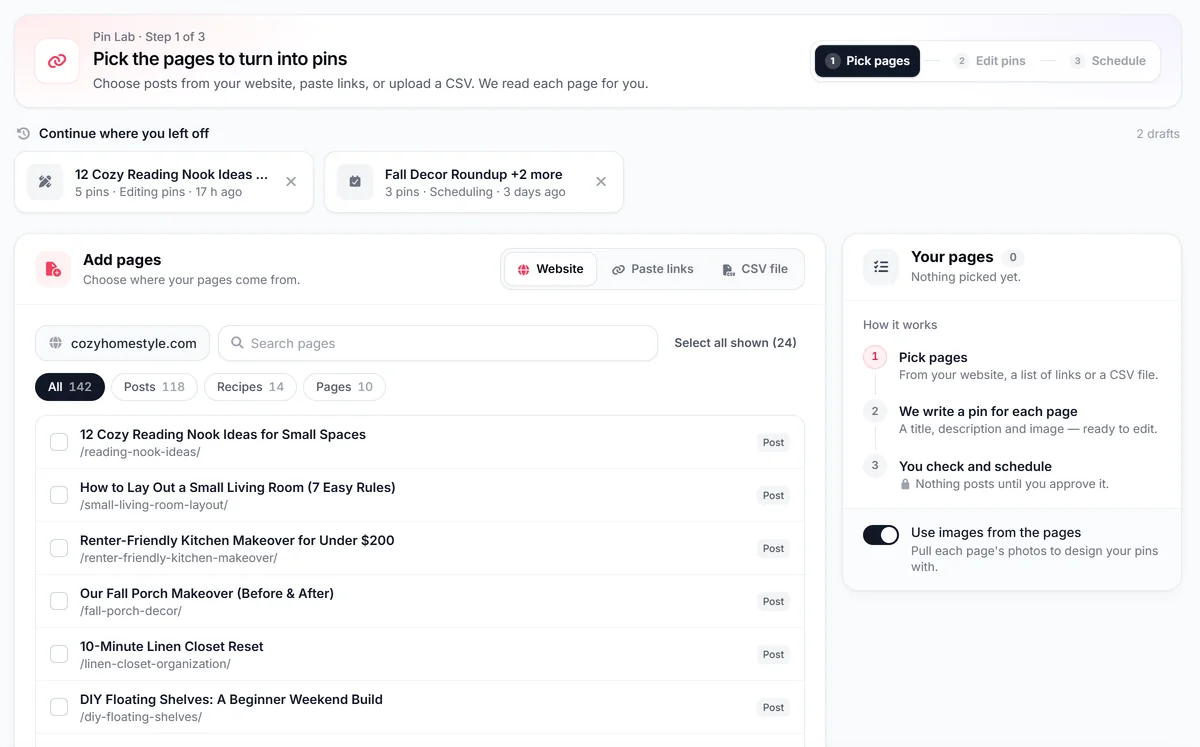
The queue fills itself and waits for your OK. Every pin gets a suggested board, and posting is spaced across links, boards and days so your feed stays fresh.
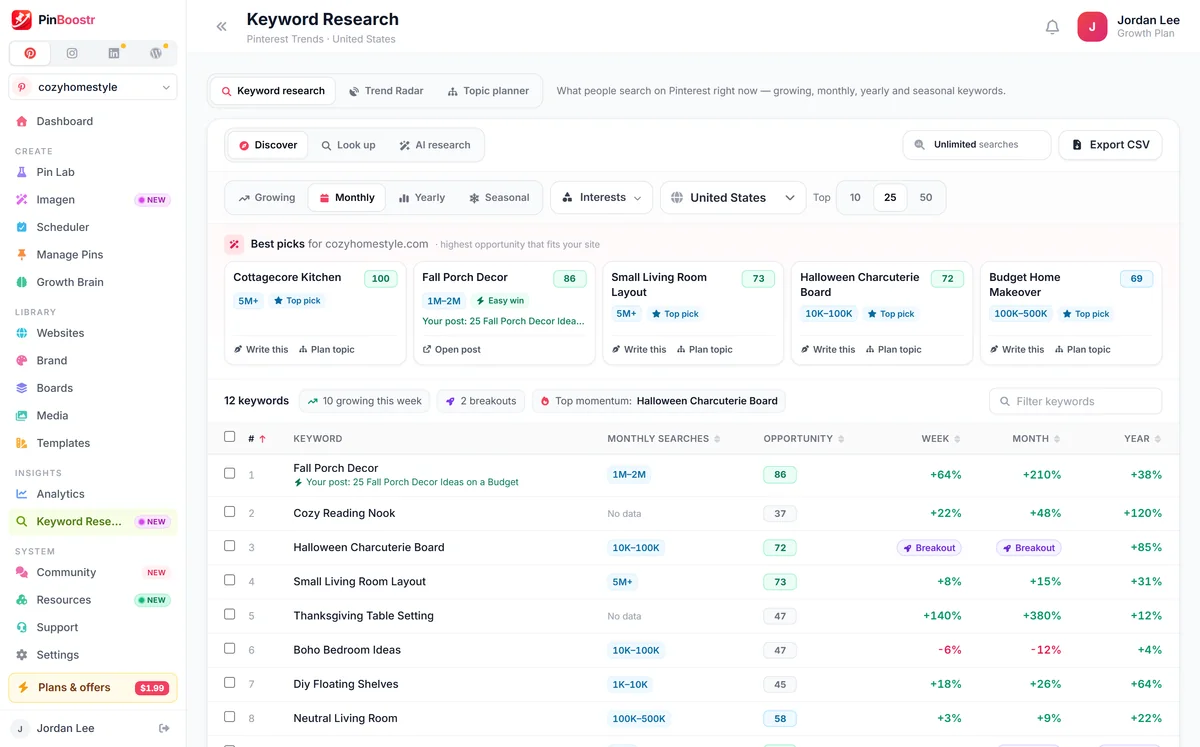
See how many people search each keyword on Pinterest every month, using the search ranges from Pinterest's own ads keyword tool, pulled live through your connected account. PinBoostr then matches the best searches to posts you already have, points out the gaps, and aims each new pin at a different search.
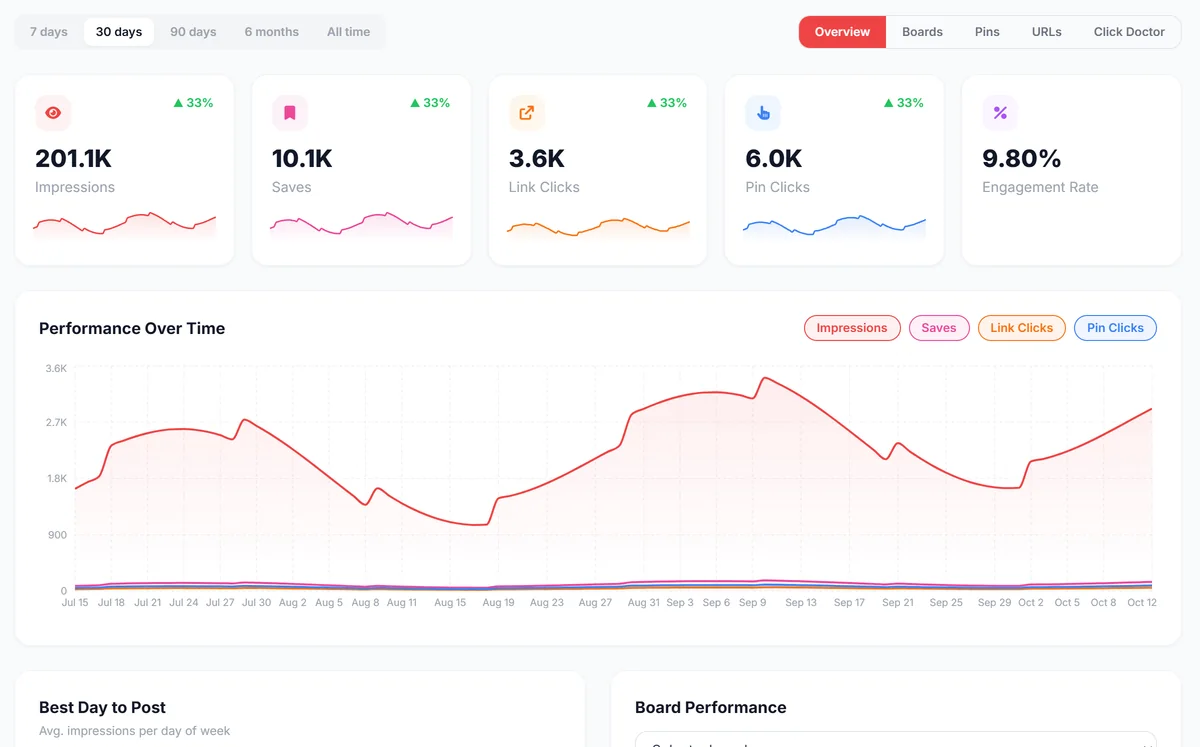
Impressions, saves and outbound clicks, with your top pins and URLs ranked. Growth Brain learns from the winners.
The Topic planner turns one topic into about 100 post ideas grouped by search, each with its monthly search range. Send any idea to the AI blog writer.
Try the free Topic plannerPinBoostr watches your reach every day, flags a drop as it starts, explains the likely cause and eases posting while you fix it.
How paced posting protects reachThe free PinBoostr plugin syncs every new post, gives each one a content score, and shows its pins, saves and clicks inside WordPress. Pair it with our free Pinterest-ready theme.
Get the WordPress plugin Get the free themePick a few pins you love and generate fresh images in the same look.
Fix outdated titles and links across your account and clean up duplicates.
Import a list of links and turn it into a batch of draft pins to review.
PinBoostr studies your site and builds pin styles in your colors and fonts.
Design reusable templates in a simple editor, or start from built-in ones.
Pick which pages, products and affiliate links get pins, and what to skip.
Open the PinBoostr extension on any blog post or product page. Pick an image, let AI write the title and description, choose a design and a board, then save a draft or schedule it. Nothing publishes until you approve it.

PinBoostr for iPhone and Android puts your review queue in your pocket. Here is your week with the app.
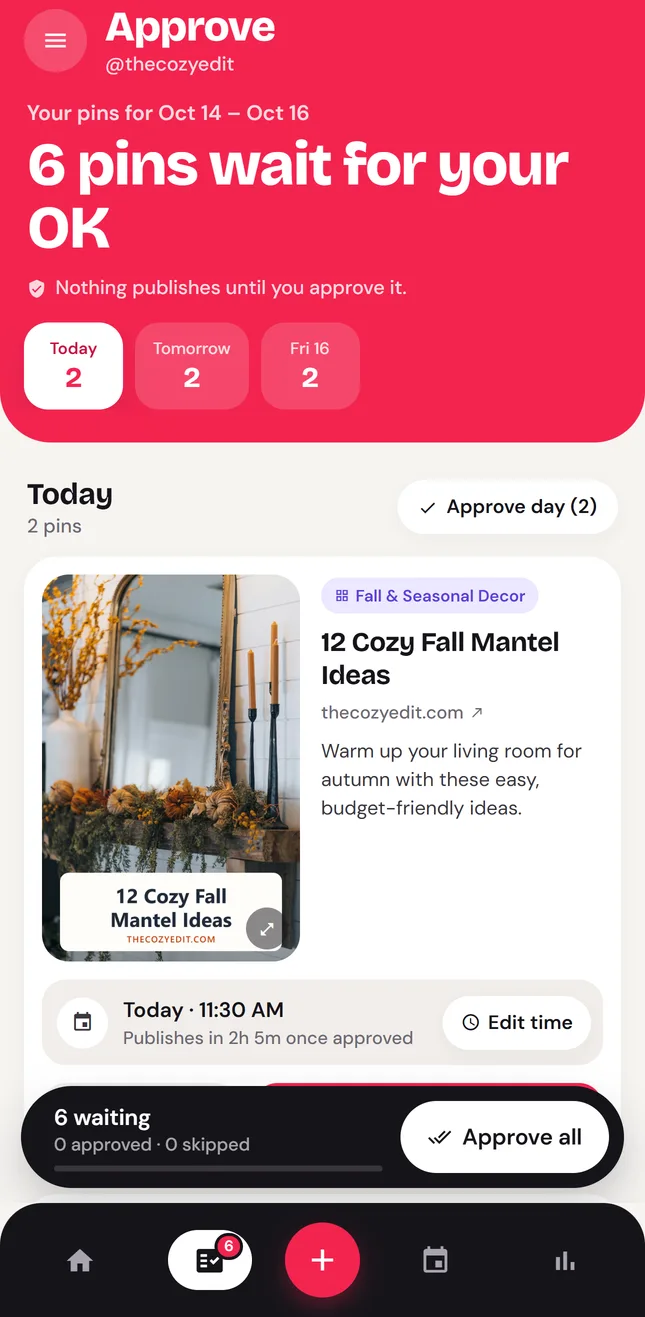
Growth Brain reads your blog posts and drafts a week of fresh pins: titles, descriptions, boards and designs. They wait in your queue until you look at them.
Drafted from your own posts and pagesThe moment new pins are ready, your phone lets you know. No checking in every day, and no week that slips by without pins.
Notifications are optional and quiet at nightApprove, skip or move a pin, or approve a whole day at once. Only the pins you approve are published, at a steady pace.
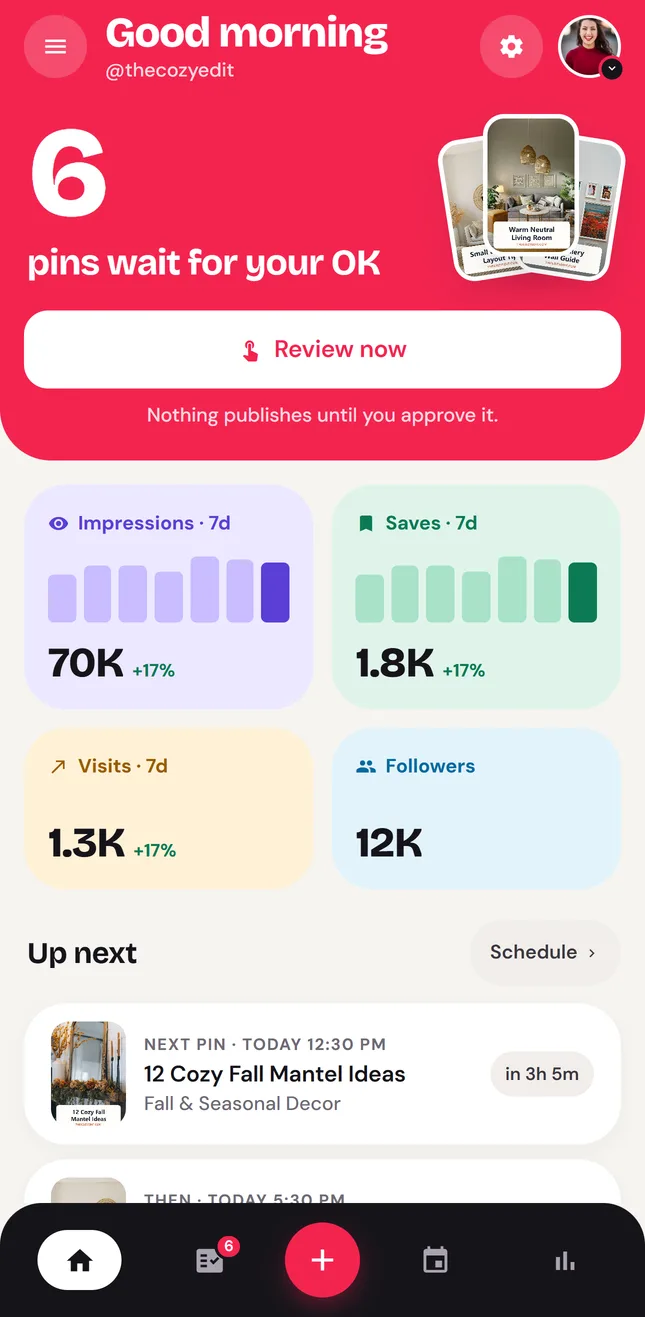
Nothing publishes until you approve itSee views, saves and site visits for every account, and which pins bring people to your site, wherever you are.
Your numbers, on web and phoneSame account on web and phone: start today, sign in on the app when it launches.
Every pin on this wall was made by PinBoostr for a real site: home decor, beauty, food, tech, finance, digital products and online stores. No designer and no design skills needed.






People come to Pinterest to search and plan, and most of what they search for names no brand. A good pin keeps getting found long after you post it, which makes consistent, well-keyworded pins one of the steadiest traffic sources a blog or shop can have.
people use Pinterest every month, a record high and up 11% year on year.
Source: Pinterest Q2 2026 results, Aug 2026of top searches on Pinterest are unbranded, so new creators and shops can be found.
Source: Pinterest Business, audience insightsmembers on LinkedIn, where buyers and clients read what you post.
Source: LinkedIn Pressroom, About usWe would rather show one documented account and a real review than a wall of anonymous quotes.
515 outbound clicks
The Growth Brain month of a new Pinterest account, up from 62 clicks in its manual first month. One account, documented with its limits.
See the numbers →Verified buyer review
What a verified AppSumo buyer liked, and what they asked us to improve. We reply to every review.
Read the review →You approve every pin
PinBoostr prepares the pins. Nothing publishes until you approve it, and approved pins go out on a paced schedule.
See how it works →Most Pinterest schedulers wait for you to design and queue every pin. PinBoostr suggests what to publish and makes the pins; you approve them. Updated October 2026.
| Capability |  PinBoostrMakes the pins. You approve them. PinBoostrMakes the pins. You approve them. |
Most Pinterest toolsSchedulers you fill yourself |
|---|---|---|
| Creates the pins for you | AI designs pins and writes titles, descriptions and alt text from your pages | You design or upload each pin |
| Suggests what to publish | Growth Brain picks your best posts and products to promote | You hunt for content yourself |
| Picks the board | A suggested board for every pin | You choose every time |
| Pacing | Spaced per link, board and day, eased when reach drops | Basic scheduling only |
| Pinterest keyword research | Monthly search volumes from Pinterest, matched to your posts and built into every pin | A separate tool, or a list of phrases with no volume |
| WordPress | Free WordPress plugin that syncs every new post | Manual upload or RSS |
| LinkedIn in the same dashboard | Posts, AI drafts and carousels in the same dashboard | Pinterest only, or another subscription |
| Official Pinterest API | Yes, never your password | Yes |
| Price | Start free, no card. Paid plans from $19.99/mo | A free trial or limited free tier, then paid |
| Start free |
Compare head-to-head PinBoostr vs BlogToPin PinBoostr vs Tailwind PinBoostr vs Pin Generator PinBoostr vs Buffer & Later PinBoostr vs Planoly PinBoostr vs Canva PinBoostr vs Pinclicks PinBoostr vs Metricool PinBoostr vs Taplio (LinkedIn) All 9 Pinterest automation tools compared
Pinterest brings the traffic. LinkedIn brings the clients.
Pinterest and LinkedIn scheduling in one place. Write LinkedIn posts yourself or draft them with AI in your own voice, turn notes into carousel decks in a built-in studio, and schedule everything into your weekly posting slots, from the same dashboard as your pins.
Three things I stopped doing on Pinterest, and what I do instead ↓
Pricing
Try PinBoostr on your own blog free for 1 month, no card needed. Paid plans add more pins a day, more AI and more accounts.
Try it on your own blog
No card needed. Free for your first month, then pick a plan; nothing is charged.
Start freeIncludes
For solo creators and bloggers
Save $3 15% off your first payment with PIN15 (new customers)
First payment, then $19.99/mo.
Get StarterIncludes
Best for growing creators
Save $6 15% off your first payment with PIN15 (new customers)
First payment, then $39.99/mo.
Get GrowthIncludes
Straight answers about automating Pinterest, account safety, WordPress, and scheduling LinkedIn from the same place.
More answers on the full FAQ page, or ask us directly.
A Pinterest automation tool is software that does the repetitive Pinterest work for you: making pin images, writing titles and descriptions, choosing boards and publishing on a schedule. Simple schedulers only publish pins you made yourself. PinBoostr also creates the pins from your blog posts and product pages, and publishes only the ones you approve.
A scheduler, including Pinterest's own, publishes pins you already designed at the times you pick. An automation tool also makes the pins: it reads your posts or products, designs several pins per page, writes keyword-rich copy and suggests a board. With PinBoostr you still approve each pin, which Pinterest's developer guidelines expect.
It depends on how much you want done for you. Most Pinterest schedulers queue pins you design yourself. PinBoostr reads your blog posts, creates the pins, writes titles and descriptions from Pinterest keyword research, and schedules only the pins you approve. There is a 1-month free trial with no card needed, so you can try it on your own site before deciding.
Yes. Paste any blog post or product URL, or connect WordPress with the free PinBoostr plugin. The AI pin generator designs several on-brand pins per page and writes the copy. Every draft stays editable before anything is scheduled.
Pinterest supports scheduling through its official API. What tends to get accounts flagged is spam-like behaviour: many near-identical pins, the same link over and over, or sudden jumps in volume. PinBoostr publishes only the pins you approve, through the official Pinterest API, paced per link, board and day, and never asks for your Pinterest password. No tool can promise an account will never be reviewed, so PinBoostr is built around the habits Pinterest rewards.
Pinterest does not publish a fixed number. Fresh pins posted consistently matter more than volume, and big spikes can hurt reach. PinBoostr starts you on a steady daily pace you can change, and eases off on its own if your impressions start dropping.
Common causes are seasonality, a spike in posting volume, many pins pointing at the same link, repeated images, and older pins naturally losing distribution. PinBoostr Account Health watches your reach every day, flags a drop as it starts, explains the likely cause in plain English and slows posting so the account can recover.
Yes. The free PinBoostr plugin syncs each new post to PinBoostr a few seconds after you publish it, and you can paste any product or collection URL from your store too. PinBoostr turns new content into pin drafts automatically, and they publish once you approve them.
Yes. PinBoostr runs Pinterest and LinkedIn from one login and one dashboard, and each keeps its own queue, so your Pinterest boards and pins are never touched by LinkedIn posts. LinkedIn currently supports personal profiles, not company pages.
Yes. On paid plans, Pinterest keyword research shows the monthly search range for each keyword, such as 10K-100K, taken from Pinterest's own ads keyword tool through your connected account. You turn it on once with a free Pinterest ad account. PinBoostr then matches the best searches to your posts, and the Topic planner adds the range to every post idea.
Pinterest itself is free: it can schedule Pins up to 30 days ahead, bulk-upload up to 200 Pins from a CSV file and auto-publish new posts from your RSS feed, but it does not design pins or write copy. PinBoostr does both, and its 1-month free trial needs no credit card: up to 3 pins a day plus 30 AI text credits and 15 AI images.
Yes. Every new account gets a 1-month free trial with no credit card. It covers 1 Pinterest account and 1 website, with Growth Brain, 3 pins a day, 30 AI pins, 15 AI images and 35 keyword searches. There is one trial per Pinterest account.
Every purchase and renewal includes a full refund if you ask within 14 days. If PinBoostr isn't the right fit, email support@pinboostr.com with your account email and Dodo Payments order details.
Pinterest results depend on your niche, content quality, keywords, consistency and seasonality. PinBoostr cannot guarantee rankings or traffic, but it helps you publish good pins consistently, which is what Pinterest rewards over time.
Learn Pinterest
Pinterest SEO, pin design, scheduling and traffic, explained step by step.
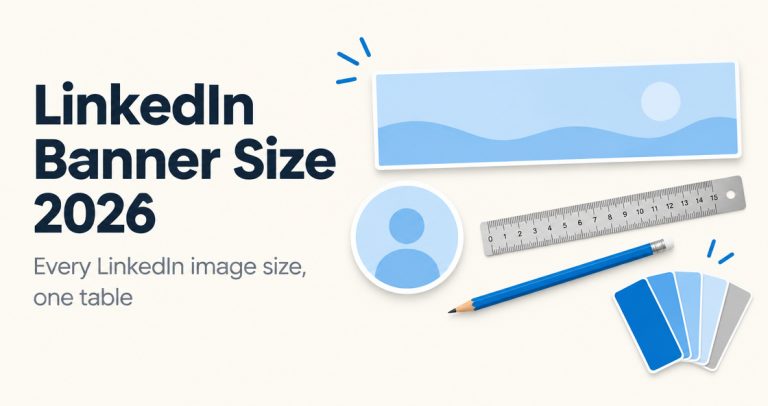
LinkedIn banner size is 1584 x 396 pixels. See every 2026 LinkedIn image size from LinkedIn Help: profile photo, Page cover, logo,…
What LinkedIn impressions, members reached and engagements mean, where to find your analytics, how to calculate engagement rate, and what to track…
Do LinkedIn hashtags still work in 2026? What LinkedIn changed, how many hashtags to use, how to choose them, and the hashtag…
Connect Pinterest, add your site, and approve your first week of pins today. When you want more, the Blog AI agent writes new posts and LinkedIn shares them.
One-time dealEnds Oct 28
1 year of PinBoostr, paid once.
About $4.17 a month · $149 less than a year of Starter
Only 2 of 5 spots left at this price
Free pin calendar
Get the next 8 weeks of pin ideas for your niche by email now, then a fresh calendar on the 1st of every month.
Check your inbox