Pinterest can be one of the most powerful traffic channels for bloggers, creators, affiliate marketers, and online businesses.
But there is one problem.
Pinterest rewards consistency.
You need to create fresh pins, write strong titles, optimize descriptions with keywords, publish regularly, test different designs, watch analytics, and keep improving based on what works.
Doing all of that manually is exhausting.
That is why more website owners are searching for a Pinterest automation tool.
But here is the truth most people miss:
A good Pinterest automation tool should not only help you schedule pins.
It should help you grow traffic.
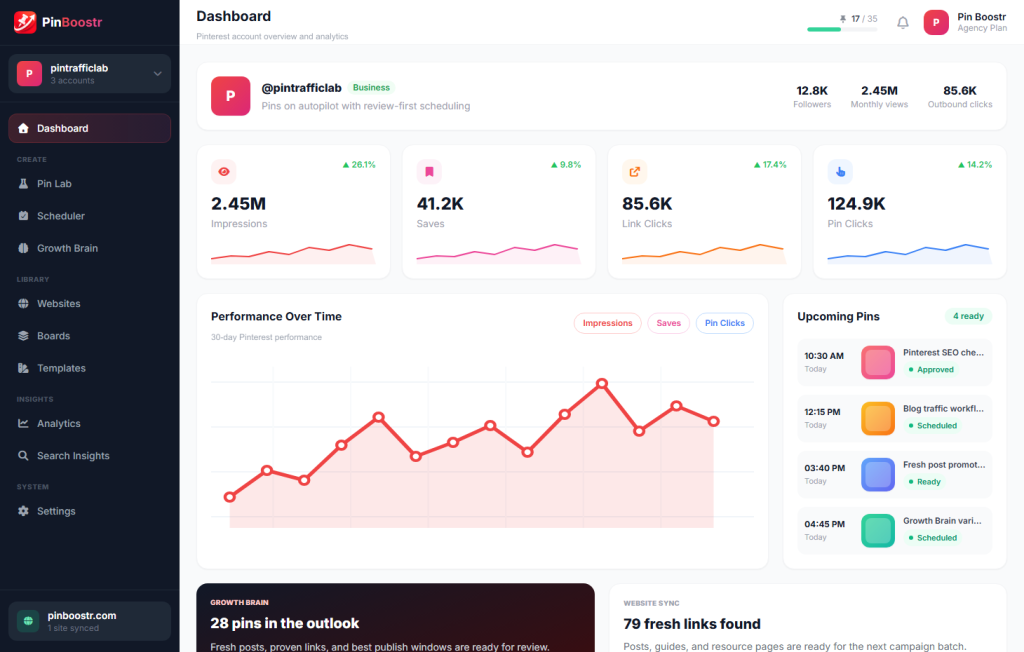
That is exactly where PinBoostr comes in.
PinBoostr is built for people who want to turn Pinterest into a real traffic growth system, not just another place where they manually post content and hope something works.
What Is a Pinterest Automation Tool?
A Pinterest automation tool is software that helps automate parts of your Pinterest marketing workflow.
Depending on the tool, it may help with:
- Creating pin designs
- Writing pin titles
- Writing pin descriptions
- Finding Pinterest keywords
- Scheduling pins
- Publishing content consistently
- Tracking performance
- Testing different pin ideas
- Improving future pins based on data
Some tools only schedule pins.
Some tools only help with design.
Some tools only help with keyword research.
But a complete Pinterest automation tool should connect all of these steps together.
Because Pinterest growth is not about posting random pins.
It is about publishing the right pins, with the right keywords, to the right boards, at the right time, and improving based on what performs.
Why Pinterest Automation Matters
Pinterest is not like Instagram or TikTok.
On most social platforms, your content disappears quickly. A post may get attention for a few hours or a few days, then it fades.
Pinterest works more like a visual search engine.
A good pin can keep bringing traffic weeks, months, or even years after it is published.
That makes Pinterest extremely valuable for:
- Bloggers
- Recipe websites
- Travel websites
- Fashion sites
- Home decor brands
- E-commerce stores
- Affiliate marketers
- Coaches
- Digital product sellers
- SaaS businesses
- Content creators
But to get results, you need consistency and optimization.
That is where manual Pinterest marketing becomes difficult.
You may start with motivation, create a few pins, schedule some content, and then stop because it takes too much time.
A Pinterest automation tool helps you stay consistent without spending hours every week doing repetitive work.
The Real Problem: Most Pinterest Tools Only Solve One Part
Many Pinterest tools are useful, but they only solve one piece of the workflow.
For example:
A scheduling tool helps you post pins later.
A design tool helps you create graphics.
A keyword tool helps you find search terms.
An analytics tool helps you check performance.
But Pinterest growth needs all of these working together.
If you only schedule weak pins, you are just automating poor performance.
If you create beautiful pins without keywords, people may never find them.
If you research keywords but never publish consistently, the data will not matter.
If you post content but never study what works, you keep guessing.
This is why the best Pinterest automation tool is not just a scheduler.
It is a traffic system.
PinBoostr: A Pinterest Automation Tool Built for Traffic Growth
PinBoostr is designed for website owners who want Pinterest to become a real source of traffic.
Instead of only helping you schedule pins, PinBoostr helps with the full Pinterest growth process:
- AI-powered pin creation
- Pinterest keyword research
- Optimized pin titles
- SEO-friendly pin descriptions
- Auto-scheduling
- Content testing
- Performance learning
- Traffic-focused Pinterest automation
The goal is simple:
Help you create better pins, publish consistently, and improve based on what Pinterest users actually respond to.
PinBoostr is not just about saving time.
It is about building a smarter Pinterest workflow.
What Can You Automate with PinBoostr?
1. Pin Creation
Creating fresh pins manually takes time.
You need to choose a layout, write text, match the design to your brand, pick the right image, and make sure the pin looks clickable.
PinBoostr helps automate pin creation so you can generate Pinterest-ready content faster.
This is especially useful if you have many blog posts, product pages, or website pages that could drive traffic from Pinterest.
Instead of creating one pin at a time, you can turn your existing content into Pinterest assets more efficiently.
2. Pinterest Keyword Research
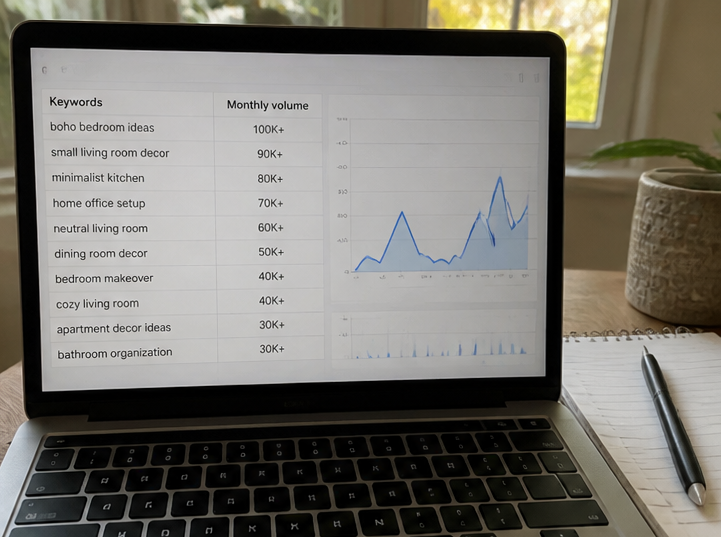
Pinterest is a search engine.
That means keywords matter.
If your pin title and description do not match what people are searching for, your content may never reach the right audience.
PinBoostr helps with Pinterest keyword research so your pins are not just pretty — they are discoverable.
This helps your content appear for relevant Pinterest searches and increases the chance of getting impressions, saves, clicks, and traffic.
3. Pin Titles and Descriptions
A strong Pinterest pin needs more than a nice image.
It needs a title that makes people stop.
It needs a description that explains the value.
It needs keywords that match search intent.
PinBoostr helps generate optimized pin titles and descriptions, so you are not stuck writing everything from scratch.
This is one of the biggest time-savers for bloggers and website owners.
4. Auto-Scheduling
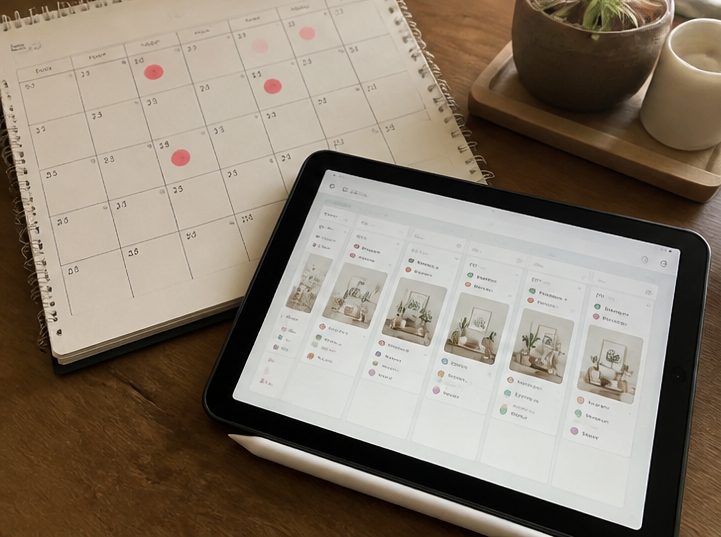
Consistency matters on Pinterest.
But manually posting every day is not realistic for most people.
PinBoostr helps automate scheduling so your Pinterest account stays active without you needing to log in constantly.
This is important because Pinterest growth usually comes from repeated publishing, testing, and optimization over time.
5. Testing and Learning

One of the biggest mistakes people make on Pinterest is guessing.
They create pins based on what they like, not based on what performs.
PinBoostr is designed to help test, learn, and adapt.
That means your Pinterest strategy becomes smarter over time.
Instead of repeatedly creating the same type of pin, you can improve based on performance signals.
This is where PinBoostr becomes more than an automation tool.
It becomes a Pinterest growth brain.
Who Is PinBoostr For?
PinBoostr is especially useful for people who already have content or products and want more traffic from Pinterest.
Bloggers
If you publish blog posts, Pinterest can become a long-term traffic source.
PinBoostr helps you turn articles into optimized pins so your content has more chances to be discovered.
This is useful for niches like:
- Recipes
- Parenting
- Travel
- Fashion
- Beauty
- Home decor
- DIY
- Personal finance
- Blogging
- Health and wellness
- Digital products
Affiliate Marketers
Affiliate marketers need traffic.
Pinterest can help send visitors to blog posts, guides, comparison pages, and product roundups.
PinBoostr helps create and schedule keyword-focused pins so you can promote content more consistently.
E-commerce Stores
If you sell products online, Pinterest can help people discover your products while they are searching for ideas.
PinBoostr can help turn product pages into pin content and support a more consistent Pinterest publishing workflow.
SaaS and Digital Product Businesses
Pinterest is not only for lifestyle content.
If your product solves a problem people search for visually or educationally, Pinterest can support traffic growth.
For example:
- Templates
- Planners
- Courses
- Design tools
- Marketing tools
- Productivity tools
- AI tools
- Business resources
PinBoostr helps package those pages into Pinterest-friendly content.
Busy Website Owners
If you know Pinterest could help your website but you do not have time to manage everything manually, PinBoostr is built for you.
It reduces the repetitive work so you can focus on strategy, content, and growth.
Pinterest Automation vs Pinterest Scheduling
This is important.
Many people think automation means scheduling.
But scheduling is only one part.
A Pinterest scheduler helps you decide when a pin goes live.
A Pinterest automation tool should help with the bigger workflow.
Here is the difference:
| Feature | Basic Scheduler | PinBoostr |
|---|---|---|
| Schedule pins | Yes | Yes |
| Create pin content | Usually no | Yes |
| Generate pin titles | Usually no | Yes |
| Generate pin descriptions | Usually no | Yes |
| Keyword research | Usually no | Yes |
| Traffic-focused workflow | Limited | Yes |
| Learn from performance | Limited | Yes |
| Built for website traffic | Not always | Yes |
If you already have perfect pins, titles, descriptions, keywords, and a strategy, a basic scheduler may be enough.
But if you want help with the full Pinterest growth process, you need more than scheduling.
You need a tool like PinBoostr.
What Makes a Good Pinterest Automation Tool?
Before choosing a tool, look for these features.
AI Pin Creation
A good tool should help you create fresh pin designs quickly.
Pinterest likes fresh content. If you keep using the same image again and again, results may slow down.
Pinterest SEO Support
Pinterest SEO is critical.
The tool should help you use relevant keywords in your pin titles, descriptions, and content strategy.
Auto-Scheduling
The tool should help you publish consistently without manual posting every day.
Website Content Import
If you already have blog posts or product pages, the tool should help turn that content into pins.
This saves huge amounts of time.
Analytics and Learning
Automation without analytics is dangerous.
You need to know what is working.
A strong Pinterest automation tool should help you understand performance and improve future pins.
Quality Control
Automation should not mean low quality.
The best tools help you move faster while still producing useful, clickable, relevant pins.
Common Pinterest Automation Mistakes
Pinterest automation can help a lot, but only if you use it correctly.
Avoid these mistakes:
Mistake 1: Automating Bad Content
If the pin design is weak, the title is boring, or the description has no keywords, scheduling it will not magically make it perform.
Automation should improve quality, not just increase quantity.
Mistake 2: Posting Without Keyword Research
Pinterest users search with intent.
If your pins are not optimized for the words people use, your content may not get discovered.
Keyword research should be part of your automation workflow.
Mistake 3: Using the Same Pin Again and Again
Pinterest works best when you test different creative angles.
Instead of using one pin for one blog post, create multiple pin variations.
Try different headlines, images, colors, and hooks.
Mistake 4: Ignoring Analytics
Do not just publish and forget.
Look at impressions, saves, outbound clicks, and click-through rate.
The goal is not only to post.
The goal is to learn what brings traffic.
Mistake 5: Thinking Pinterest Is Instant
Pinterest is a long-term traffic channel.
Some pins may take time to gain traction.
The key is consistent publishing, good keyword targeting, and ongoing improvement.
A Smarter Pinterest Automation Workflow
Here is a simple workflow you can use with PinBoostr.
Step 1: Choose a Traffic Page
Start with a blog post, product page, landing page, or guide that deserves more traffic.
For example:
- A recipe post
- A travel guide
- A product collection
- A tutorial
- A comparison article
- A digital product page
Step 2: Find Pinterest Keywords
Use Pinterest-focused keywords related to the topic.
Think about what users would search for.
For example, instead of only targeting “meal ideas,” you might target:
- Easy toddler lunch ideas
- Healthy meal prep for kids
- Quick family dinner ideas
- Budget meal plan for beginners
Step 3: Create Multiple Pin Angles
Do not create only one pin.
Create different angles, such as:
- How-to angle
- List angle
- Mistake angle
- Benefit angle
- Beginner angle
- Time-saving angle
- Problem-solution angle
For example, one blog post about Pinterest marketing could become:
- “How to Get More Pinterest Traffic”
- “Pinterest SEO Tips for Bloggers”
- “Pinterest Marketing Mistakes to Avoid”
- “How to Turn Blog Posts into Pins”
- “Best Pinterest Automation Workflow”
Step 4: Generate Pin Designs
Use PinBoostr to create Pinterest-style pin designs that match your content.
The goal is to make pins that are clear, clickable, and relevant.
Step 5: Write Optimized Titles and Descriptions
Use keyword-focused titles and descriptions.
Avoid vague titles.
Bad title:
“New Blog Post”
Better title:
“Pinterest Automation Tool for Bloggers Who Want More Traffic”
Step 6: Schedule Consistently
Use automation to publish consistently.
This keeps your Pinterest account active without requiring you to manually post every day.
Step 7: Track What Works
Watch which pins get:
- Impressions
- Saves
- Outbound clicks
- Higher click-through rates
- Better engagement
Then create more pins around winning topics, formats, and keywords.
Step 8: Improve and Repeat
Pinterest growth is not a one-time task.
It is a cycle:
Create → Optimize → Schedule → Track → Learn → Improve
PinBoostr helps make that cycle easier.
Why PinBoostr Is Different
Most tools help you do one task.
PinBoostr is built around the full Pinterest traffic workflow.
It is not only about creating pins.
It is not only about scheduling.
It is not only about keywords.
It brings the important parts together so your Pinterest strategy becomes easier to manage and easier to improve.
PinBoostr helps you answer questions like:
- What should I pin?
- What keywords should I use?
- What title should I write?
- What description should I publish?
- When should I schedule?
- What is working?
- What should I create more of?
That is the difference between a simple tool and a growth system.
Is Pinterest Automation Safe?
Pinterest automation is safest when it supports real content, quality pins, and normal publishing behavior.
The problem is not automation itself.
The problem is spammy automation.
You should avoid tools or tactics that:
- Fake engagement
- Auto-follow or auto-comment
- Spam the same content repeatedly
- Post irrelevant pins
- Use misleading titles
- Publish low-quality AI content with no review
PinBoostr is designed around content creation, optimization, scheduling, and traffic growth — not fake engagement.
That is the right way to approach Pinterest automation.
Best Pinterest Automation Tool for Bloggers
If you are a blogger, the best Pinterest automation tool should help you turn your blog posts into traffic assets.
You need a tool that helps with:
- Blog post to pin creation
- Pinterest keyword research
- Pin title generation
- Pin description generation
- Scheduling
- Performance tracking
- Content testing
PinBoostr is a strong fit because bloggers usually have one big problem:
They already have content, but they do not have enough time to turn every post into optimized Pinterest pins.
PinBoostr helps close that gap.
Instead of letting old blog posts sit with no traffic, you can turn them into fresh Pinterest content.
Best Pinterest Automation Tool for Website Traffic
If your goal is website traffic, you need to focus on outbound clicks.
Not just impressions.
Not just saves.
Not vanity metrics.
A Pinterest automation tool should help you create pins that make people click through to your site.
That means your pins need:
- Strong headlines
- Clear value
- Relevant keywords
- Good design
- A specific promise
- A matching landing page or blog post
PinBoostr is built with traffic in mind.
It helps you create and optimize Pinterest content that supports website growth.
How PinBoostr Helps You Save Time
Without automation, one Pinterest workflow may look like this:
- Open your blog post.
- Think of pin ideas.
- Research keywords.
- Create a design.
- Write the pin title.
- Write the pin description.
- Choose a board.
- Schedule the pin.
- Repeat everything again for another post.
- Check analytics later.
That is a lot of work.
PinBoostr helps reduce that manual workload by making the process faster and smarter.
This is especially valuable if you manage many pages, posts, or products.
Should You Use a Pinterest Automation Tool?
Yes, if you want Pinterest traffic but do not want to manually manage every step.
A Pinterest automation tool is useful if:
- You have a blog and want more traffic
- You sell products online
- You publish content regularly
- You want to repurpose old content
- You want to improve Pinterest SEO
- You struggle with consistency
- You want to test more pin variations
- You want to save time
- You want Pinterest to become a long-term traffic source
But you should choose the right kind of tool.
If you only need scheduling, use a simple scheduler.
If you need full Pinterest traffic growth support, use a tool like PinBoostr.
Final Thoughts: Pinterest Automation Should Help You Grow, Not Just Post
The best Pinterest automation tool is not the one that posts the most pins.
It is the one that helps you create better pins, target better keywords, publish consistently, and learn what drives traffic.
That is why PinBoostr is different.
It is not just a Pinterest scheduler.
It is an AI-powered Pinterest traffic growth system built to help bloggers, creators, and website owners turn content into consistent Pinterest visibility and clicks.
If you want to stop guessing and start building a smarter Pinterest workflow, PinBoostr is built for that.