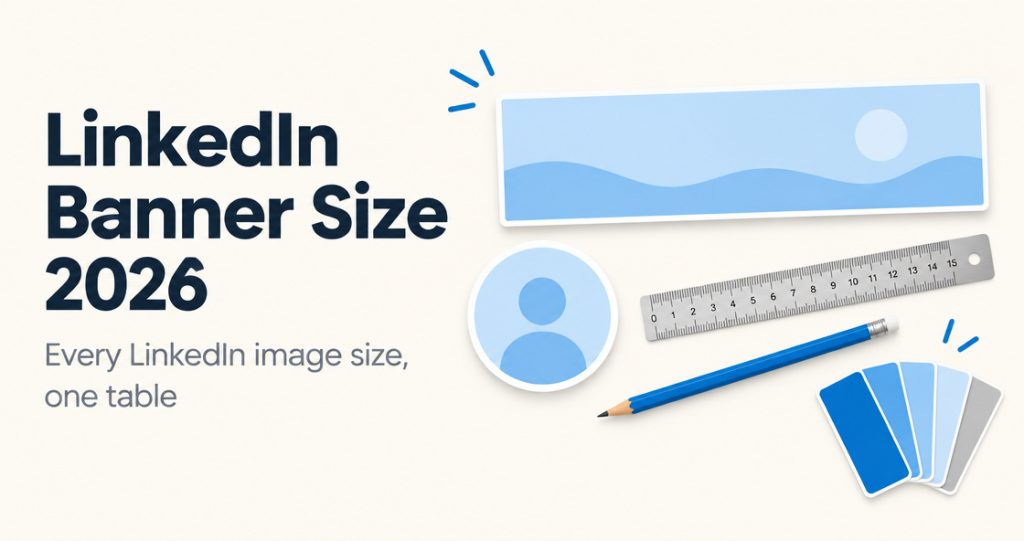
LinkedIn Banner Size 2026: Every Image Size in One Place
LinkedIn banner size is 1584 x 396 pixels. See every 2026 LinkedIn image size from LinkedIn Help: profile photo, Page cover, logo, newsletter, video.
The PinBoostr blog
Practical guides to growing on Pinterest and LinkedIn: SEO, design, posting and scheduling, written for bloggers, creators, founders and online shops.
LinkedIn banner size is 1584 x 396 pixels. See every 2026 LinkedIn image size from LinkedIn Help: profile photo, Page cover, logo, newsletter, video.
What LinkedIn impressions, members reached and engagements mean, where to find your analytics, how to calculate engagement rate, and what to track…
Do LinkedIn hashtags still work in 2026? What LinkedIn changed, how many hashtags to use, how to choose them, and the hashtag…
Evergreen answers to the questions people search most, kept up to date.
60 guides in 5 topics
Accounts, boards, pins and the rules, for anyone starting out.
A Pinterest business account is free. Create a new one on desktop in 8 steps or convert a personal account, plus business vs personal and how to switch back.
Make a Pinterest board in seconds: tap + then Board, name it, choose private or public. Plus sections, covers, merging, archiving and deleting.
Can't see your Pins? Check private or archived boards, the wrong account or tab, app cache, and guideline removals. Plus how to test who can see a Pin.
Usually not without permission. A yes/no table for websites, YouTube, Instagram and products, what Pinterest's terms say and how to find the original creator.
A Pinterest analytics tool that shows impressions, saves and link clicks by Pin, board and website page, and finds the Pins people see but rarely click.
An outbound click is a click from your Pin to a site off Pinterest. How Pinterest counts it, the outbound click rate formula, a real case study and 10 fixes.
Impressions count each time a Pin shows on screen. Monthly views is the figure on your profile. What each Pinterest metric means and why monthly views go down.
Keywords, titles, descriptions and boards that help pins get found.
Pinterest SEO gets your pins found in search. This 2026 guide covers keywords, your profile, boards, pin titles, descriptions, hashtags and Rich Pins, in order.
How to do Pinterest keyword research in 6 steps: find the phrases people search, check Pinterest's monthly search ranges, then use them in pins and boards.
Seven Pinterest keyword research tools compared: Pinterest Trends, the Pinterest ads tool, PinBoostr, KeySearch, PinClicks, Tailwind and KeywordTool.io.
A 25-step Pinterest SEO checklist for 2026: set up your profile, pick keywords, name boards, write pin titles and descriptions, and check Rich Pins and links.
Learn how Pinterest hashtags fit into SEO, when to use them, how many to add, and how to build hashtag sets from keyword research.
170 Pinterest board name ideas grouped by niche, from recipes and home decor to blogging and travel, plus the simple formula that makes board names searchable.
Pinterest has not released its 2027 trends yet. When Pinterest Predicts 2027 is likely out, what the 2026 report said, and how to prepare with Pinterest Trends.
The numbers, the ads and the honest ways Pinterest turns into income.
Pinterest had 640M monthly users and $1.18B revenue in Q2 2026. Official stats on users by region, ARPU, Gen Z, search and shopping.
Pinterest doesn't pay per view. You earn through affiliate links, products, services, brand deals or blog traffic. 7 ways, ranked by time to first dollar.
Pinterest ads are paid Pins shown in feeds and search. Learn the 5 objectives, ad formats, targeting, Ads Manager setup, the tag and when ads pay off.
Pinterest ads have no set price or minimum budget. You set the budget, bids compete in an auction, and you pay per impression or click. Budget tips inside.
Pinterest allows affiliate links if you disclose them and avoid spammy volume. The 2026 rules, direct links vs a blog, picking programs and a weekly plan.
Pins stuck at 0 views? Check account age, an unclaimed site, a flagged link, keywords, the AI modified label and duplicates. What is normal for a new account.
Pinterest has no affiliate program of its own. 15 programs by niche with commission, cookie length and Pinterest linking rules, checked on their terms pages.
Amazon affiliate on Pinterest in 2026: what Associates rules allow, adding your site, the disclosure, image rules and Pinterest's Amazon Storefront Linking.
You can do Pinterest affiliate marketing without a blog. The honest trade-offs, programs that accept you and how to keep direct links out of spam filters.
Pinterest does not pay creators for views or followers. What it offers in 2026: affiliate links, brand deals, Amazon Storefront Linking and the Inclusion Fund.
How to sell on Pinterest in 2026: a business account, a claimed website, product Pins, catalog rules and shopping features, checked on Pinterest help pages.
Connect Etsy to Pinterest in 7 steps: link Pinterest in Shop Manager, share listings, join Share and Save and make product Pins, plus why Etsy can't be claimed.
Pinterest for home decor bloggers: the Pin types that get clicks, board names, how decor searches are phrased and a month-by-month seasonal pinning plan.
Pinterest for travel bloggers: itinerary and packing Pins that get clicks, destination boards, how travel searches are phrased and when to pin each season.
Pinterest for DIY and craft bloggers: step-by-step and before-and-after Pins, board ideas, how project searches are phrased and a seasonal crafting calendar.
Pinterest for fashion bloggers: outfit and how-to-style Pins that get clicks, board ideas, how fashion searches are phrased and when to pin each season.
How much to post, when, and how to schedule without getting flagged.
Pinterest automation is generally safe when a tool uses the official API, you approve each pin and pins are paced. What is allowed and what gets flagged.
Pinterest publishes no daily pin limit. Its developer docs list 200,000 Pins and 2,000 boards. The safe number of pins per day by account age, in one table.
There is no single best time to post on Pinterest. Start with this day-by-day schedule, then test it against your own Pinterest Analytics to find your hours.
The best Pinterest pin size is 1000 x 1500 px (2:3). Sizes for standard, video, carousel and collection pins plus profile images, checked against Pinterest.
Auto post from WordPress to Pinterest three ways: RSS, a plugin or the API. How each one works, which is safest, and how to keep approving every pin.
A fresh pin is an image Pinterest has never seen before. Not a new URL, not a re-saved graphic, not a changed title. Here is what counts.
Tailwind's 2026 plans are Pinterest-only, priced per account and paid in credits. What each plan costs, what 300 credits buy, and when to stay or switch.
A Pinterest spam suspension can be a mistake, a flagged link or a real pattern. How to tell which, how to appeal, and how to restart without being flagged.
Automate Pinterest with n8n, Make or Zapier through the official API: access rules, a step-by-step n8n workflow with approval, and what DIY cannot do safely.
Bulk schedule Pinterest Pins: what Pinterest's own CSV upload and RSS feed can do, and how PinBoostr turns a batch of pages into Pins you review and approve.
How to get WooCommerce products on Pinterest: what the free Pinterest for WooCommerce extension syncs, what it needs, and how to add fresh Pins you approve.
Get your blog onto Pinterest from any platform: how Squarespace, Wix and Blogger sitemaps let PinBoostr turn posts into Pins you approve, plus free options.
Our Tailwind app review for 2026: the September plan change, credits, the free start, what Trustpilot reviewers complain about and who Tailwind still suits.
Pin Generator review for 2026: features, pricing from $29.99 a month or $19.99 billed yearly, what credits buy, lifetime deals, refunds, pros, cons and verdict.
BlogToPin review for 2026: plans from $25 a month with unlimited accounts and websites, what each plan includes, the no-refund policy, pros, cons and verdict.
Scheduling, timing, formats and limits for posting on LinkedIn.
Scheduling LinkedIn posts through the official API is allowed. Browser extensions that act as you are not. Here is the line LinkedIn draws.
LinkedIn automation splits in two. Scheduling posts through the official API is allowed. Auto-connecting, auto-messaging and scraping are not. Here is the line.
LinkedIn lets you schedule a post 10 minutes to 3 months ahead with the clock icon. Steps for desktop and mobile, the limits, and when a tool helps.
The largest 2026 study found weekday afternoons, 3 to 8 p.m. local time, work best on LinkedIn, Wednesday most of all. How to find your own best time.
Two to five posts a week is the sweet spot, says a 2026 study of 2 million+ LinkedIn posts. What posting more adds, and how to keep the rhythm going.
The best LinkedIn carousel size is 1080 x 1350 px (4:5), uploaded as a PDF of up to 300 pages and 100 MB. Dimensions, limits and design tips.
A LinkedIn post can be 3,000 characters, but only about 210 show before "see more". Every LinkedIn character limit in one table.
How the LinkedIn algorithm ranks posts in 2026, from LinkedIn's own sources: signals, dwell time, comments, links, hashtags, pods and AI content.
How to write a LinkedIn post: a strong first line, short paragraphs, one takeaway and a question. Formats, tagging tips and templates for common posts.
LinkedIn posts are plain text: format with line breaks, typed bullets and emoji. How fake bold works, its accessibility costs, and how to preview a post.
LinkedIn post ideas grouped by goal and by role (founders, businesses, job seekers, marketers, developers), with example angles and a simple weekly plan.
LinkedIn hashtags make posts searchable in 2026, but LinkedIn doesn't call them a reach booster. How many to use, where to put them, and fixes.
How to grow on LinkedIn in 2026: followers vs connections, profile setup, posting rhythm, commenting, company pages, what to avoid and a 90-day plan.
Where to find LinkedIn analytics on your profile, what impressions, members reached and engagements mean, how long data lasts, and why impressions drop.
LinkedIn removed the Creator Mode toggle in March 2024. Where its features went: Follow button, profile link, newsletters, LinkedIn Live and analytics.
How to grow on LinkedIn in 2026: profile basics, followers vs. connections, what replaced creator mode, a posting rhythm, and a 30-day…
40 LinkedIn post ideas with example angles for professionals, small businesses, marketers and job seekers, plus how to turn one idea into…
LinkedIn headline examples for job seekers, students, freelancers, founders and career changers, plus a simple formula and the 220-character limit.
How to write a LinkedIn post: a hook before "see more", body, ending, formats, and templates for a new job, accomplishment, event…
How the LinkedIn algorithm ranks posts in 2026, from LinkedIn's own engineering and newsroom posts: AI ranking, dwell time, engagement bait and…
Pinterest Marketing
Build a home decor Pinterest blog using intent keywords and small-space layouts to drive clicks and earn through ads and affiliate links.
PinBoostr reads your site, prepares a week of keyword-led pins and publishes the ones you approve through the official Pinterest API.
No card needed. Or try the free Pinterest tools.
One-time dealEnds Nov 3
1 year of PinBoostr, paid once.
$49.99 paid once for 1 year · $149 less than a year of Starter
Only 1 of 5 spots left at this price