PinBoostr vs Canva
Canva is a design studio: you hand-craft beautiful pins from templates, and its Content Planner can schedule them one at a time. PinBoostr is an automation engine: it generates branded pins from your site and publishes them on autopilot, with keyword research and account-safe pacing. Canva wins on design control; PinBoostr wins on doing it for you at scale.
Written & reviewed by the PinBoostr team · updated June 2026
At a glance
PinBoostr
Generates branded pins from your content and publishes on autopilot, with keyword research built in.
Canva
A design studio with templates and a basic Content Planner that schedules one pin at a time.
The short answer
Which should you choose?
Choose PinBoostr if…
- You want pins generated for you at scale
- You want real scheduling, not one pin at a time
- You want keyword research and automation built in
Choose Canva if…
- You want total manual control over each design
- You enjoy designing pins by hand
- You want one design tool for everything, not just Pinterest
Feature by feature
PinBoostr vs Canva, compared
Where each tool genuinely leads is marked on every row. Pricing is current as of June 2026.
| Where it matters | Canva | PinBoostr | Leads |
|---|---|---|---|
|
Pin design control
|
Best-in-class — full manual design and templates. | AI-generated branded pins; a built-in editor for tweaks. | Canva |
|
Creates pins from your site
|
No — you design each pin by hand. | Yes — Growth Brain generates pins from your pages. | PinBoostr |
|
Scheduling
|
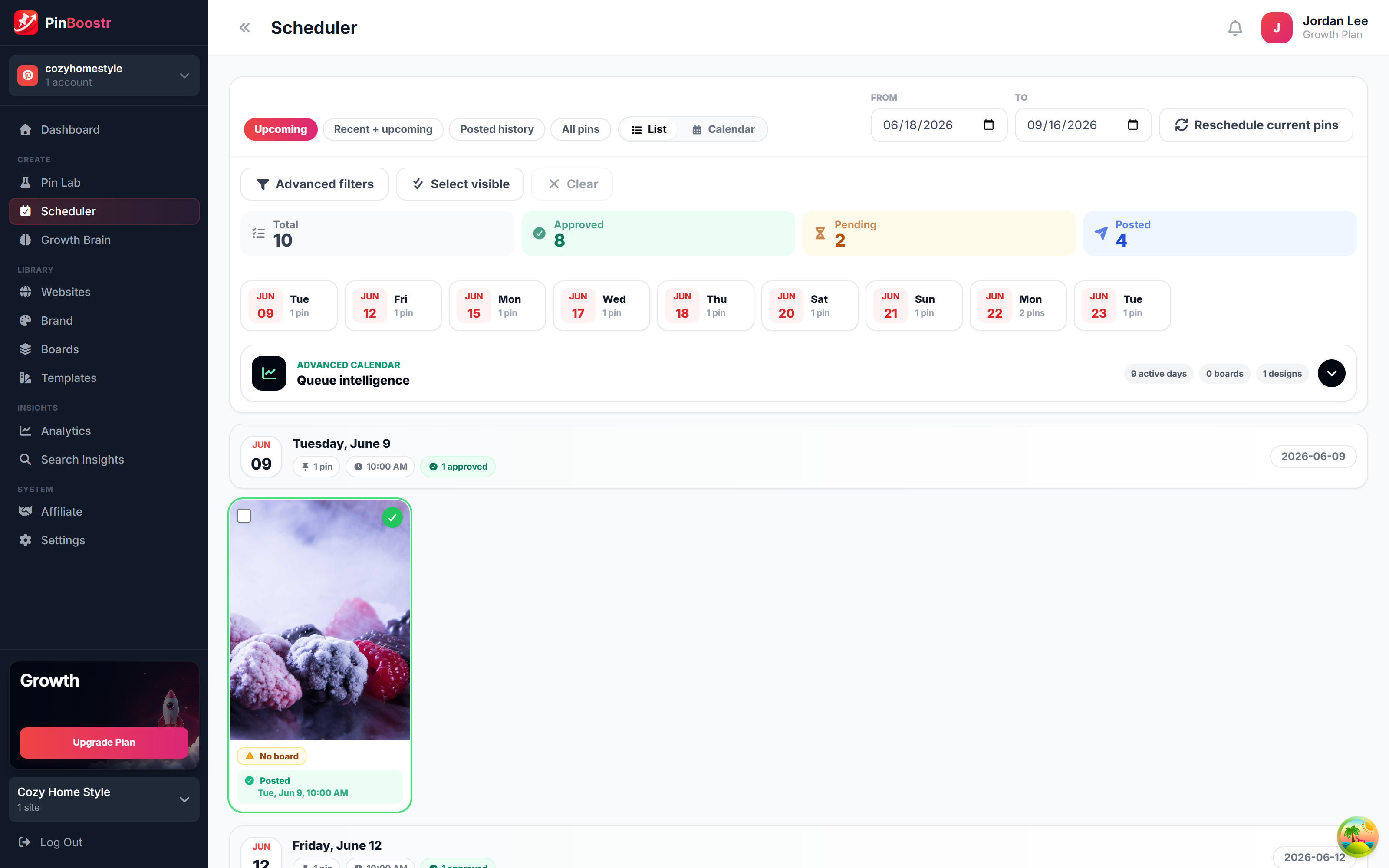
Basic: manual date/time, one design at a time, no queue. | Autopilot, paced scheduling with safety limits. | PinBoostr |
|
Bulk publishing
|
No bulk scheduling. | Publishes many fresh pins on a managed schedule. | PinBoostr |
|
Keyword research
|
None. | Built-in Pinterest keyword research. | PinBoostr |
|
Automation
|
Manual — you create and schedule each pin. | Growth Brain runs the pipeline hands-off. | PinBoostr |
|
Pinterest API
|
Publishes via official API (Pro). | Official Pinterest API. | Even |
|
Entry price
|
Canva Pro $12.99/mo (no scheduling on free). | From $19.99/mo, try it for free. | Canva |
No clean sweep
Where each tool genuinely wins
PinBoostr wins on
- Generates pins from your site automatically
- Real scheduling: paced, bulk, and account-safe
- Built-in Pinterest keyword research
- Hands-off Growth Brain automation
Canva wins on
- Unmatched manual design flexibility and templates
- Great for crafting hero pins by hand
- Useful far beyond Pinterest
- Low price ($12.99/mo Pro)
A design studio versus an automation engine
Canva is one of the best design tools ever made, and for hand-crafting a beautiful Pinterest pin it is hard to beat. Its templates, brand kit, and editor give you total control, and the Content Planner can post a finished design straight to a board. If you love designing each pin yourself, Canva is a joy.
The catch is everything around the design. Canva's scheduling is deliberately basic — manual date and time, one design at a time, no queue logic, no smart timing, and no bulk scheduling — and it has no keyword research and no way to generate pins from your website. The work of producing volume, optimizing keywords, and publishing consistently is all still on you.
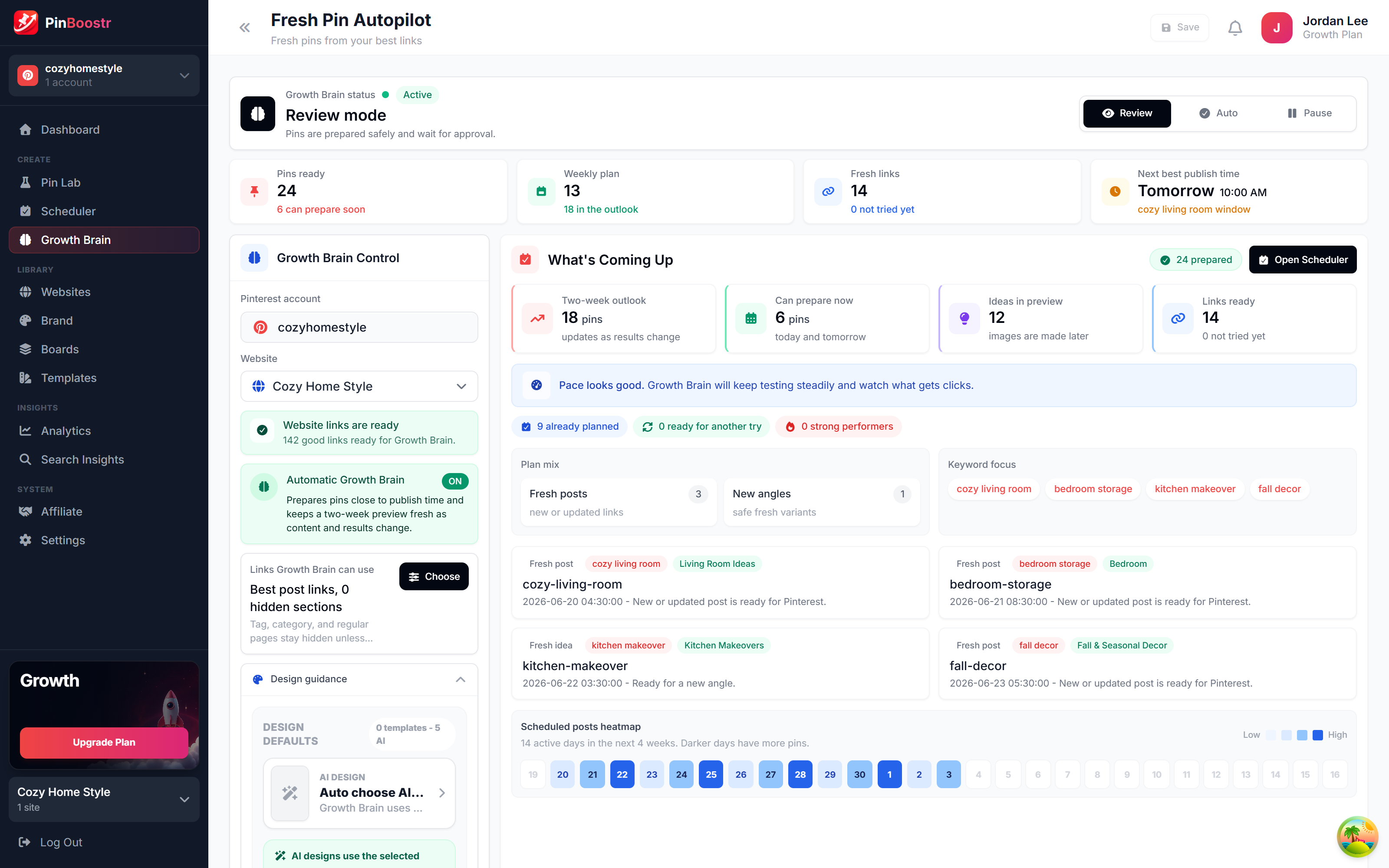
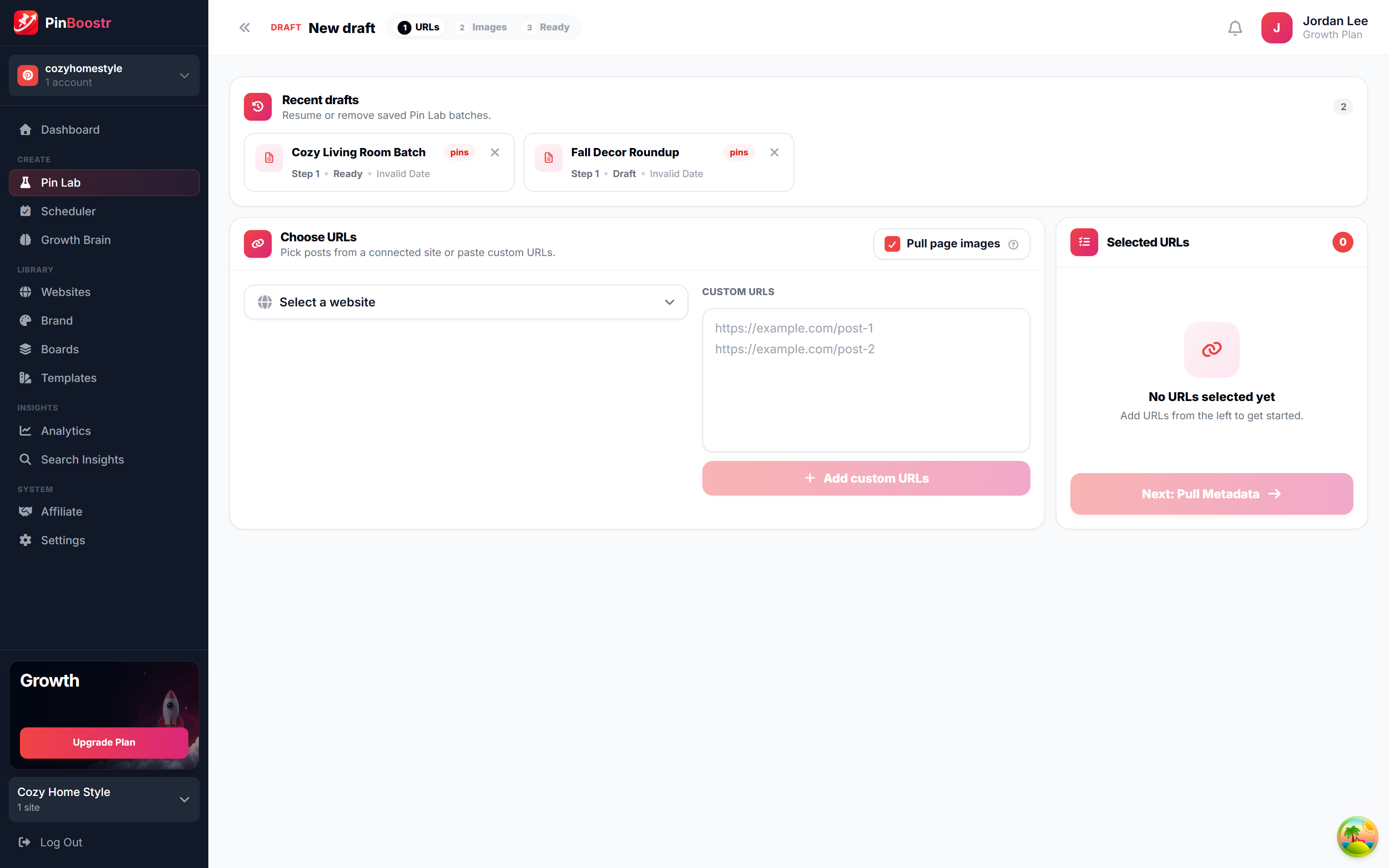
PinBoostr is built for that work. Growth Brain generates branded, correctly sized pins from your content, researches the keywords, and publishes them through the official Pinterest API on a paced, account-safe schedule. The two even pair well: design a few hero templates in Canva, and let PinBoostr produce and publish the steady stream of fresh pins that Pinterest growth actually requires.
See it in action
PinBoostr, behind the scenes
Pinterest reaches over 631 million monthly users (Pinterest, 2026). Here is how PinBoostr helps you reach them — create, schedule, and grow, automatically.
PinBoostr vs Canva FAQ
Can Canva schedule Pinterest pins?
Yes, Canva Pro's Content Planner can publish a design to a Pinterest board on a chosen date and time. But the scheduling is basic — one design at a time, no queue, no smart timing, and no bulk scheduling — which makes consistent volume tedious.
Is PinBoostr a Canva alternative for Pinterest?
For Pinterest growth, yes. Canva is a manual design tool with a basic scheduler; PinBoostr generates branded pins from your content and publishes them automatically with keyword research and paced scheduling. Many creators use Canva to design hero pins and PinBoostr to generate and publish at scale.
Does PinBoostr replace Canva entirely?
Not for design work. Canva remains the better tool for hand-crafting one-off graphics and non-Pinterest assets. PinBoostr replaces the repetitive job of producing, optimizing, and publishing a steady stream of Pinterest pins.
Which is cheaper?
Canva Pro is $12.99/mo (scheduling is not available on the free plan), while PinBoostr starts at $19.99/mo with a free way to try it. Canva is cheaper, but it does not generate pins from your site, research keywords, or automate publishing.
Do both use the official Pinterest API?
Yes. Both Canva's Content Planner and PinBoostr publish through the official Pinterest API, so neither needs your password.
Keep comparing
Related PinBoostr comparisons
Best Tailwind Alternatives
The 7 best Tailwind alternatives for Pinterest, compared.
Read comparisonPinBoostr vs BlogToPin
Intelligent automation vs a simple pin generator.
Read comparisonPinBoostr vs Tailwind
A Pinterest specialist vs a multi-platform suite.
Read comparisonPinBoostr vs Buffer & Later
Pinterest-native AI pins vs general schedulers.
Read comparisonPinBoostr vs Pin Generator
Intelligent autopilot vs a credit-based pin & video generator.
Read comparisonPinBoostr vs Planoly
Pinterest-native creation vs a visual multi-platform planner.
Read comparisonPut your Pinterest growth on autopilot
Let PinBoostr generate your pins, optimize the keywords, and publish through the official Pinterest API — set it once and let it run.
Try PinBoostr freeNo credit card required.