One-time deal

1 year of PinBoostr $0.27 $0.14/day $49.99 paid once Save 50%

Ends in --d --h --m --s
Only 1 of 5 left Get the deal
PinBoostr
Roundup by the PinBoostr team · updated June 2026

Best AI Pinterest Pin Generators (2026)

The best AI Pinterest pin generators in 2026 are PinBoostr (best for AI generation plus scheduling), Pin Generator (AI pins and video), BlogToPin (high-volume blog-to-pin), Canva (manual design with AI), and Tailwind Create (generation inside a suite). PinBoostr goes furthest: it scores your whole site, generates pins for your best pages and schedules the ones you approve.

Disclosure: PinBoostr is our product, so we are not a neutral reviewer. Competitor details come from their public sites; check current terms before you buy.

Our 2026 ranking

Pinterest
  1. 1 PinBoostr Best AI generation + scheduling Top pick
  2. 2 Pin Generator Best for AI pins + video
  3. 3 BlogToPin Best for many sites
  4. 4 Canva Best for manual design
  5. 5 Tailwind Create Best inside a suite

The quick verdict

Best AI Pinterest Pin Generators at a glance

An AI pin generator should do more than make one graphic. The best ones turn your content into branded pins — and the best of those also publish them.

Our pick

PinBoostr

Best AI generation + scheduling

Pin Generator

Best for AI pins + video

BlogToPin

Best for many sites

Canva

Best for manual design

Tailwind Create

Best inside a suite

Side by side

Best AI Pinterest Pin Generators compared

Pricing is current as of June 2026.

Tool Best for Creates from Starts at Free
PinBoostr Pick Best AI generation + scheduling Your whole site $19.99/mo Free to start
Pin Generator Best for AI pins + video A URL $29.99/mo Free tools
BlogToPin Best for many sites Connected sites $25/mo Few free pins
Canva Best for manual design Templates $12.99/mo Free (design)
Tailwind Create Best inside a suite URL or photos $29.99/mo One-time trial
Our recommended pick

1. PinBoostr

Best AI generation + scheduling

$19.99/mo · Free to start

PinBoostr's Growth Brain scans your whole site, scores your best content, generates branded keyword-optimized pins, and publishes the ones you approve through the official Pinterest API.

Best for: Creators who want pins generated and published, not just designed.

Pros

  • Generates pins from your entire site, not one URL at a time
  • Paced publishing of approved pins, with safety caps
  • Built-in keyword research feeds every pin
  • Works with any site + browser extension

Cons

  • No Instagram or Facebook scheduling
See the PinBoostr AI pin generator Start with PinBoostr free

2. Pin Generator

Best for AI pins + video

$29.99/mo · Free tools

Pin Generator creates AI pins and video from a URL or text on credit-based plans, with keyword tools, Etsy and Shopify product imports and Canva imports.

Best for: Creators who want on-demand AI pins, including video.

Pros

  • AI video pin generation
  • Etsy and Shopify product imports
  • Canva design imports

Cons

  • Credit-based
  • You drive each generation manually
Read the full PinBoostr vs Pin Generator comparison

3. BlogToPin

Best for many sites

$25/mo · Few free pins

BlogToPin connects your websites and stores and generates pins from their pages on a schedule, with AI board matching and unlimited accounts and websites on every plan.

Best for: Creators and agencies who want high-volume pins across many sites.

Pros

  • Unlimited accounts and websites on every plan
  • AI board matching
  • Canva template import

Cons

  • No refunds
Read the full PinBoostr vs BlogToPin comparison

4. Canva

Best for manual design

$12.99/mo · Free (design)

Canva is a best-in-class design studio with Magic tools and templates, plus a basic Content Planner that schedules one pin at a time.

Best for: Creators who want full manual control over each design.

Pros

  • Unmatched design flexibility and templates
  • Useful far beyond Pinterest

Cons

  • No generation from your site
  • Basic scheduling, no keyword research
Read the full PinBoostr vs Canva comparison

5. Tailwind Create

Best inside a suite

$29.99/mo · One-time trial

Tailwind Create generates pin designs from a URL or your photos as part of Tailwind's credit-based Pin Scheduling & Creation plan.

Best for: Tailwind users who want design generation in one place.

Pros

  • Generation within a full suite
  • SmartPin builds fresh pins from your site

Cons

  • Credit-based
  • Priced per Pinterest account
Read the full PinBoostr vs Tailwind Create comparison

See it in action

PinBoostr, behind the scenes

Pinterest reaches 640 million monthly users (Pinterest, Q2 2026). Here is how PinBoostr helps you reach them — it prepares the pins, you approve them, and they publish on a steady schedule.

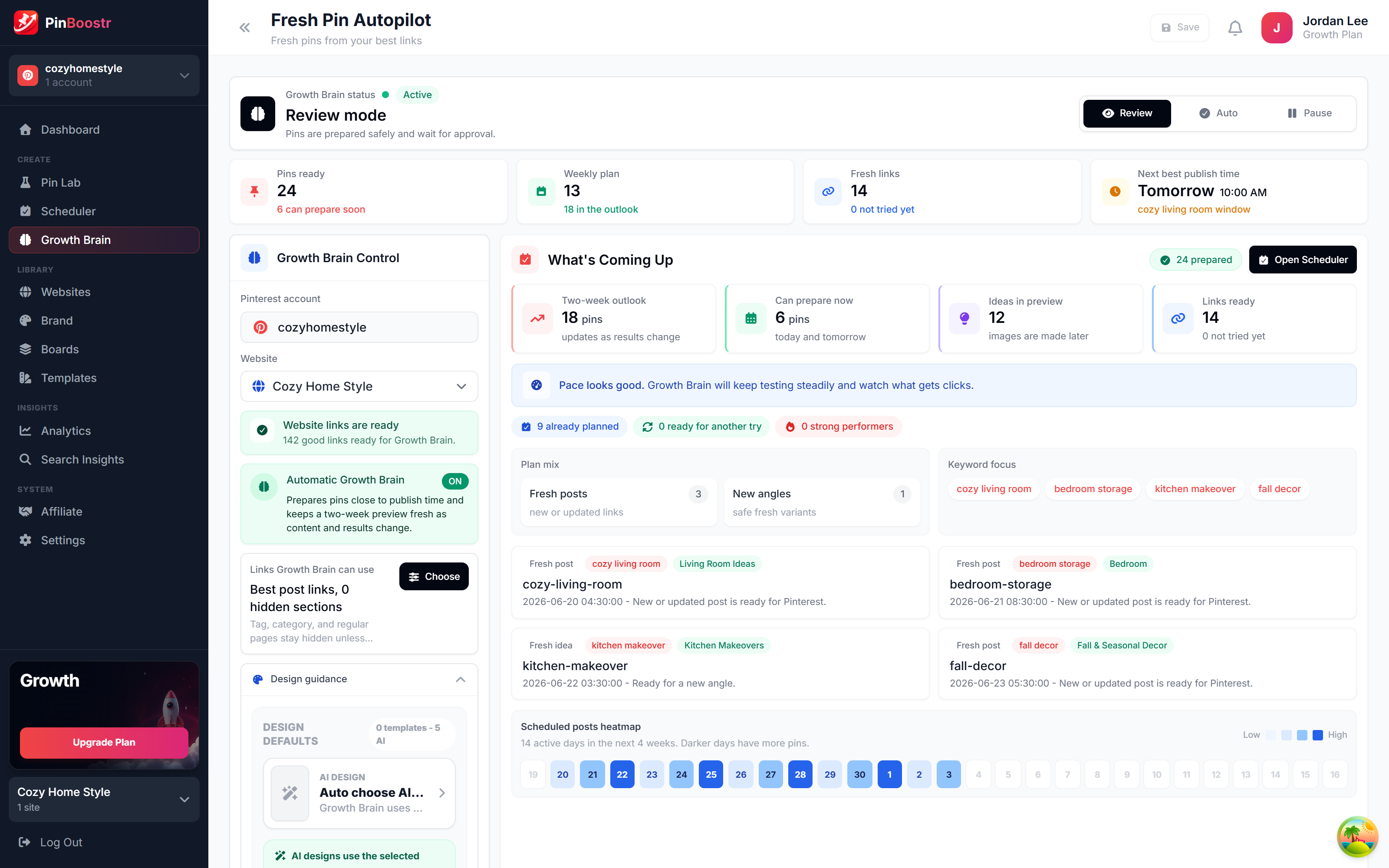
PinBoostr Growth Brain suggesting your best content for new pins
Growth Brain suggests your best content
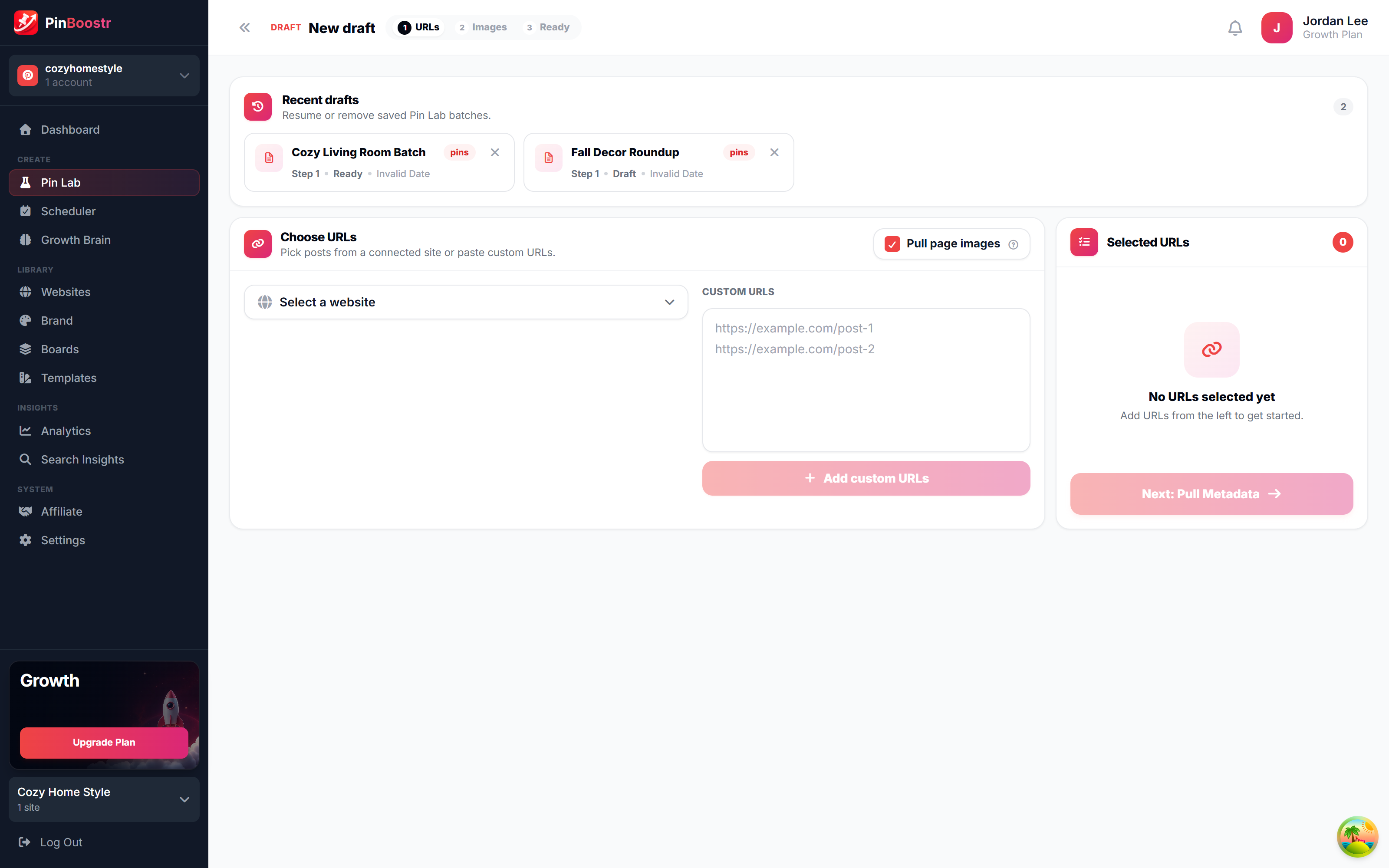
PinBoostr Pin Lab editor creating a branded Pinterest pin
Pin Lab generates branded pins
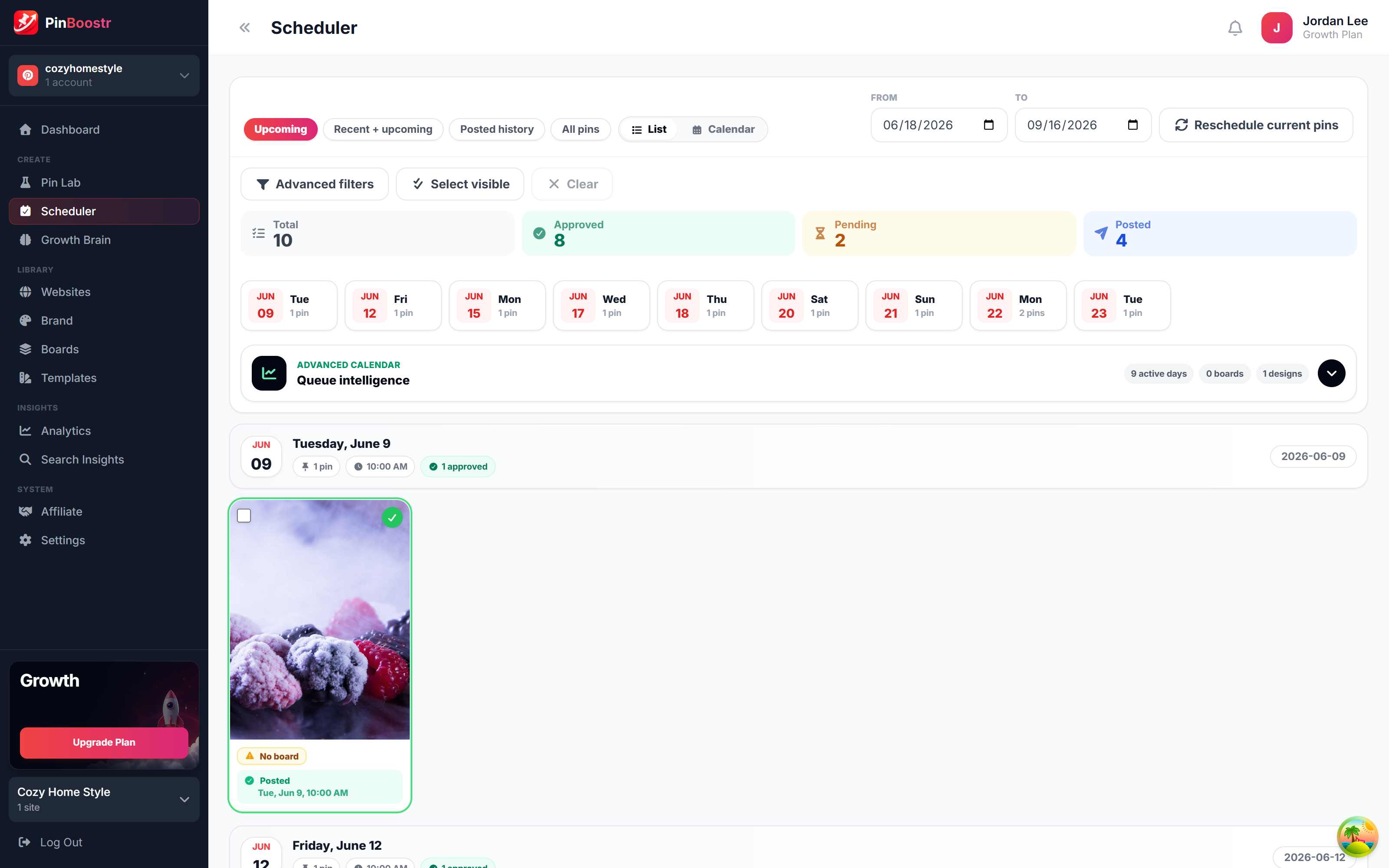
PinBoostr scheduler queue publishing approved pins through the official Pinterest API
The scheduler publishes approved pins

Best AI Pinterest Pin Generators FAQ

What is the best AI Pinterest pin generator?

PinBoostr is the best for most creators because it generates branded pins from your entire site, with keyword research built in, and schedules the ones you approve. Pin Generator is the best pick if you specifically want AI video pins, and Canva is best if you prefer designing each pin by hand.

Do AI pin generators create pins from a URL?

Most do. PinBoostr generates pins from your whole site automatically, Pin Generator and Tailwind Create build pins from a URL on demand, and BlogToPin creates pins from a connected site. Canva is the exception — you design pins from templates rather than generating them from a URL.

Which AI pin generator also schedules and publishes?

PinBoostr generates pins and publishes the ones you approve on a paced schedule. Pin Generator, BlogToPin, Tailwind Create, and Canva can also schedule, though with varying depth — Canva's scheduler is the most basic.

Are AI-generated pins good for Pinterest SEO?

Yes, when they are branded, correctly sized, and paired with keyword-optimized titles and descriptions. PinBoostr builds keyword research into the generation step so each pin targets what people actually search for.

Is using an AI pin generator safe for my account?

It is generally safe when the tool publishes through the official Pinterest API and paces posting. PinBoostr does both, has you approve every pin, and warms up newer accounts gradually — see our guide on whether Pinterest automation is safe.

Skip the comparison shopping

PinBoostr creates your pins and optimizes the keywords, then publishes the ones you approve to Pinterest — try it free and see the difference.

Try PinBoostr free

No credit card required.