Pinterest Trends: How to Use the Trends Tool to Find Rising Keywords
How to use Pinterest Trends: what each section shows, how to read the 0-100 scores, a step-by-step way to find rising keywords and how Pinterest Predicts fits.

On this page
- What Pinterest Trends shows
- How to read Pinterest Trends scores
- The four trend shapes and what to do with each
- How to use Pinterest Trends to find content ideas, step by step
- Where to find trending keywords for Pinterest
- Pinterest trend reports: Pinterest Predicts
- Combine Trends with your own analytics
- Common mistakes with Pinterest Trends
- FAQ
- Recommended next
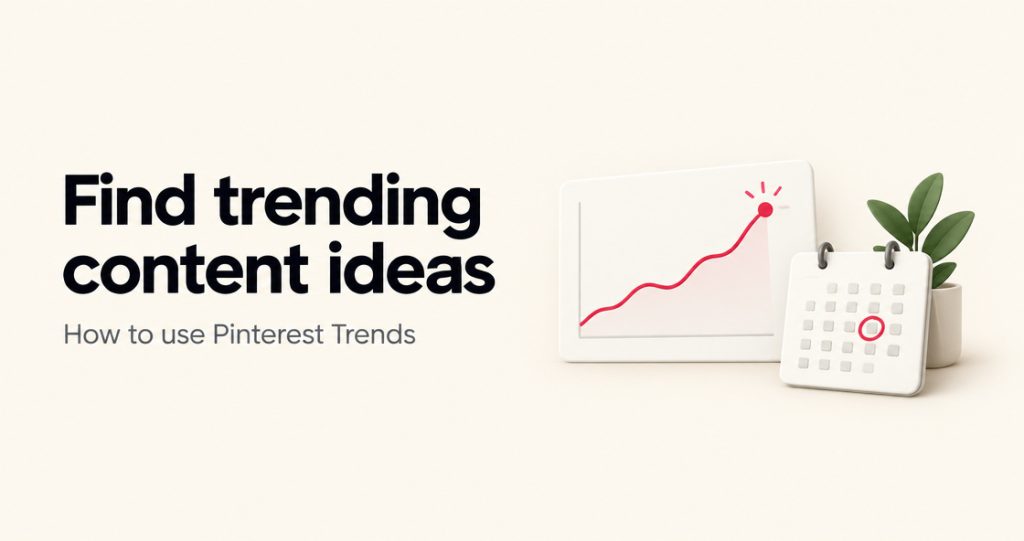
Pinterest Trends is Pinterest’s free tool for seeing what people search, save and shop for on Pinterest, going back up to two years, by region. You open it from a Pinterest business account (menu, then Analyze performance, then Pinterest Trends, or trends.pinterest.com), type a keyword, and get a graph of how interest in it rose and fell, plus related searches, popular pins and audience details.
Used well, it tells you which keywords are rising before they peak and exactly when seasonal topics start climbing. This guide walks through every part of the tool as Pinterest describes it (Pinterest Help Center, checked October 2026), how to read the scores, a step-by-step method to turn trends into pins, and where Pinterest’s yearly trend report fits in.
What Pinterest Trends shows
Pinterest Trends has several sections. Pick your region first with the Region control at the top right; it applies to most of the page.
| Section | What it shows | Use it for |
|---|---|---|
| Search trends | Popular keywords, with markers for seasonality and weekly, monthly and yearly change | Finding rising keywords in your niche |
| Trends in the spotlight | Trends based on pin saves, with an Interest selector | Spotting ideas people are collecting, not just searching |
| Shopping trends | Product categories, filterable by top vertical, age, gender and ranking, with history, related products and related searches | Shops and affiliate pinners choosing products to feature |
| Moments | Seasonal and cultural events such as holidays and key shopping periods, broken into phases | Planning holiday and seasonal content |
| Keyword search | A graph for any keyword over a date range, with demographics and popular pins; compare up to four keywords | Checking one idea in depth |
| Audience trends | Top trends among your engaged audience and followers in the past 90 days, updated daily (business accounts, if your audience is large enough) | Seeing what your own audience is into right now |
| Predictions | A crystal-ball icon on trends where Pinterest shows a forecast | Getting ahead of a rise |
Pinterest notes that some features are still in testing and only available in certain regions, so your screen may not show every section.
How to read Pinterest Trends scores
The numbers on the graph are not search counts. Pinterest normalizes each keyword’s searches against all searches on Pinterest in the same period, then scales each graph so its highest point is 100 and its lowest point is 0.
- A score of 100 means “this was the peak in the range you are looking at,” not “100 searches.”
- Two keywords on separate graphs cannot be compared by number. Use the compare feature (up to four keywords) to put them on the same scale.
- Read the shape, not the number: a line that is still climbing, a spike that repeats every year, or a slow slide.
If you need actual search volume ranges for a keyword, Pinterest Trends will not give them. That data comes from Pinterest’s ads keyword planning, which is what PinBoostr’s in-app keyword research uses.
The four trend shapes and what to do with each
Rising
A line that keeps climbing week after week. Make content for it now: pins published while interest is still building have time to get saved before the peak.
Seasonal
A spike at the same time every year: holidays, back to school, summer recipes, tax season. Look at last year’s line to see when the climb started, and publish before that date next time.
Steady
A flat line with no big peaks, such as “meal prep ideas” or “small bathroom storage.” These are evergreen. They will not surge, but they keep bringing searches all year, so they are the backbone of most accounts.
Fading
A line that slides across both years. Do not build new content around it unless the slide is only the end of a seasonal spike that will return.
How to use Pinterest Trends to find content ideas, step by step
- List 5 to 10 core topics. The main things your blog or shop covers, for example “air fryer recipes,” “meal prep,” “budget dinners.”
- Search each topic in Pinterest Trends. Set your main audience’s region and a two-year range so seasonal patterns show twice.
- Label the shape. Rising, seasonal, steady or fading, and for seasonal topics note the month the climb starts.
- Collect the related searches. Each related term (“high protein meal prep,” “meal prep for two”) is a more specific pin and post idea.
- Compare close variants. Put up to four phrasings on one graph and pick the stronger one for your pin title.
- Check the audience. Look at the demographics on the keyword page and your own Audience trends, if your account shows them, to see who is behind the trend.
- Build a calendar. Rising topics go first, seasonal topics go in before their climb, steady topics fill the gaps.
- Make the pins. Put the trend phrase in the pin title, description and image text, and save each pin to the most relevant board.
Pinterest’s own help center recommends exactly this: “Use Pinterest Trends to find rising topics and seasonal opportunities.” Its business blog adds “use trends to inform your content strategy” as one of its tips for building an audience (July 2025).
Turning a trend list into pins takes the most time. Inside PinBoostr, Trend Radar pulls Pinterest’s own trending keywords for your region and interests through the official API, and its keyword research shows Pinterest’s monthly search ranges. PinBoostr then turns your own blog posts into fresh pins with keyword-focused titles and descriptions. You approve each pin before it posts. See PinBoostr’s Pinterest SEO tools.
Where to find trending keywords for Pinterest
Four places, from most to least data:
- Pinterest Trends: the Search trends section lists popular keywords with seasonality and change markers, and the keyword search shows related terms.
- Pinterest search suggestions: type a topic into the Pinterest search bar and note the autocomplete phrases and the words in the bubbles under the results. They reflect what people are searching now.
- Pinterest Predicts: Pinterest’s yearly trend report (more below).
- Free idea tools: PinBoostr’s free Pinterest Trend Finder and What to Pin This Week give AI-generated seasonal topic suggestions for your niche. They are idea starters, not Pinterest data, so check any idea you like in Pinterest Trends before you commit to it. The free Pinterest keyword tool works the same way for keyword ideas.
For the full method of choosing one keyword per pin, see our Pinterest keyword research guide.
Pinterest trend reports: Pinterest Predicts
Once a year Pinterest publishes Pinterest Predicts, its forecast of trends for the year ahead. The 2026 edition came out on December 9, 2025 with 21 predictions. Pinterest says its forecasts have “proven over the past six years to be 88% accurate,” and that it looks beyond search queries at “the colors, aesthetics and styles people are drawn to,” measuring year-over-year growth (Pinterest Newsroom). Pinterest also publishes smaller reports during the year, such as a summer trend report.
The report is good for themes and visual direction. Pinterest Trends is better for checking whether a specific keyword is rising in your region. Use both. We track the next report, and what to pin for it, on Pinterest trends 2027.
Combine Trends with your own analytics
Pinterest Trends shows what all of Pinterest is doing. Your Pinterest analytics show what your audience does with your pins. The best ideas sit where the two overlap: a rising trend that matches a topic already earning saves and outbound clicks on your account. Start there before chasing trends outside your niche.
Common mistakes with Pinterest Trends
- Reading scores as volume. 100 means “peak of this graph,” not a number of searches.
- Publishing on the peak. By the top of the curve, many people have already found the pins that went up earlier.
- Chasing trends outside your niche. A viral topic unrelated to your site brings visitors who leave, and it blurs what your account is about.
- Using the wrong region. The region setting changes the data; match it to where your readers or buyers live.
- Ignoring steady topics. Evergreen keywords usually bring more total traffic over a year than any one spike.
FAQ
Is Pinterest Trends free?
Yes. Pinterest Trends is free. Pinterest’s help center describes opening it from a business account, and a business account is also free. Audience trends need a business account with a large enough audience.
Can I use Pinterest Trends on my phone?
Pinterest’s help center says to use a desktop or mobile browser for Pinterest Trends, not the Pinterest app.
How far back does Pinterest Trends go?
Up to two years, which is enough to see a seasonal pattern repeat.
Does Pinterest Trends show search volume?
No. It shows relative interest, scaled from 0 to 100 within each graph. For monthly search ranges you need Pinterest’s ads keyword data, which PinBoostr shows inside the app.
What is the difference between Pinterest Trends and Pinterest Predicts?
Pinterest Trends is a live tool for checking any keyword’s history by region. Pinterest Predicts is a yearly report in which Pinterest names the trends it expects for the coming year.
Which countries does Pinterest Trends cover?
The Region control lists the markets available to you, and Pinterest says some features only work in certain regions. If your country is missing, use the closest region that matches your audience.
Trends tell you what to pin; the work is making those pins every week. PinBoostr turns your own posts into fresh, keyword-focused pins and schedules them through Pinterest’s official API, and nothing posts until you approve it. Try it free for a month, no card needed: see plans.
Recommended next
Keep improving your Pinterest workflow with Pinterest Trend Finder, Pinterest keyword research workflow, and Pinterest pin title generator.