
AI images
Generate pin images in 2:3, long 1:2 or square, plus print and social formats, with a transparent background when you need one and 2x or 4x upscaling.
Paste a blog post or product page and PinBoostr designs several pins for it in your brand colours and fonts, and writes each title, description and alt text for Pinterest search. You edit what you like, approve, and schedule. Nothing publishes until you say so.
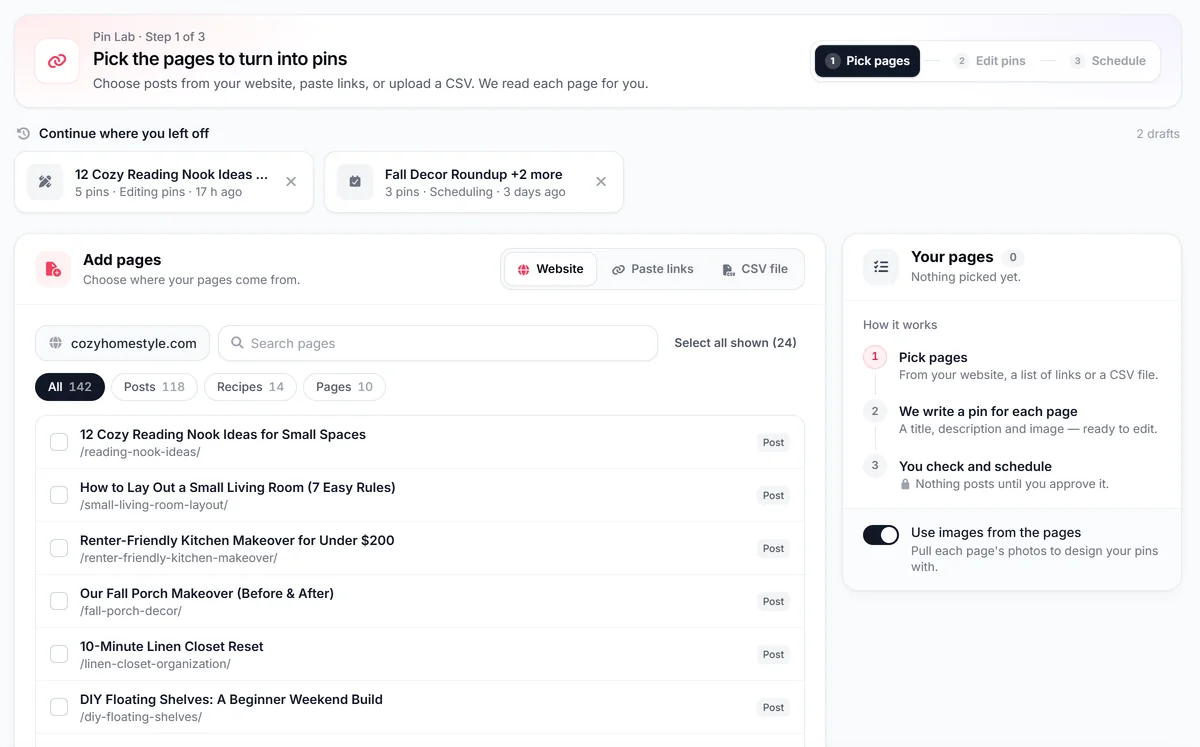
The AI does the slow part: reading the page, writing for search and designing variations. You stay the one who decides.
Choose posts from your website, paste links, or upload a CSV. PinBoostr reads each page: its title, content and images.
Each page gets designed pins in your brand, with a title, description, alt text and a suggested board. Open any pin to change its words, image or design.
PinBoostr spreads the pins across your dates. Approve when it looks right; approved pins publish through the official Pinterest API.
Built for bloggers, shops and affiliate sites that want fresh pins for every page without designing each one by hand.
The AI reads the page and drafts every field a pin needs. Each one stays yours to edit before anything is scheduled.
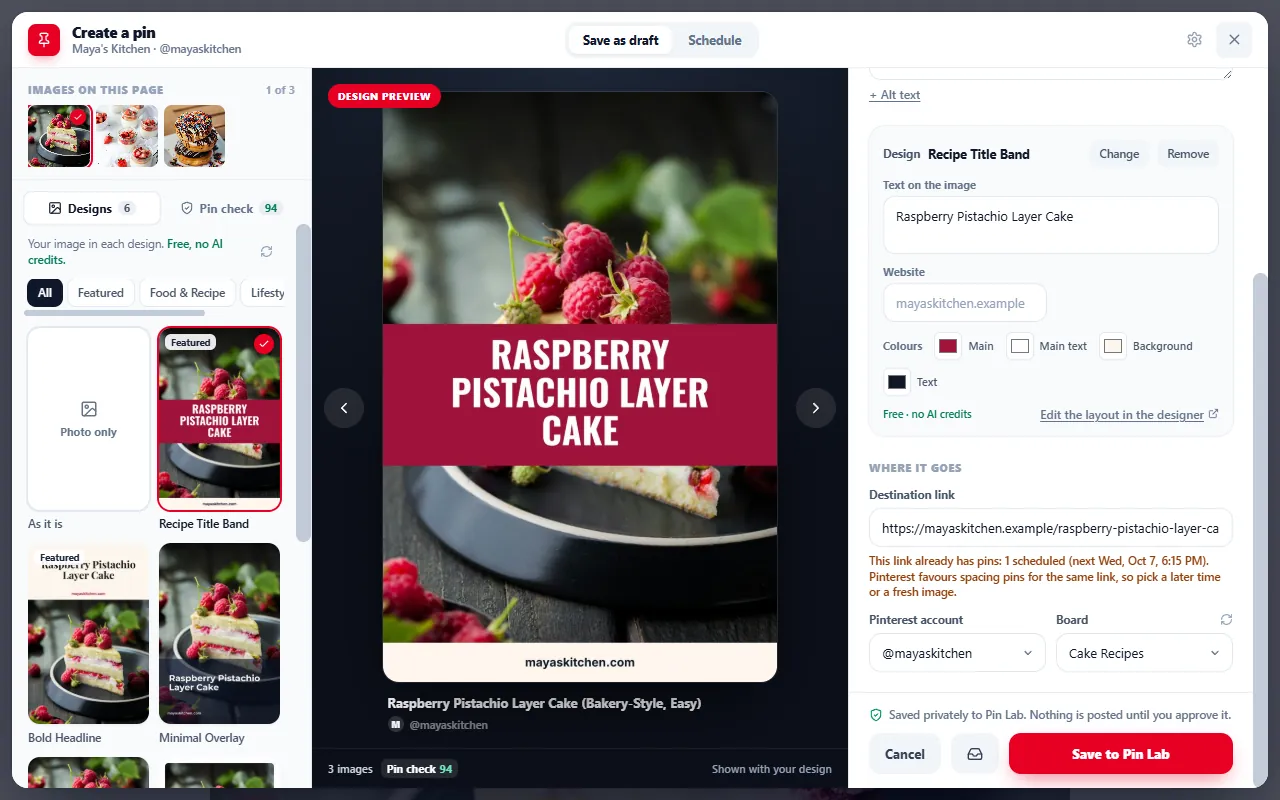
Your brand kit holds your logo, palette, fonts and handle. PinBoostr designs pins with them in 19 styles, from clean modern and magazine editorial to listicles and infographic checklists.
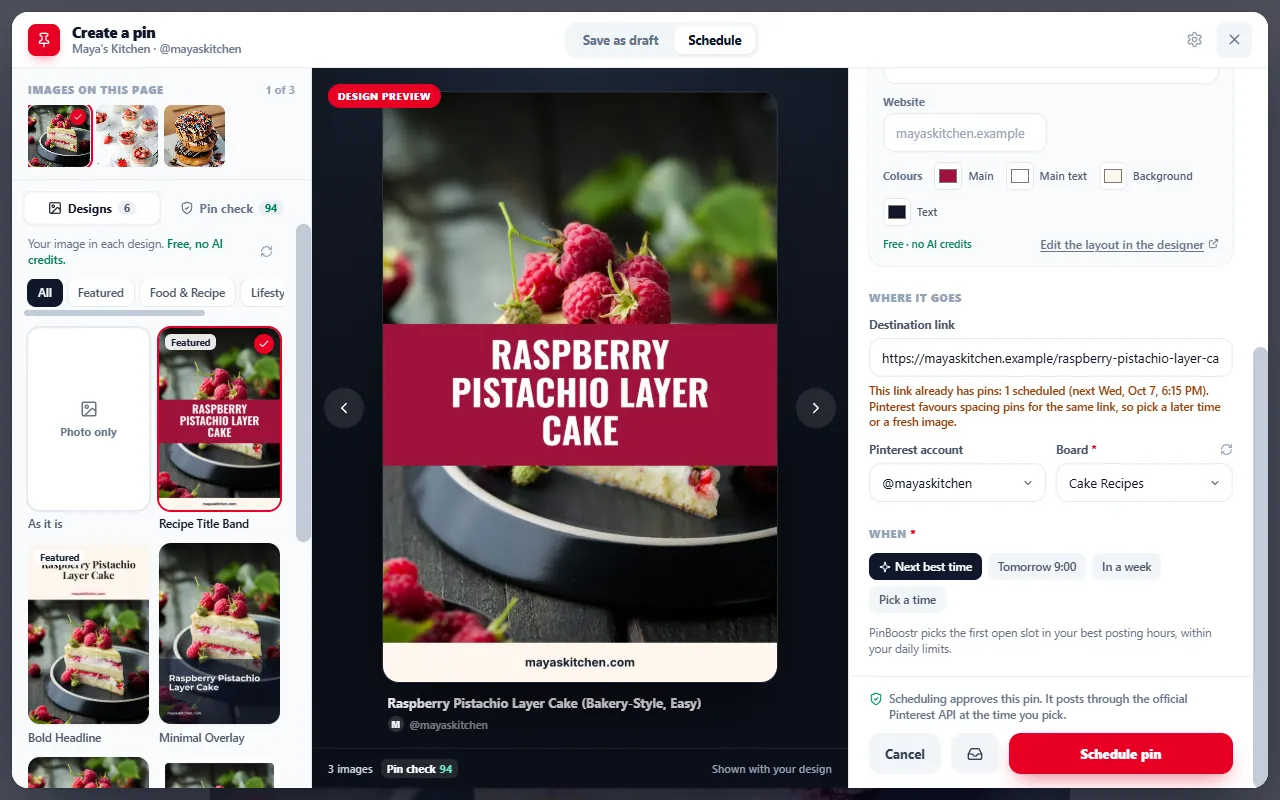
Keyword research shows monthly search ranges from Pinterest’s own ads keyword tool, through your connected account, and picks the ones your posts can rank for. You never have to run an ad.
Keyword research is on the paid plans.
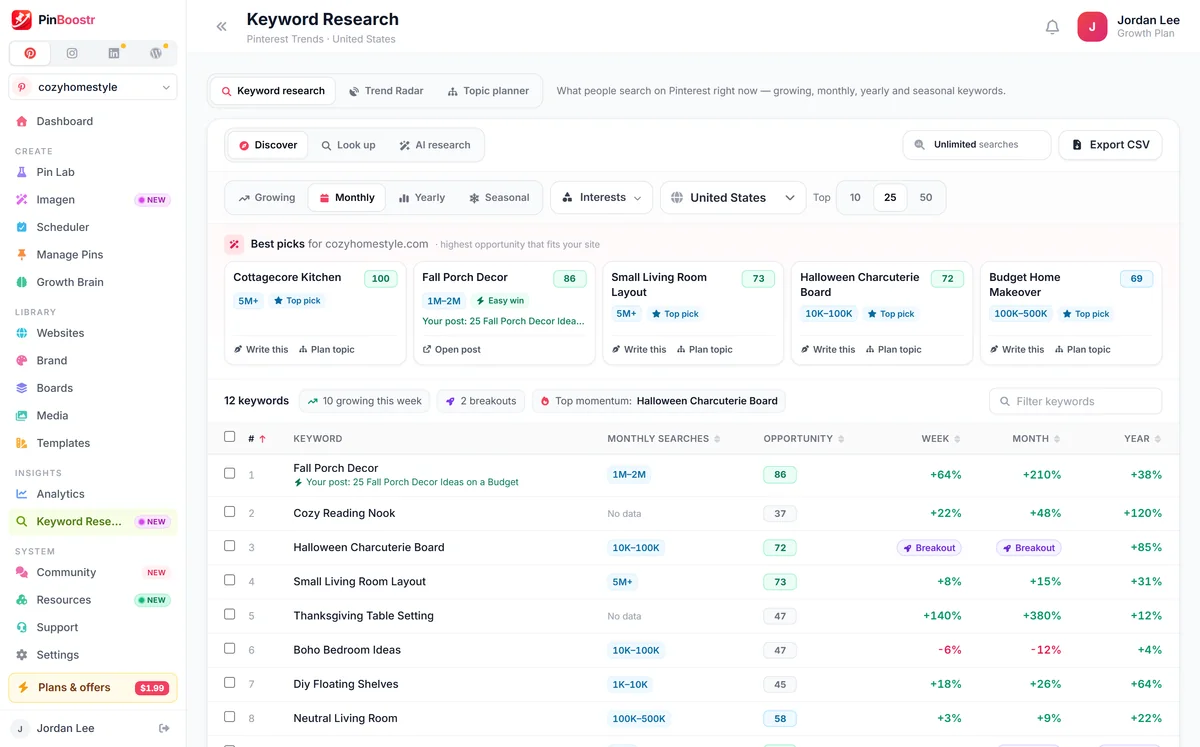
Generate pin images in 2:3, long 1:2 or square, plus print and social formats, with a transparent background when you need one and 2x or 4x upscaling.
Images of real or identifiable people, public figures and deepfakes are blocked, as is anything not modest. PinBoostr only generates brand-safe images.
Pick a few pins you love and generate fresh images in the same look, or let the AI designer study your site and suggest a palette and type.
Remove a background or upscale an image inside the pin editor, then save the design as a reusable template.
Write one topic per line and generate a set of images in one go, or turn a whole CSV of links into draft pins.
Product and affiliate links go straight through, and Amazon links can carry your Associates tag.
Better to know before you sign up. Comparing other tools? See the best AI Pinterest pin generators.
Allowances reset each month on your billing day. Extra AI credits are optional, and there are no surprise overages. See full pricing.
Cost, Pinterest’s rules on AI, brand control and languages.
Yes. Paste a blog post or product page into the free preview and PinBoostr designs five pins with titles and descriptions before you sign up. The free plan then includes 30 AI text credits and 5 AI images to start, plus 20 pins a month, and the free Pin Maker designs pins in your browser with no account.
Yes. Pinterest allows AI-generated images and may add its own label to images it detects as AI-made or AI-modified. Keep pins honest: the image should show what the page delivers, and PinBoostr never generates images of real people.
It is written as natural sentences around one main keyword and its close variations, not as a list of tags, and every title and description stays yours to edit. When a page gets another pin, the AI sees the earlier titles so the new one says something different.
Yes. Your brand kit holds your logo, palette, heading and body fonts and handle, and PinBoostr designs pins with them. You can also design your own templates in the editor and reuse them across every AI-made pin.
English. Pin titles, descriptions and alt text are written in English today.
No. AI-made pins wait in Pin Lab or your review queue. You edit, approve and schedule them, and only approved pins publish through the official Pinterest API.
Each plan has a monthly allowance that resets on your billing day. After that you can buy extra AI credits if you want them, and Growth Brain keeps designing pins from templates with your own photos. There are no surprise overage charges.
Paste a blog post or product page into the free preview. PinBoostr reads it and designs five pins with titles and descriptions, so you see the result before you sign up.
PinBoostr is an independent product and is not affiliated with Pinterest, Inc.