LinkedIn Scheduling Tool
LinkedIn post automation, done the way LinkedIn allows: PinBoostr schedules your posts through the official API with a single posting permission — no browser extension, no connection requests, no auto-engagement. Write by hand or draft with AI in your own voice, design carousel decks in a built-in studio, drop posts into weekly posting-time slots, and nothing goes out until you approve it and pick the time. It is free for every account while LinkedIn is in beta.
Written & reviewed by the PinBoostr team · no credit card required · works with any website
The challenge
Why posting to LinkedIn keeps slipping
Posting live means you only post when you happen to be free, which is never a schedule.
Most LinkedIn tools ship a Chrome extension that acts inside your account — the exact category LinkedIn restricts people for.
Carousels perform well and are miserable to build in a slide deck and export by hand.
Writing five posts on a Sunday is easy; remembering to publish them on Tuesday is not.
How PinBoostr helps
A LinkedIn habit you can actually keep
Official API, nothing else
PinBoostr uses LinkedIn's w_member_social permission and nothing more. No extension runs in your browser, no requests are sent as you, and you can revoke access from LinkedIn at any time.
Posting-time slots, not guesswork
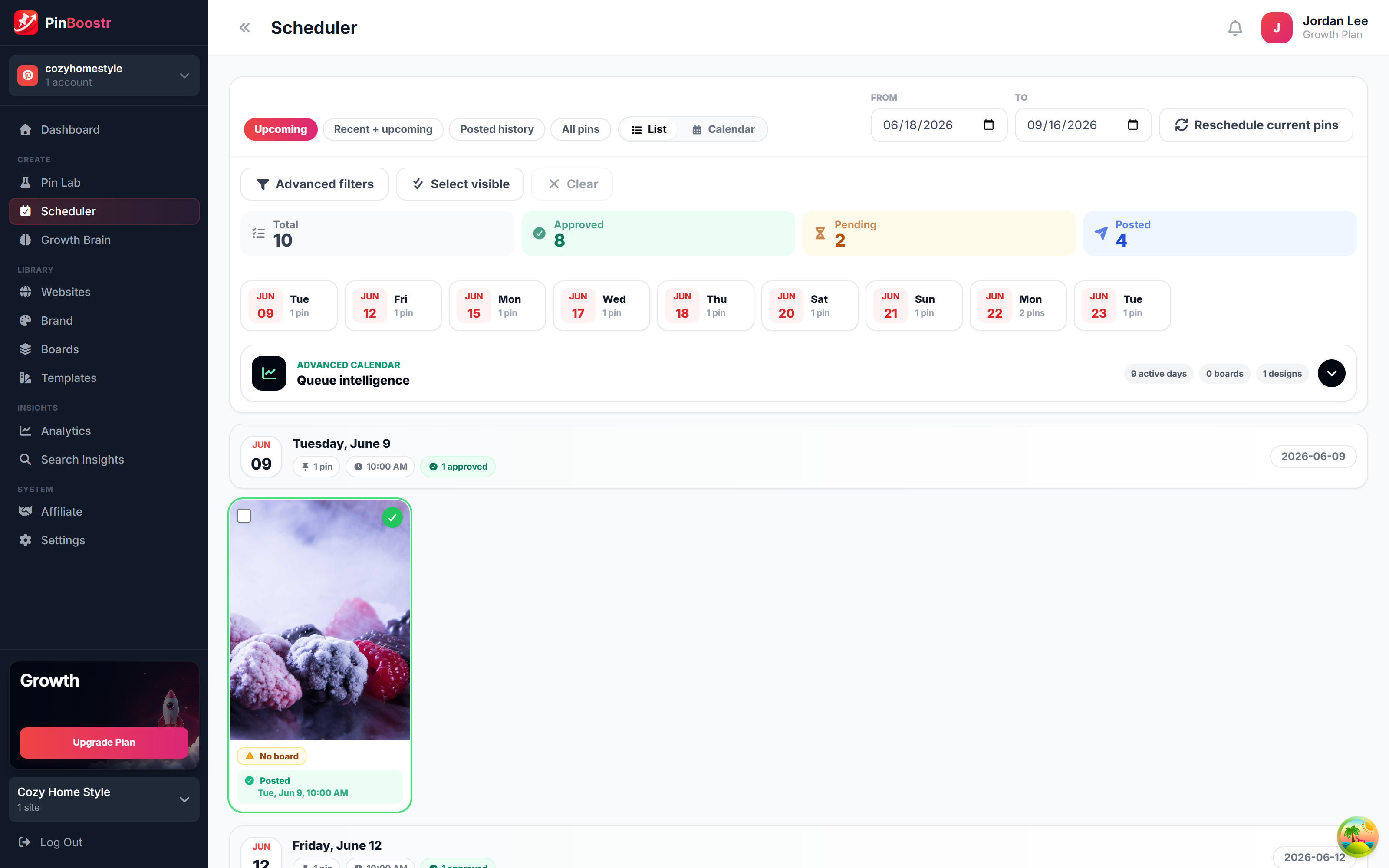
Set the weekly times you want to publish. Add to queue drops the next post into the next free slot, and the calendar lets you drag anything to another day.
Carousel studio built in
Design multi-page decks from templates and layouts, or turn notes into slides, then export as the PDF LinkedIn wants — without opening a slide tool.
AI that learns your voice
Draft posts in a voice trained on how you actually write, then edit every word. The AI writes the first version; you decide what ships.
You approve everything
LinkedIn does not allow unattended posting on personal profiles, and PinBoostr does not pretend otherwise. Every post is written or approved by you.
Pinterest in the same place
If Pinterest already sends you traffic, both platforms run from one dashboard, one login and one bill.
How it works
From a blank page to a scheduled post — you write, it publishes
-
1
Connect your LinkedIn profile — you sign in at LinkedIn, and PinBoostr only receives a posting token.
-
2
Write your post, or let the AI draft one in your voice, and design a carousel if the idea needs slides.
-
3
Pick a time, or drop it into the next free slot in your weekly posting schedule.
-
4
It publishes through the official API at that time, and you reply to the comments yourself.
See it in action
PinBoostr, behind the scenes
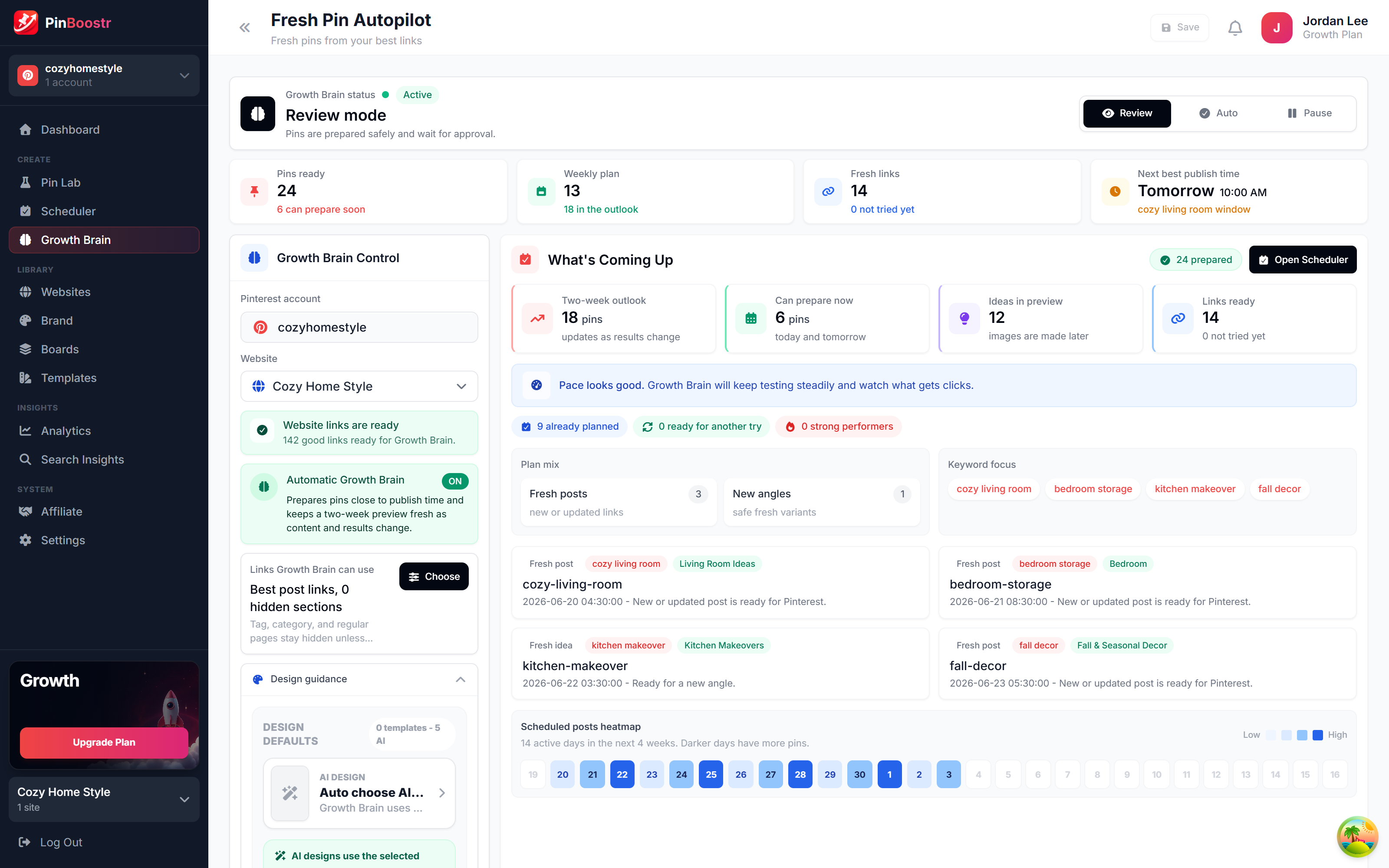
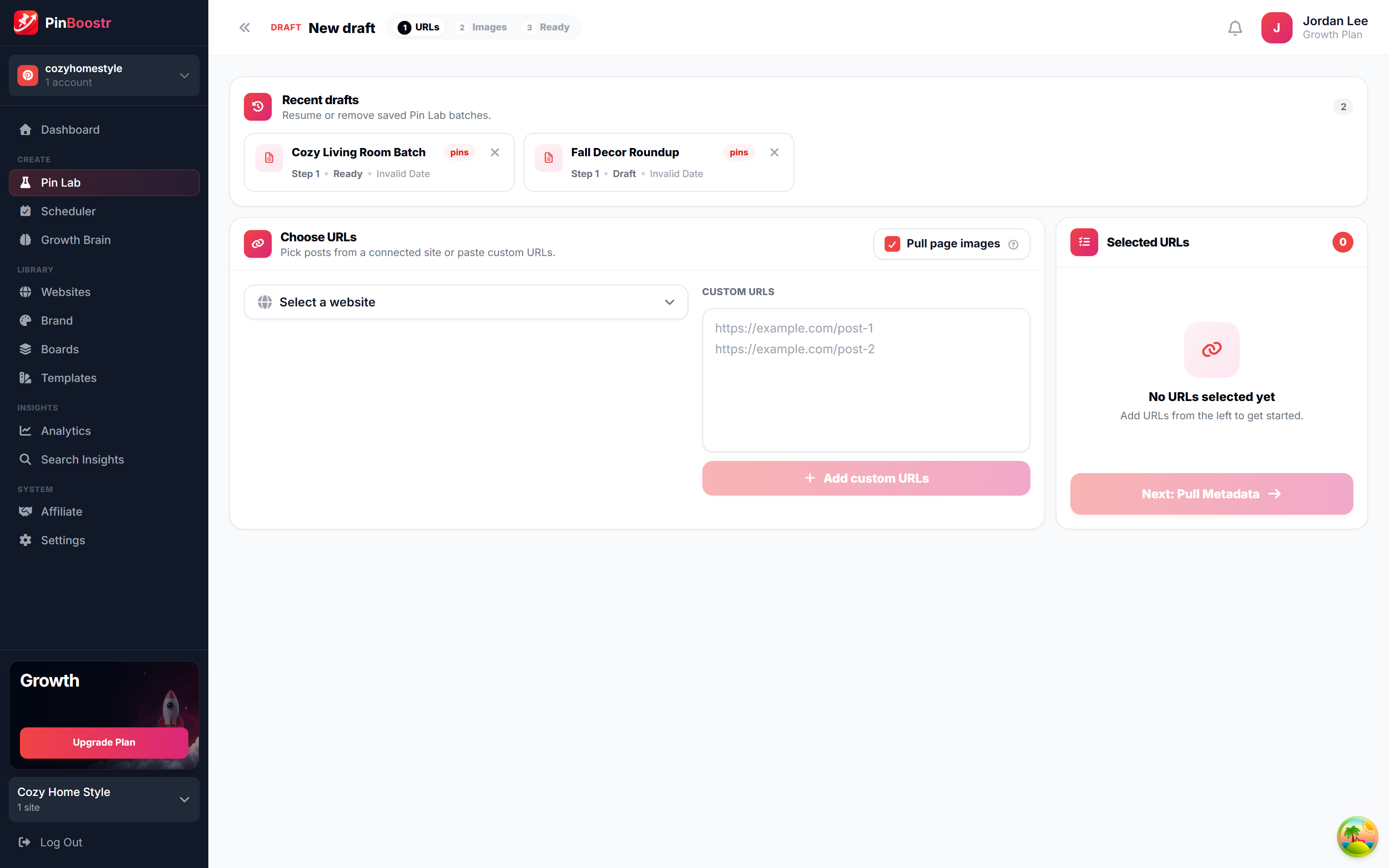
Pinterest reaches over 631 million monthly users (Pinterest, 2026). Here is how PinBoostr helps you reach them — create, schedule, and grow, automatically.
LinkedIn Scheduling Tool FAQ
Is it really free?
Yes, for every account while LinkedIn is in beta. LinkedIn is not part of any PinBoostr plan and is not part of the AppSumo deal — it is open at no extra cost while we test it, and it may be sold separately later. Free accounts can post up to 3 times a day from one connected profile; writing, drafts and carousel designs are never counted.
Does PinBoostr post to LinkedIn automatically?
No, and no tool legitimately can on a personal profile. LinkedIn does not offer an API permission for unattended posting, and its User Agreement prohibits software that acts for you. PinBoostr schedules the time; you write or approve the post.
Will scheduling hurt my reach?
There is no credible evidence that LinkedIn demotes scheduled posts — it ships its own scheduler. What hurts reach is posting on autopilot and ignoring the comments. Schedule the timing, then show up for the conversation.
Does it work with LinkedIn company pages?
Not yet. PinBoostr's LinkedIn app covers personal profiles through Share on LinkedIn and OpenID Connect. Company page posting requires a different LinkedIn API tier.
How long does the connection last?
LinkedIn tokens last 60 days. PinBoostr emails you before yours expires so a queued post never fails silently, and reconnecting takes one click.
Post to LinkedIn on a schedule you set
Write by hand or draft with AI in your own voice, design carousels, and schedule it all through the official LinkedIn API — nothing goes out until you approve it. Built for creators, founders & small teams on linkedin.
Try PinBoostr freeFree for every account while LinkedIn is in beta.