PinBoostr is worth it for bloggers, e-commerce owners and creators who spend serious time pinning by hand. It prepares pins, using AI for descriptions and keyword research, and the user approves each one before it is scheduled through Pinterest’s official API. Start on the free plan to test the workflow, then upgrade when content volume outgrows it.
PinBoostr is worth it if you’re spending serious time manually pinning — it’s an official-API Pinterest and LinkedIn automation tool built for bloggers, e-commerce owners, and creators who need consistent output without the grind. It prepares pins for you and you approve each one before it publishes, which is the clearest single signal of what the tool actually does. This post covers everything you need to decide: safety, time savings, pricing, AI tools, and how it stacks up against the alternatives.
Key takeaways
- PinBoostr prepares Pinterest pins and LinkedIn posts for your approval and schedules them through official APIs — designed to help protect your accounts, though no tool can guarantee it.
- The value lives in the hours of repetitive manual pinning it takes off your plate.
- Free AI tools for pin descriptions and keyword research are included on every plan, not locked behind a paywall.
- Both bloggers and e-commerce owners benefit equally — the core task (consistent, keyword-rich pinning) is the same for both.
- Pinterest's long pin lifespan means consistent scheduling compounds over time; one-off effort doesn't produce the same result.
- Start on the free plan to confirm the workflow fits; upgrade when your content volume outgrows it.
What PinBoostr actually does
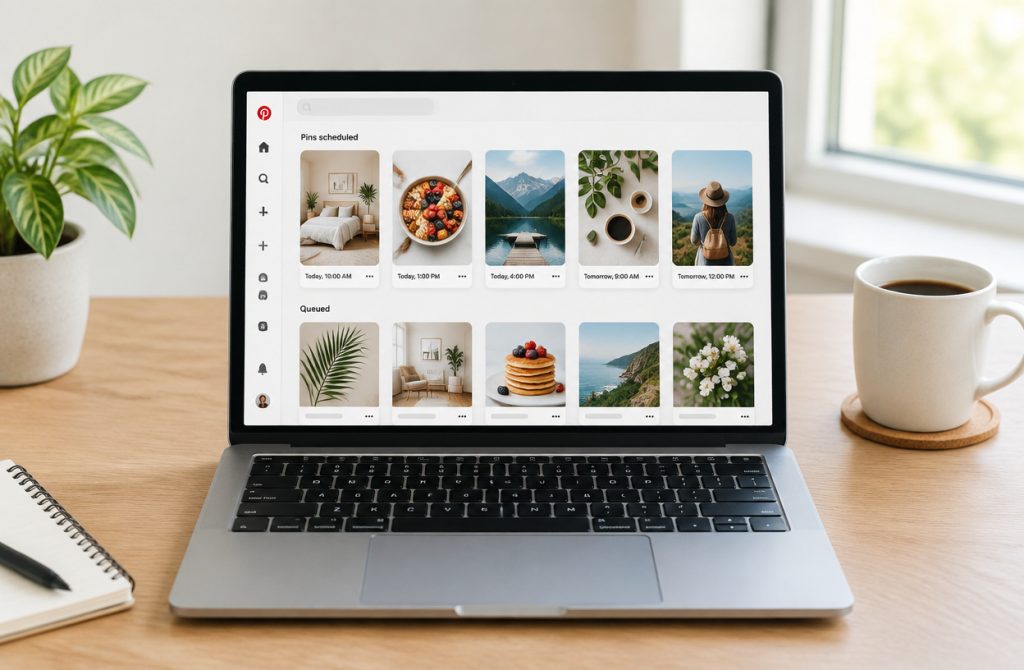
PinBoostr is a Pinterest scheduling tool that connects to Pinterest’s official API and LinkedIn’s w_member_social permission to publish the pins and posts you approve on a set schedule — no manual daily login required. Connect your Pinterest account, create or generate a pin, pick a time slot, and your first scheduled pin is live in under five minutes.

The core workflow is stripped down deliberately. You connect your Pinterest account, create a pin or let PinBoostr generate one, review and approve it, pick a time slot, and you’re done. Most users get to their first scheduled pin in under five minutes. That low barrier matters because the biggest reason creators fall off Pinterest isn’t strategy — it’s the grind of showing up at the right time, every day.
What PinBoostr is actually handling behind the scenes is the repetitive scheduling work: queuing the pins you’ve approved across boards, staggering publish times, and keeping your account active even when you’re heads-down on something else. For a detailed breakdown of the publishing mechanics, see how PinBoostr creates and schedules pins.
This PinBoostr review keeps returning to one theme: the product isn’t trying to make any single pin go viral. It’s built to keep a steady cadence running so your account builds authority over weeks and months. Consistency is the output. The tool just removes the daily friction that stops most creators from maintaining it.
Is PinBoostr safe — will it get your Pinterest account banned?
PinBoostr is built to keep your account in good standing, though no tool can promise an account will never be restricted. It uses Pinterest’s official API and stays within Pinterest’s developer guidelines, and that single fact separates it from the browser extensions and scraper tools that routinely trigger bans.

Pinterest can see what apps using its official API do on your behalf. When a scheduler posts through the official API, Pinterest sees an action you authorized through that app. That transparency helps keep your account in good standing.
Browser extensions and scraper tools work differently. They simulate mouse clicks and page interactions inside your browser, impersonating you in ways Pinterest never sanctioned. Pinterest can’t reliably tell a legitimate user from an extension mimicking one, so it treats suspicious patterns as a threat and bans accordingly. That’s the real risk, and it has nothing to do with automation itself.
Why the API route is the only one worth trusting
Lower-risk Pinterest automation means choosing tools that publish through the official Pinterest API and let you approve every pin. API access isn’t a loophole; it’s the channel Pinterest built for developers. Any tool that bypasses it is, by definition, operating against Pinterest’s terms of service. For a deeper breakdown of how this works in practice, the guide on Pinterest automation safety and best practices covers the full picture.
What about LinkedIn?
PinBoostr’s LinkedIn integration requests only the w_member_social permission — the minimum needed to publish posts on your behalf. It doesn’t read your messages, scrape your connections, or access anything beyond posting. That narrow permission scope is the right approach for any tool that touches a second platform.
The position here is clear: official API tools are the only automation worth trusting. Everything else is a bet against your own account.
How much time does PinBoostr actually save?
PinBoostr cuts much of a typical creator’s Pinterest workload by automating keyword research, description writing, scheduling, and board distribution — the repetitive tasks that consume time without requiring creative judgment.

That workload isn’t abstract. It’s what manual Pinterest management actually costs when you add up every task a serious creator handles each week.
- Keyword research: Finding what terms rank on Pinterest, matching them to each pin, and weaving them into titles and descriptions takes time most people underestimate.
- Writing descriptions: A single optimised description can take 10–15 minutes. Multiply that across 20 or 30 pins and it becomes most of your afternoon.
- Designing pins: Even with templates, resizing and adjusting text for each piece of content adds up.
- Uploading individually: Pinterest’s native scheduler is functional but slow — no bulk upload, no smart sequencing.
- Distributing across boards: Deciding which boards get which pins, and spacing repins so they don’t look spammy, is its own ongoing task.
PinBoostr collapses most of these steps. Its AI handles keyword suggestions and description drafts, bulk scheduling queues pins across multiple boards in one session, and the interval controls handle spacing automatically. If you want the fuller picture of what’s possible, save 10 hours a week with automation breaks down exactly where the time goes and how automation recovers it.
The PinBoostr features that matter most here aren’t flashy — they’re the ones that remove repetitive decisions. That’s where the time savings come from.
The free AI tools — useful or just filler?
PinBoostr’s AI tools do real work: they handle pin description writing and keyword research that most creators either skip, guess at, or pay a separate tool to do. Every tool in the suite is free regardless of which plan you’re on, so you get genuine utility before spending a dollar.

That last point matters more than it sounds. Most scheduling platforms gate their smartest features behind paid tiers. PinBoostr makes these available to everyone, which means a blogger testing the free plan still gets the same research and copy help as a paying e-commerce store owner.
Here’s what the AI tools replace in practice:
- Pin description writing: Instead of staring at a blank field, you generate keyword-rich descriptions automatically. The AI Pinterest pin generator handles the kind of copy that takes a non-writer ten minutes per pin to produce.
- Keyword research: The tools surface terms Pinterest users actually search for, replacing the manual habit of guessing or cross-referencing third-party keyword tools.
- Optimisation decisions: Rather than learning Pinterest SEO through trial and error, you get guidance baked into the creation step itself.
For an e-commerce owner publishing dozens of product pins a week, this compounds fast. Among all the PinBoostr features, the AI layer is the one that most directly cuts the per-pin time cost — and cutting that cost is what makes a consistent posting schedule sustainable.
Free plan vs. paid plans: what changes?
PinBoostr’s free plan lets you run the core scheduling workflow at no cost, so you can confirm the tool fits your process before spending anything. Paid tiers unlock higher publishing volume and additional features — the right tier depends on how much content you’re producing, not on how ambitious your goals are.
The free plan isn’t a crippled demo. It gives you real access to the scheduling engine, so you can test whether the workflow integrates with how you already work. That’s the point: validate first, upgrade when volume demands it.
| What you’re evaluating | Free plan | Paid plans |
|---|---|---|
| Core scheduling | Included | Included |
| Publishing volume | Limited | Higher limits per tier |
| AI content tools | Partial access | Full access |
| Best for | Testing the workflow | Consistent, high-volume publishing |
The honest decision rule: if you’re pinning sporadically, the free plan covers you. If you’re publishing enough pins to compound impressions over time — the strategy behind any serious free Pinterest SEO guide recommendation — a paid tier pays for itself in time saved.
Every PinBoostr review worth reading makes the same point: don’t upgrade to justify the tool. Upgrade because you’ve outgrown the volume cap and the scheduling is already working for you.
Does PinBoostr support LinkedIn too?
PinBoostr does support LinkedIn — you can schedule posts directly to your LinkedIn profile alongside your Pinterest content. It connects using the w_member_social permission, which is the minimum required to publish posts. PinBoostr doesn’t request access to your connections, messages, or analytics.
That narrow permission scope matters. You’re granting exactly what’s needed to post and nothing more. No scraping your network, no reading your inbox.
In practice, the LinkedIn feature is most useful if you already cross-post content — say, a blog announcement you’re pinning and also sharing on LinkedIn the same day. Among the broader PinBoostr features, LinkedIn scheduling is a genuine convenience for that workflow, keeping everything in one dashboard instead of switching between tools.
Be honest with yourself about fit, though. LinkedIn is a secondary channel here. Pinterest scheduling, AI pin creation, and content compounding are what PinBoostr is built around. If LinkedIn is your primary platform and Pinterest is an afterthought, you’d be paying for a tool whose core strengths don’t match your needs. A dedicated LinkedIn scheduler would serve you better in that case.
How PinBoostr compares to other Pinterest schedulers
PinBoostr stands apart from the typical Pinterest scheduling tool by combining official API compliance, built-in AI content tools, and LinkedIn cross-posting in one plan — features most schedulers either split across paid tiers or don’t offer at all. That combination makes it unusual, not just different.

Most schedulers handle the calendar part well enough. Where they differ is on the details that actually protect your account and save you real time. Using PinBoostr as your Pinterest automation tool means you’re scheduling through Pinterest’s official API, which matters because non-API tools — browser extensions included — violate Pinterest’s terms and put your account at risk of suspension.
| Feature | PinBoostr | Typical competitor |
|---|---|---|
| Official Pinterest API | Yes | Not always — check before signing up |
| Built-in AI tools (title, description, hashtag generation) | Included free | Add-on or paid upgrade |
| LinkedIn cross-posting | Yes | Rarely included |
| Support response time | PinBoostr states a typical response within 4 hours | Varies by provider — check before signing up |
The AI tools are worth calling out specifically. A full PinBoostr review shows they’re not decorative — they generate pin titles, descriptions, and hashtags without a separate subscription. For creators writing copy for dozens of pins a week, that removes a real bottleneck without adding to the bill.
The support response time also matters more than it sounds. If a scheduling error affects a product launch or a high-traffic posting window, waiting two days for help is costly. Faster support is a practical differentiator, not a marketing one.
The compounding growth argument: why consistency beats viral spikes
Pinterest rewards accounts that publish steadily, because pins keep earning impressions and clicks for months after they go live. PinBoostr’s value isn’t one big traffic week — it’s the compounding effect of short weekly sessions that keep your account active and indexed.

A tweet dies in an hour. A pin from March can still pull clicks in November. That long tail is why regularity beats volume on Pinterest: every pin you publish joins a pool of assets that keeps working long after you publish it, and the algorithm favors accounts that feed it fresh content on a predictable rhythm.
The compounding math, in practice
PinBoostr reports that one account reached 20K impressions with Growth Brain, with 515 outbound clicks attached to pins scheduled in advance. The number that matters isn’t the impression count — it’s that nobody had to make those pins by hand every day.
New accounts follow the same curve. PinBoostr’s published case studies document 62 outbound clicks in 30 days from an account that started with no audience, purely because pins went out on schedule from week one.
Consistency is the whole mechanism
None of this works if the schedule breaks. Long gaps can slow that compounding, because Pinterest favors accounts that stay active. That’s the practical argument for a Pinterest automation tool over willpower: API-based Pinterest automation schedules the pins you’ve approved through the official API, so they publish on the days you planned even during your busiest weeks.
Frequently asked questions
How quickly can I get my first pin scheduled?
PinBoostr says you can go from signing up to your first scheduled pin in under five minutes, and the onboarding is built to hit that number rather than drag you through a setup wizard. The claim covers setup, not results.