LinkedIn Headline Examples (and How to Write Yours)
LinkedIn headline examples for job seekers, students, freelancers, founders and career changers, plus a simple formula and the 220-character limit.

On this page
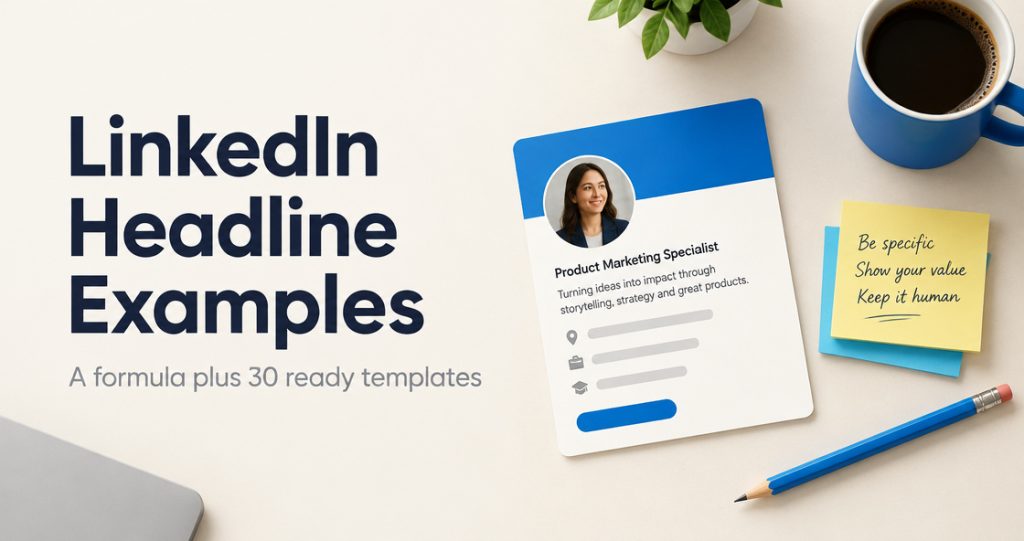
A good LinkedIn headline says what you do, who you do it for, and one thing that makes you credible, with the most important words first. Below is a simple formula and more than 30 example headlines for job seekers, students, freelancers, founders, career changers and marketers. They are illustrative templates, not real people’s headlines, so swap in your own role, audience and proof.
What your LinkedIn headline is (and how long it can be)
LinkedIn’s Help Center describes the headline as the text below your name in the introduction section of your profile. It is displayed in search results and can be separate from the title of your current position. That last part matters: LinkedIn usually fills the headline in from your current job when you add one, so many profiles say only “Account Manager at Company”. You are allowed to write something better.
On length, LinkedIn’s own Talent Blog puts it plainly: “You get 220 characters”, and it suggests using them to show who you are rather than repeating your job title. The Help Center article on editing your headline does not list a number, so treat 220 as the ceiling and check the counter in the edit box if you are close. In the feed and in comments your headline usually appears shortened under your name, which is why the first few words carry most of the weight. Our LinkedIn character limits guide covers the other fields too.
The headline formula
Most strong headlines answer three questions in this order. You do not need all of them every time, but the first two should almost always be there.
| Part | Question it answers | Example wording |
|---|---|---|
| Role or focus | What do you do? | Payroll specialist, UX designer, founder |
| Audience or niche | Who is it for? | for dental clinics, in B2B software, for first-time buyers |
| Result or proof | Why should they care? | cut onboarding time by [X]%, PMP certified, 10 years in logistics |
Put together: [Role] for [audience] | [result or proof]. A vertical bar or a comma between parts keeps it scannable. If you are looking for work, add the direction you want to go: Open to [role] roles in [city or industry].
LinkedIn headline examples by situation
Every example uses placeholders in square brackets. Replace them with real names, numbers and tools, and only claim results you can back up if someone asks.
Job seekers (including between roles)
- Operations Analyst | SQL, Excel, Process Improvement | Open to supply chain roles in [City]
- Customer Success Manager | [X] years in B2B SaaS | Built onboarding that cut churn by [X]%
- Registered Nurse (ICU) | BLS, ACLS | Seeking day-shift roles in [City]
- Project Manager | PMP | Delivered [X] construction projects on budget | Open to new roles
- Financial Analyst | FP&A, forecasting, Power BI | Looking for my next team in [industry]
- Warehouse Supervisor | Safety, scheduling, inventory accuracy | Available immediately
LinkedIn’s Help Center says you can edit your headline to call out other professional statuses, such as being unemployed or retired. You do not have to use the word “unemployed”, though. “Open to [role] roles” says the same thing and tells recruiters what to search you for. LinkedIn also has a separate Open to Work setting: you can show it to all members (which adds the #OpenToWork photo frame) or to recruiters only, and LinkedIn notes it cannot guarantee complete privacy from recruiters at your current company.
Students and freshers
- Computer Science student at [University] | Python, React | Seeking a [season] software internship
- Final-year Accounting student | CPA track | Interested in audit and tax
- Recent Mechanical Engineering graduate | CAD, FEA | Built [project] for [competition or class]
- Marketing graduate | Writing, analytics, social content | Open to entry-level marketing roles
- Aspiring data analyst | SQL, Google Sheets, Tableau | [N] public portfolio projects
- Nursing student at [School] | Clinical rotations in pediatrics and ER | Graduating [month year]
Without much work history, lead with your field and the skills you can prove: coursework, projects, a portfolio link in your profile, certifications. “Student at [University]” alone tells a recruiter almost nothing.
Freelancers and consultants
- Freelance copywriter for B2B software | Website and email copy that explains complex products
- Fractional CFO for founder-led businesses with [revenue range] in revenue
- Bookkeeper for restaurants and cafes | Clean books every month, no year-end scramble
- UX consultant | I help SaaS teams find out why users drop off
- Wedding photographer in [City] | Candid, documentary style
- HR consultant for companies of 20 to 200 people | Policies, hiring and people ops
Clients search by problem and by niche. Naming who you serve (“for restaurants and cafes”) filters out the wrong leads and makes the right ones feel seen.
Founders
- Founder at [Company] | Scheduling software for dental clinics
- Co-founder and CEO, [Company] | Helping small farms sell direct | Hiring engineers
- Building [Company], a budgeting app for freelancers | Previously product at [Company]
- Founder, [Company] | We make [product] for [audience] | Writing about bootstrapping
- CEO at [Company] | Climate data for insurers | [Investor or accelerator], if public
“Founder at [Company]” only works if people already know the company. Add the plain-English version of what it does, then one hook: who you are hiring, what you write about, or what you did before.
Career changers
- Teacher turned instructional designer | Building e-learning that people finish
- Former retail manager moving into HR | Hiring, scheduling, training teams of [X]
- Military veteran transitioning to project management | Logistics, team leadership
- Accountant learning data science | Python, SQL | Combining finance and analytics
- Journalist now working in content strategy | Research, interviews, clear writing
Name the destination first and the background second. “Teacher turned instructional designer” tells a hiring manager where you are going and why your past is relevant, in five words.
Marketers and creators
- Content marketer for B2B fintech | SEO articles that turn into demo requests
- Social media manager | Short-form video for consumer brands
- Email marketer | Lifecycle and retention for e-commerce stores
- I write about remote work and managing distributed teams | Weekly newsletter: [Name]
- Brand designer for wellness companies | Logos, packaging, websites
If you post regularly, your headline doubles as a reason to follow you. Saying what you write about (“I write about remote work”) sets expectations for anyone who sees your name on a post.
Five headline mistakes to avoid
- Leaving the default. A job title and company name is fine, but it wastes most of the space and says nothing about what you are good at.
- Buzzwords instead of specifics. “Passionate, results-driven leader” could describe anyone. “Payroll lead for multi-state employers” could describe only a few people, and they are the ones being searched for.
- Keyword stuffing. Eight skills separated by bars reads like a tag cloud. Pick the two or three terms people would actually search for.
- Claims you cannot back up. LinkedIn’s Professional Community Policies ask members not to post misleading information about themselves or their qualifications. Use real numbers or none.
- Burying the point. If the useful part is at the end, most people will never see it next to your posts and comments.
Write yours in five minutes
- Write down your role or the role you want, in the words a recruiter or client would search.
- Add who you help or which industry you work in.
- Add one piece of proof: a certification, years of experience, a result with a real number, or a notable project.
- Read it out loud. Cut any word that does not change the meaning.
- Check that the first five or six words still make sense on their own.
If you want options to react to, the free LinkedIn headline generator writes several versions from your role and audience. Use one as a starting point and edit it until it sounds like you. Then update it on desktop by opening your profile, selecting the edit icon in your introduction section and changing the Headline field. If you also have a profile in a second language, LinkedIn suggests editing both.
FAQ
How many characters can a LinkedIn headline have?
LinkedIn’s Talent Blog says you get 220 characters. Only the opening words show in many places, such as next to your posts and comments, so put your role and focus first.
What should I put in my LinkedIn headline if I’m unemployed?
Your target role, your key skills, and a short note that you are open to work, for example “Financial Analyst | FP&A, forecasting | Open to new roles”. LinkedIn’s Help Center confirms you can edit your headline to show a status such as unemployed or retired.
What is a good LinkedIn headline for a student or fresher?
Lead with your field and school, add two or three skills you can prove, and say what you are looking for: “Computer Science student at [University] | Python, React | Seeking a software internship”.
Should my LinkedIn headline just be my job title?
It can be, but a job title alone rarely explains what you are good at. LinkedIn lets your headline differ from your current position, so add your niche or a piece of proof.
Can I use emojis in my LinkedIn headline?
You can, but use one at most and never in place of words. Emojis do not help people find you in search, and several of them make a headline harder to read.
How often should I update my LinkedIn headline?
Update it whenever your focus changes: a new role, a job search, a new service or a career change. Otherwise, a quick review every few months is enough.
Where PinBoostr fits
PinBoostr does not edit your profile or headline. It helps with what people see after they read it: your posts. In the LinkedIn scheduling tool you write posts by hand or draft them with AI in your own voice, then schedule them to your personal profile through LinkedIn’s official API. Nothing goes out until you approve it. It is in open beta, and a free account can connect one profile and send up to three posts a day.