A Pinterest strategy for Shopify store owners starts with installing the official Pinterest channel app, claiming the website and syncing the product catalog so Product Pins show current pricing and availability. Then write keyword-rich titles and descriptions, pin to use-case boards, schedule a steady drip of pins instead of bursts, and track outbound clicks and saves over impressions.
Pinterest works for Shopify owners because pins are searchable assets, not fleeting social posts. Instagram feeds disappear in hours. Pins can stay visible for months and keep sending traffic to your store. AI automation fixes the design bottleneck by turning product pages into on-brand pins automatically.
Follow these steps to turn Pinterest discovery into Shopify revenue.
Key takeaways
- Treat pins as long-term assets that compound traffic over time, not short-term social posts.
- Use the official Pinterest API and catalog sync to cut manual data entry and reduce the risk of ToS violations.
- Focus on outbound clicks and saves over impressions to measure actual Shopify revenue growth.
- AI automation can cut the time you spend on weekly pin management.
How do I connect my Shopify store to Pinterest for the best results?
Connecting your Shopify store to Pinterest requires installing the official Pinterest channel app to enable a catalog sync. This integration transforms your product feed into dynamic Product Pins that update pricing and availability in real time, which is the most efficient approach for Pinterest for Shopify store owners.

Catalog Sync vs. Manual Uploads
Manual uploads require you to create every pin by hand, a process that quickly becomes obsolete as prices change or items sell out. A catalog sync automates this by pulling your Shopify data directly into Pinterest. This helps prevent customers from clicking a pin only to find a “Sold Out” page on your site.
- Install the Pinterest channel from the Shopify App Store.
- Claim your website by adding the provided HTML tag to your Shopify theme code.
- Connect your Pinterest Business account to authorize the data bridge.
- Select the specific product collections you want to sync to your Pinterest catalog.
- Apply for the Verified Merchant program to gain a blue checkmark and enhanced trust signals.
Once your catalog is live, you can enable and optimize Rich Pins to provide deeper metadata. This step ensures your pins display the exact price and stock status without you needing to edit each image manually.
The shift from manual design to AI pin automation
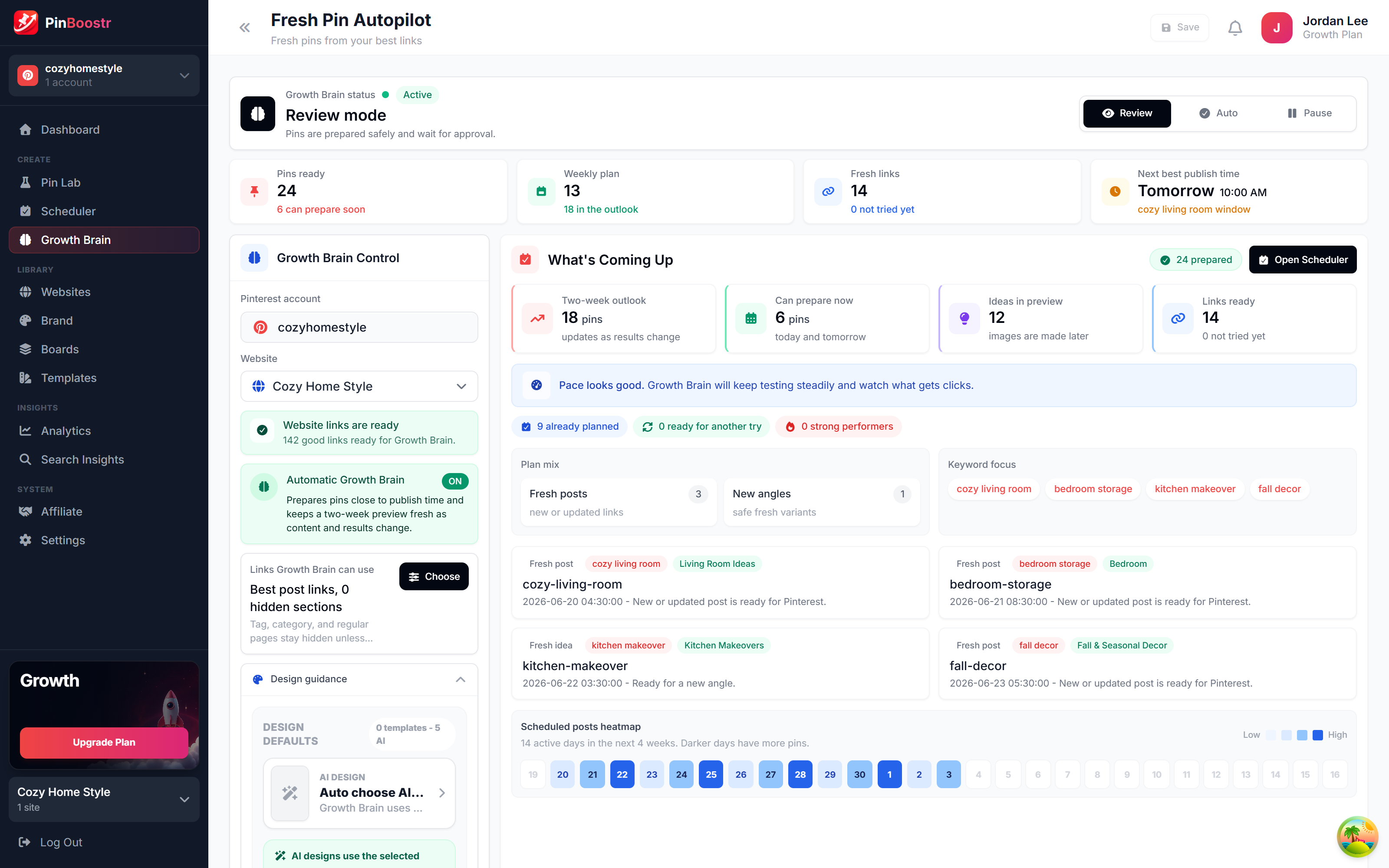
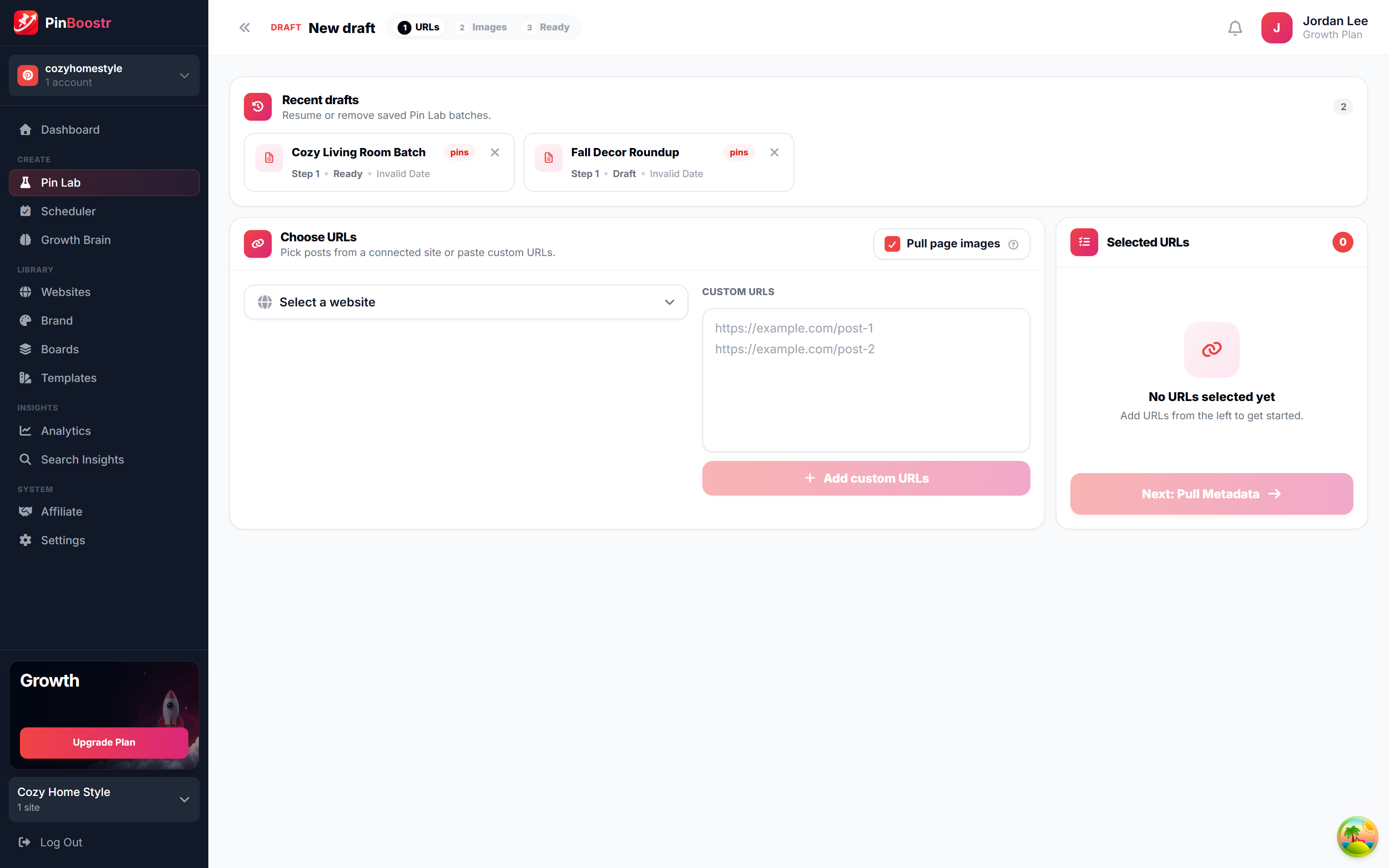
AI pin automation replaces manual design by turning Shopify product pages into pin designs you review, then scheduling the ones you approve through the official Pinterest API. This shift moves your workflow from manual creation in Canva to managing a system that generates assets automatically.

The manual approach requires you to crop images, write descriptions and schedule pins one by one. It is a linear process where your output is limited by your time. AI-driven tools eliminate this bottleneck by pulling product data directly from your store to create on-brand pins that maintain your visual identity without manual design work.
Building compounding assets
Pinterest functions as a visual search engine rather than a social feed. An Instagram post typically loses visibility within 48 hours, but a pin is a compounding asset that can drive traffic for months or even years after the initial upload.
When you use an AI Pinterest pin generator, you aren’t just posting content; you are indexing your products in a searchable database. This strategy shifts your focus from the daily hustle of content creation to the long-term growth of a digital asset library.
The impact of Pinterest automation for e-commerce
Automation allows you to scale your presence without increasing your workload. By automating the creative process, you can test dozens of different visual hooks for a single product to see which triggers the most clicks.
| Feature | Manual Design | AI Automation |
|---|---|---|
| Weekly Effort | High manual input | System oversight |
| Scaling | Limited by human hours | Scales with your SKU count |
| Content Life | Short-lived (if social) | Long-term (search-based) |
How to optimize product pins to rank in Pinterest search
Product pin optimization requires keyword-rich titles and descriptions that mirror natural shopper language to rank in the Pinterest algorithm. You must replace technical SKUs with descriptive, intent-based phrases like “boho living room ideas” to ensure your products appear when users search for inspiration.

Pinterest functions as a visual discovery engine rather than a social network. The algorithm reads your text to determine where a pin fits. If you use a product code as a title, the system has no context to categorize your item. Use specific nouns and adjectives that describe the problem your product solves or the aesthetic it fits.
The 2026 Optimization Framework
Modern Pinterest product pins 2026 rely on a combination of visual signals and semantic text. You can refine your approach by following a detailed Pinterest SEO guide to capture long-tail search traffic.
- Titles: Use 50 to 100 characters with the primary keyword at the start.
- Descriptions: Write 2 to 3 sentences explaining the benefit, using 2 to 3 related keywords.
- Destination: Link directly to the product page, not your homepage.
Aligning Pins with Boards
Board alignment provides the necessary context for the algorithm to trust your pin’s relevance. Pinning a “linen summer dress” to a board named “Summer Fashion 2026” tells Pinterest exactly who should see the content. This connection is a core part of Pinterest board optimization.
Avoid generic board names like “My Products” or “Shopify Store.” Instead, create boards based on use cases, styles, or customer personas. This strategy turns a single product into a searchable asset across multiple relevant categories.
Building an automated Shopify traffic workflow
An automated Shopify Pinterest traffic strategy replaces manual pinning with a synced system that distributes product content over time. You can cut your weekly workload by shifting your focus from daily uploads to a scheduled drip feed.

- Sync your product catalog. Use the official app to import your product titles, descriptions, and pricing so pins reflect current stock levels.
- Generate AI pin variations. Use AI tools to create multiple visual versions of your top-selling products. Pinterest users respond to different aesthetics; one product may need a lifestyle shot, a close-up detail, and a text-overlay graphic to capture different search intents.
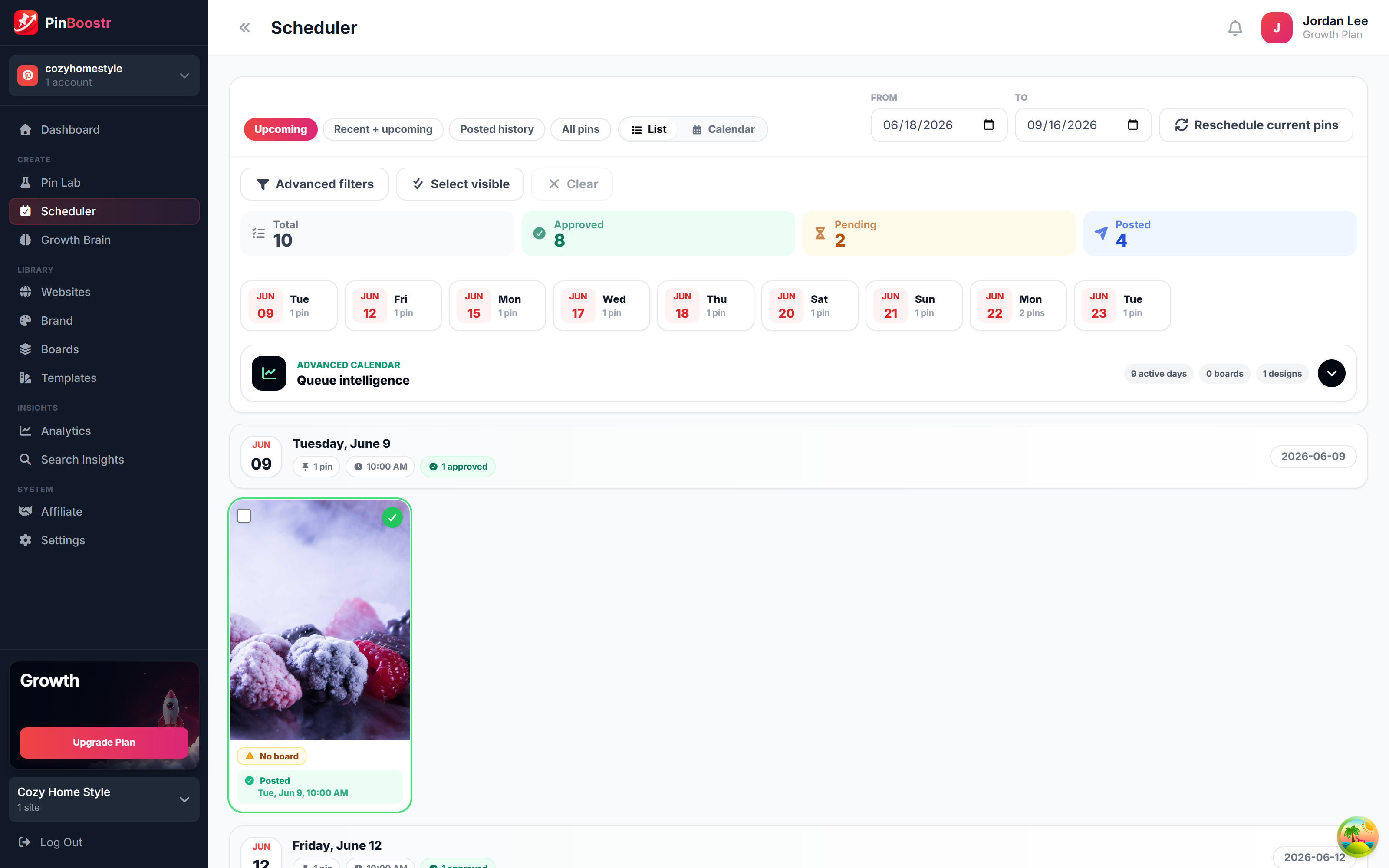
- Schedule pins for a drip release. Use a scheduling tool to space out your pins throughout the week. Instead of uploading 50 pins on Monday, schedule five pins per day across various boards.
Why scheduling prevents algorithm flags
Pinterest flags accounts that upload massive volumes of content in a single burst as spam. This behavior mimics bot activity and can lead to a shadowban or reduced reach. Scheduling creates a natural distribution pattern that mimics human behavior.
A steady flow of content signals to the platform that your account is active and reliable. This consistency helps you drive traffic to Shopify from Pinterest because the algorithm favors accounts that provide a predictable stream of fresh, high-quality imagery over those that dump content sporadically.
Which Pinterest metrics actually correlate to Shopify sales?
Outbound clicks and saves are the Pinterest metrics most closely tied to Shopify revenue. While impressions show reach, they don’t guarantee traffic or purchases. Store owners must prioritize actions that move a user from the Pinterest feed to a Shopify checkout page.
| Metric Type | Example | Impact on Sales | Meaning |
|---|---|---|---|
| Vanity | Impressions | Low | Your pin appeared on a screen. |
| Growth | Outbound Clicks | High | User left Pinterest for your store. |
| Growth | Saves | Medium/Long-term | User intends to buy or reference later. |
The difference between immediate and delayed revenue
Outbound clicks drive immediate Shopify revenue because they represent an active decision to shop. If your click-through rate is low despite high impressions, your pin creative isn’t compelling enough to trigger a purchase.
Saves indicate long-term intent. Users save pins to “wish lists” or mood boards, creating a compounding asset that can trigger sales weeks after the initial pin. Tracking metrics that actually drive growth prevents you from wasting time on pins that look popular but don’t convert.
Effective Pinterest for Shopify store owners focuses on these high-intent actions rather than raw views. To increase these clicks, use this pinterest keyword research tool to find the terms your customers use to search for products.
Frequently asked questions
Will automating my pins get my Pinterest account banned?
No tool can guarantee your account won’t be restricted, but you can reduce the risk by using tools that connect via the official Pinterest API, follow developer guidelines, and let you approve every pin before it publishes. Avoid browser extensions or “bots” that scrape data or mimic human clicks, as these violate terms of service and trigger account suspensions.
How many pins should I post per day for a new store?
Consistency beats volume. Start with 3 to 5 high-quality AI-generated pins daily rather than flooding your feed with 50 low-quality images. This approach avoids spam filters and ensures your assets maintain a professional look as they compound over time.