PinBoostr Leads, the free WordPress email popup plugin
PinBoostr Leads is a free WordPress email popup plugin. Add popups, slide-ins, top or bottom bars and signup boxes inside your posts, start from a professional design, and choose exactly when each form appears. Every subscriber is saved in your own WordPress, and your freebie reaches them the moment they sign up.
- Free, no account needed
- Subscribers stay on your site
- Works with any theme
Version 1.0.0 · Works with WordPress 6.0 and newer · Updates install automatically

Professional designs, ready in one click
Every form starts from a finished design, so it looks like it was made for your site on day one.
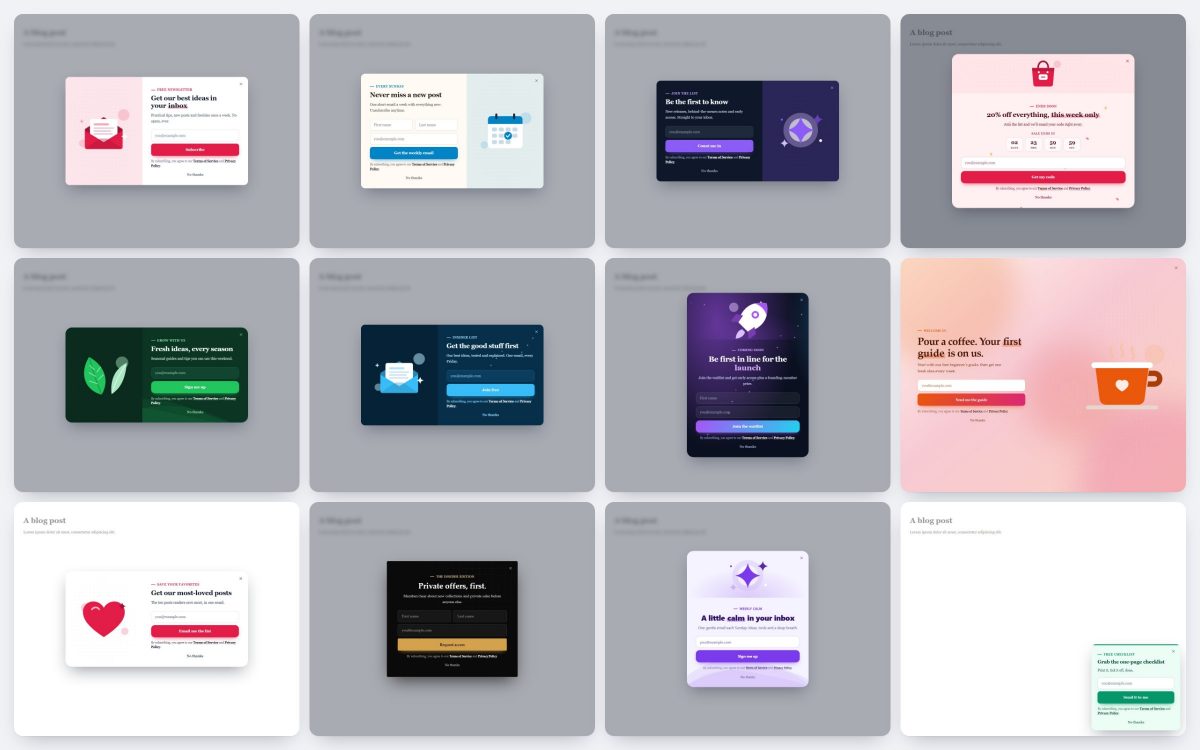
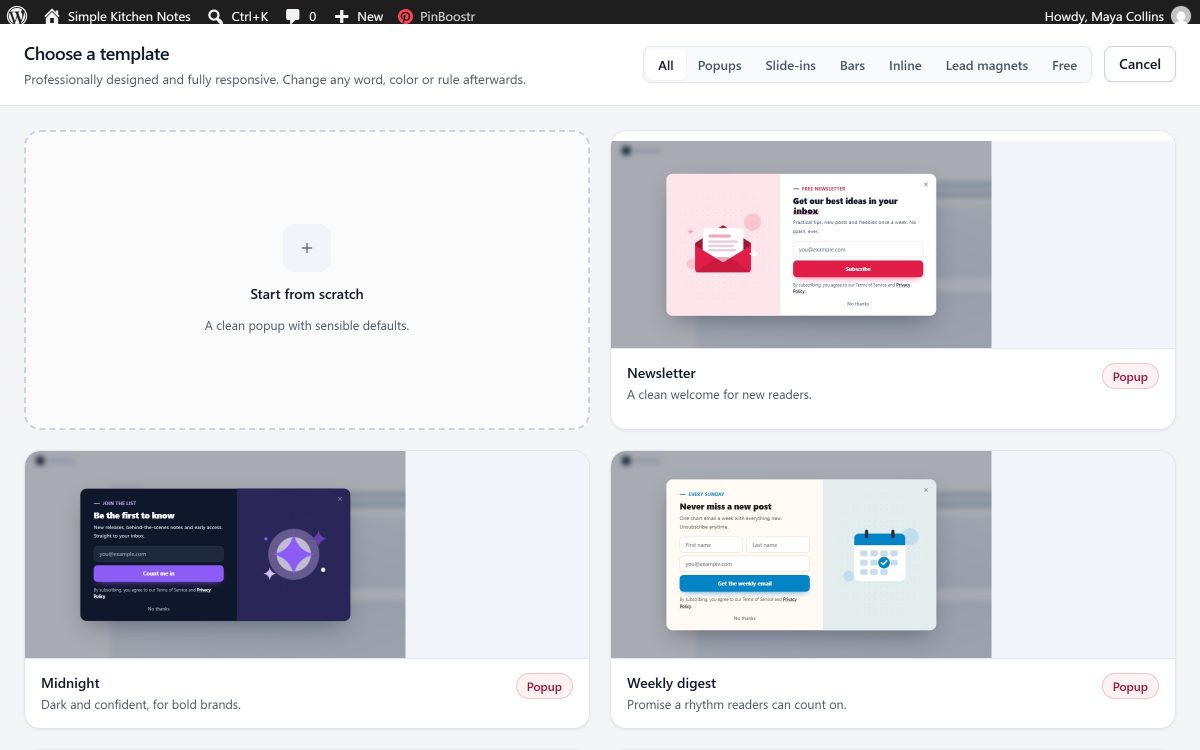
Start from a finished design, not a blank box
Browse live previews of every template and pick one. Each is made for a job: a welcome popup, a freebie offer, a slim announcement bar, or a signup box after your posts.
- 24 templates: 7 free, 17 more with Pro
- Popups, slide-ins, top or bottom bars and signup boxes inside posts
- Ready to publish as it is, or change any word, color or rule
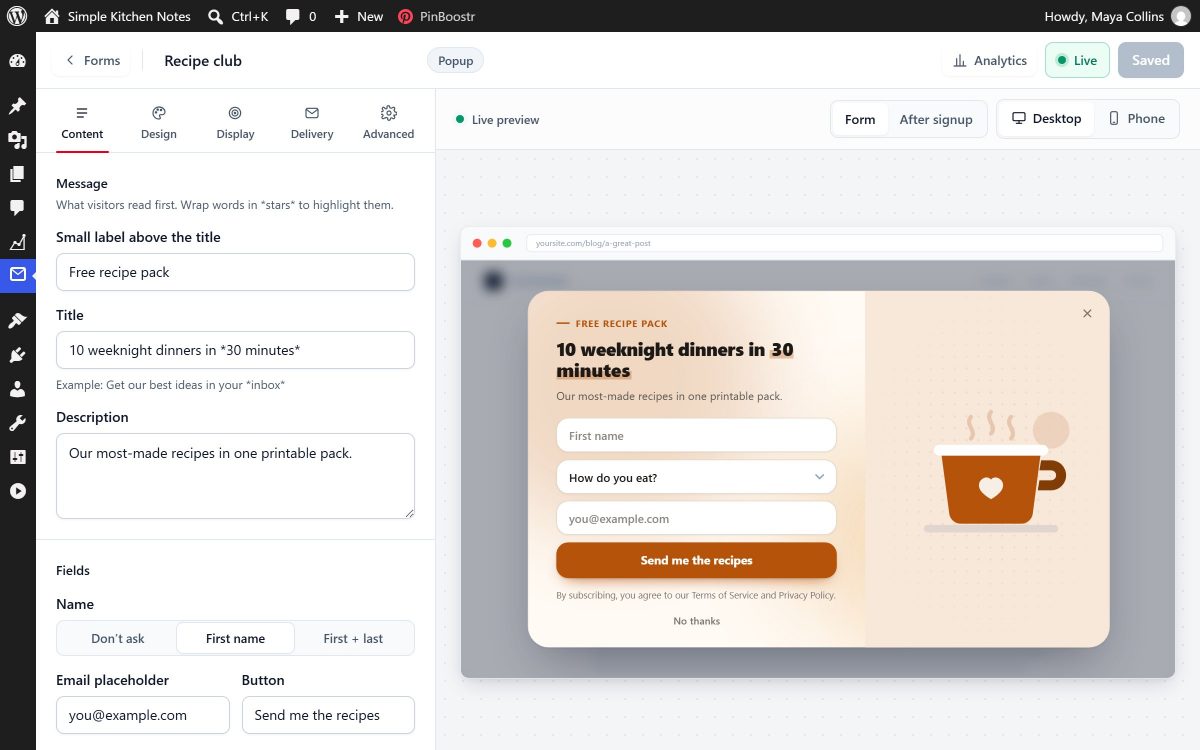
See every change as you make it, on computer and phone
Write your headline, button and thank-you message, and watch the form update next to you. Switch between computer and phone views. Nothing goes live until you turn it on.
- Ask for more than an email: text, long text, dropdown, checkbox, phone, number, website and date fields
- One extra field on Free, up to 10 on Pro
- What you see in the designer is what visitors see
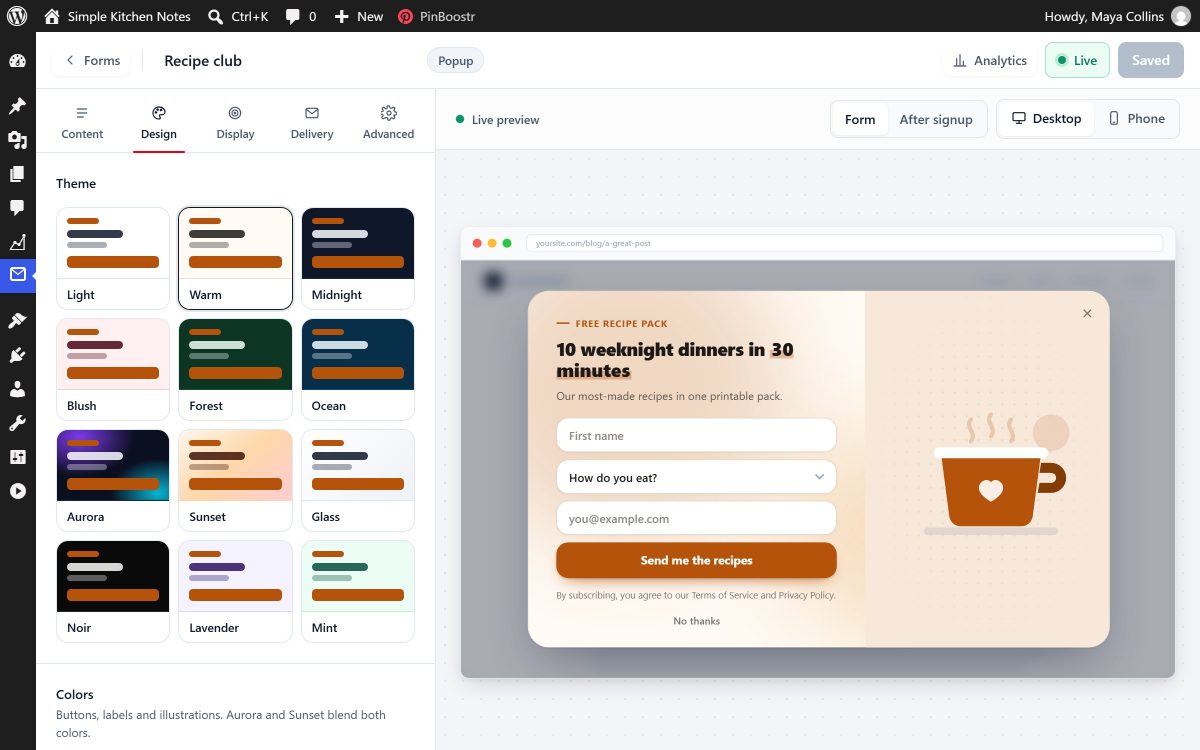
Your colors, your pictures, your style
Pick a design and an accent color, then choose a layout, a picture, text sizes and a little motion. Every choice shows on the form straight away.
- Layouts: classic split, spotlight and a full-screen welcome mat
- Built-in illustrations, or your own image
- Moving backgrounds (blobs, grid, confetti, waves, stars), 6 entrance animations, 5 font styles and adjustable text sizes
- A countdown to the real end date of your offer
- Pro: fine-tune any single form with your own style code; it changes only that form
Show the right form to the right visitor
A popup that appears at the wrong moment annoys people. Choose when each form opens, who sees it, and how often.
Open it at the moment that feels natural
Open a form after a few seconds, once a reader is halfway down the post, when they are about to leave, when they stop moving, or when they click a button or link of yours.
- Choose pages, categories and devices
- Show it to new or returning visitors, logged-in readers, visitors who came from Pinterest, links you tag for a campaign, or after a few pages
- Run it only on certain dates, weekdays or hours
- Snooze it after someone closes it, limit how often one person sees it, and hide it after they sign up
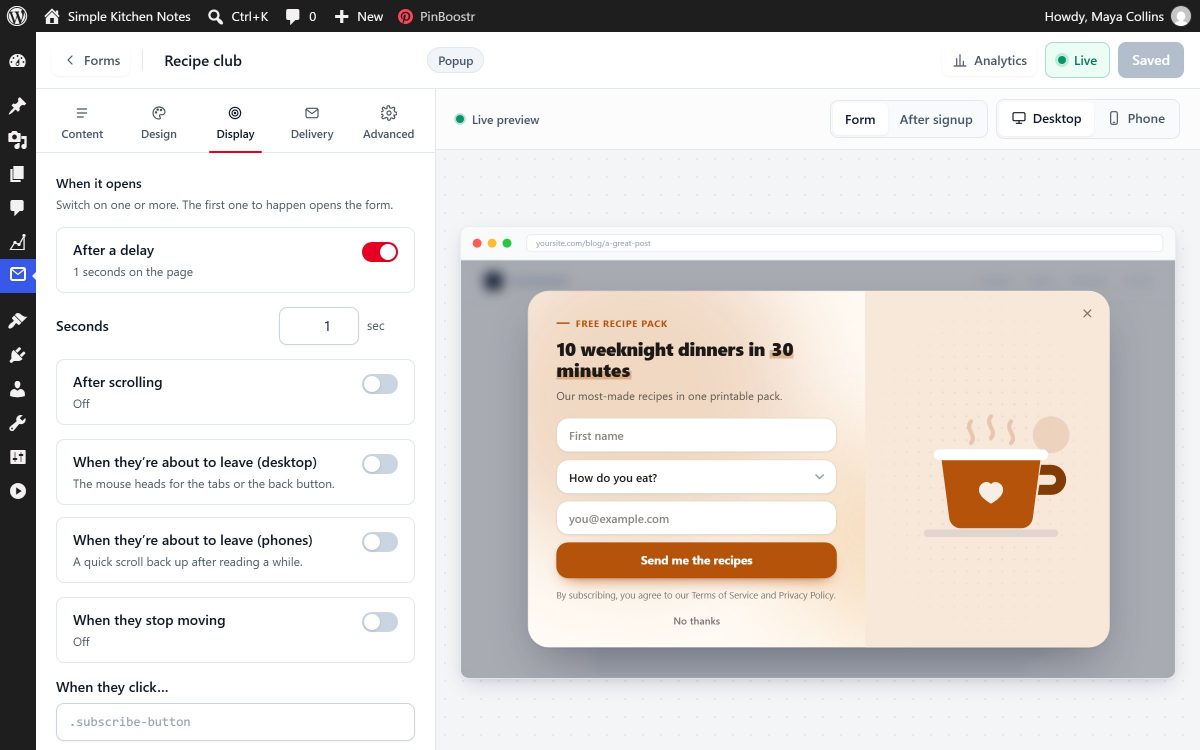
Made for the phone in your reader's hand
Forms are sized for small screens, and the "about to leave" trigger works on phones too: it notices when someone scrolls back up quickly to leave.
- Show a form on phones, computers or both
- Big fields and buttons, easy to close
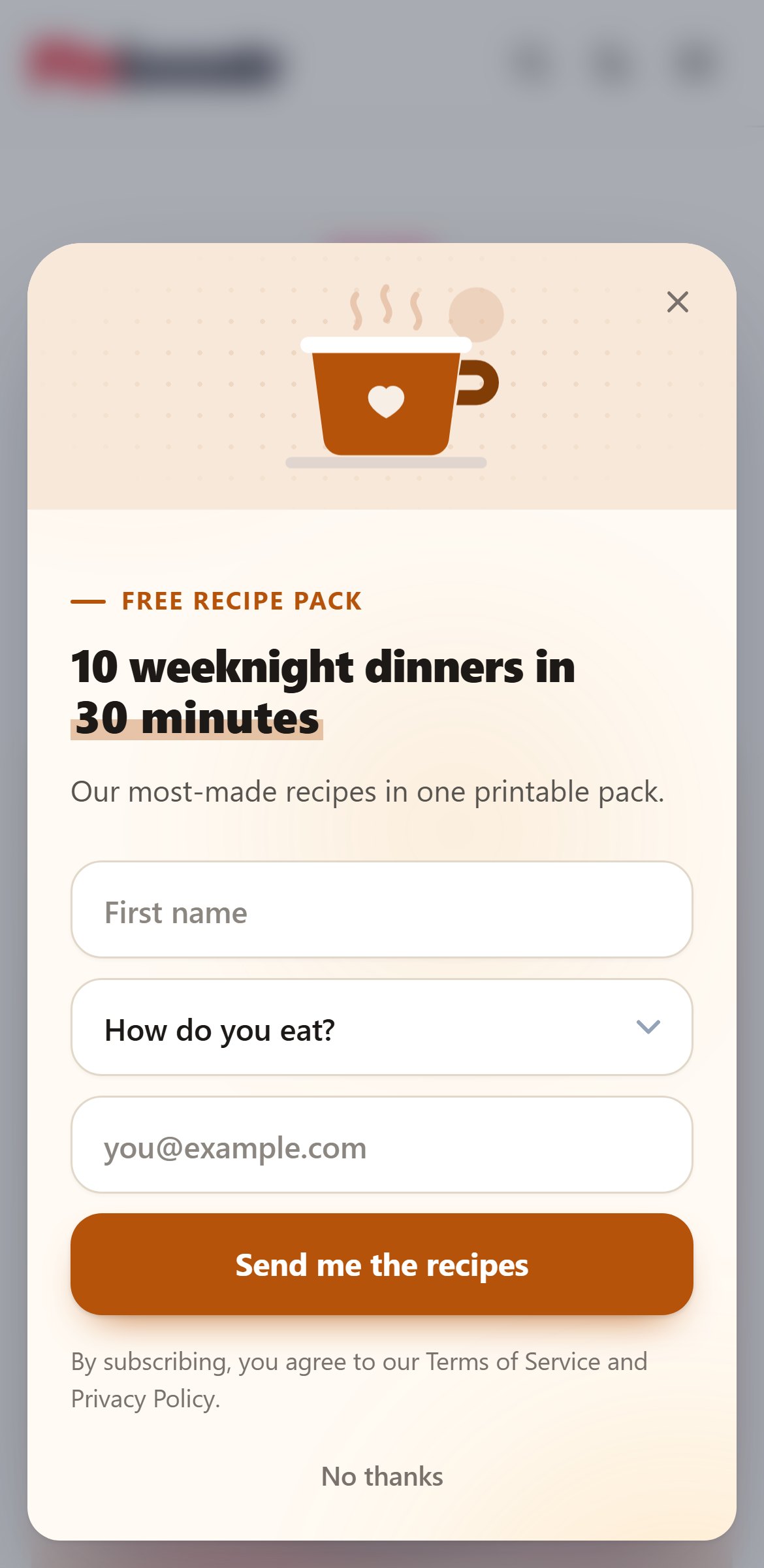
A signup box right where readers are paying attention
Place a form inside any post, or add it after every post automatically. It sits in the article like it belongs there.
- Add it to one post, or to all of them at once
- Works next to popups, slide-ins and bars
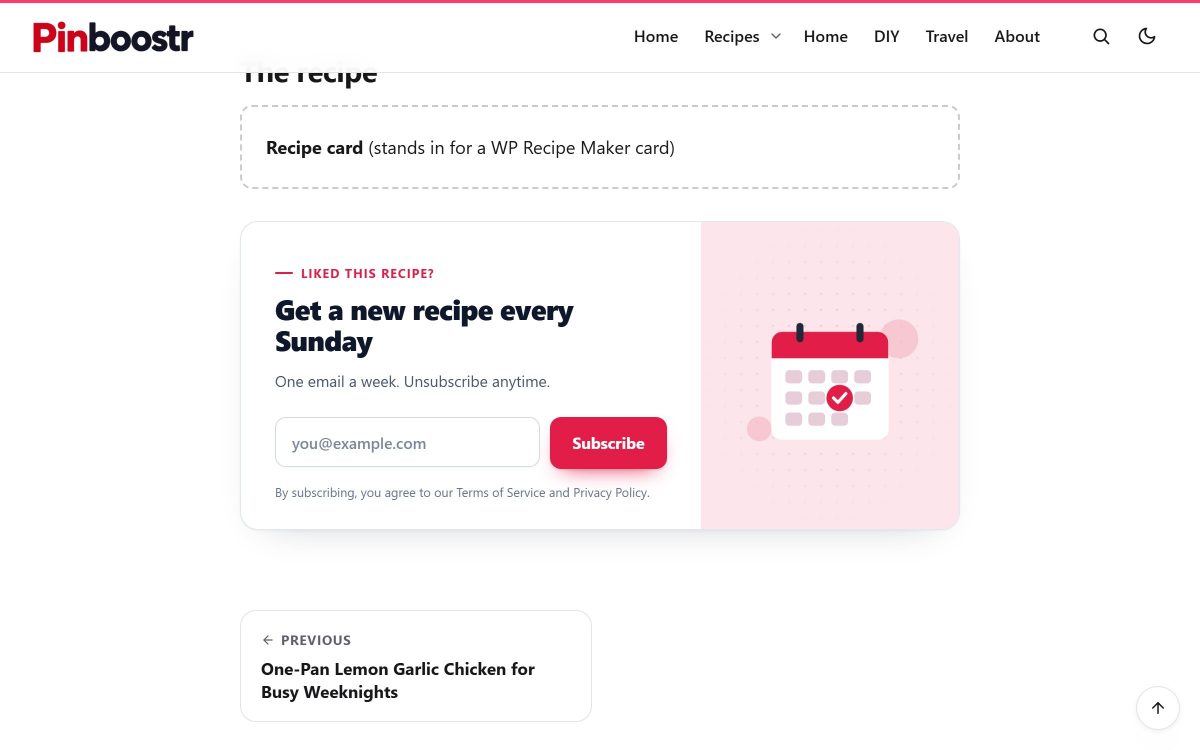
Lead magnets that deliver themselves
Promise a checklist, a printable, a recipe card or a discount, and let the plugin hand it over. No manual emails.
The freebie and a hello, the moment someone signs up
Every new subscriber gets a signup email you write yourself: thank them, say what comes next, link your best posts. It is on from the start. Add a file and they also get an instant download button, the file by email, or both.
- A signup email with headings, links, lists, images and buttons
- Preview exactly what subscribers will receive, and send yourself a test
- Instant download, email delivery, or both (Pro)
- Optional double opt-in: new subscribers confirm by email first (off unless you turn it on)
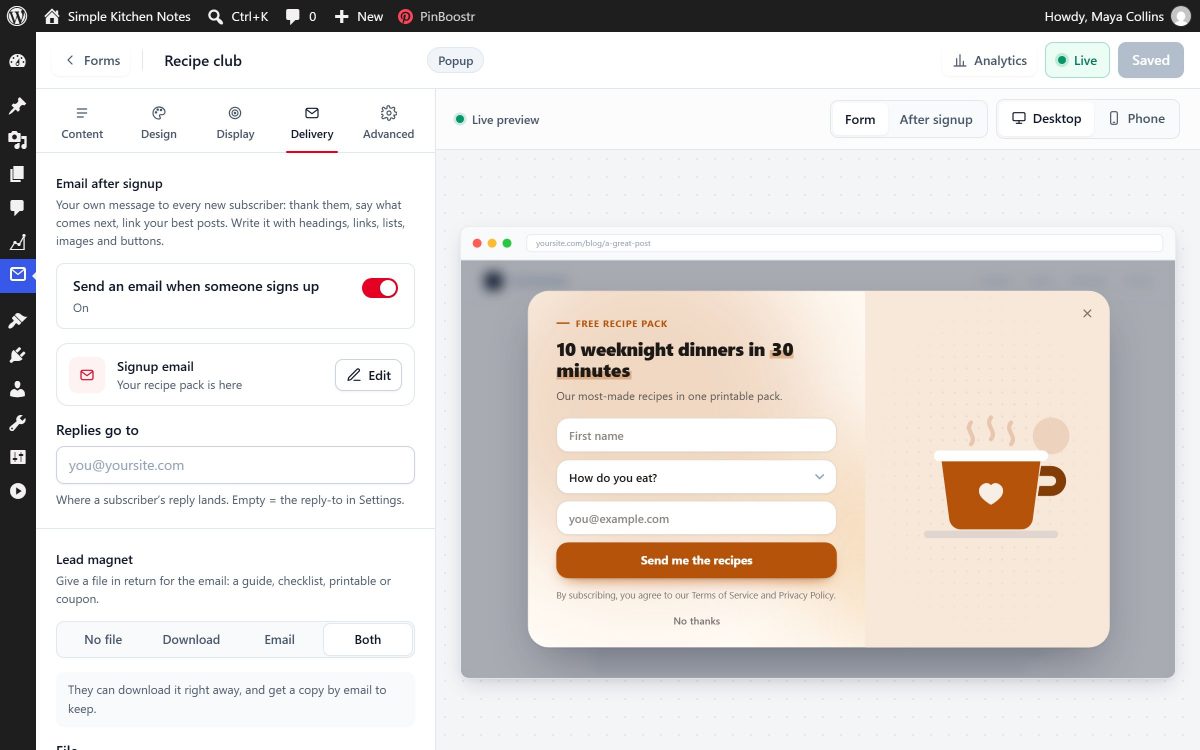
Your list, on your site
Subscribers are saved in your own WordPress, not on our servers. You can see them, sort them and take them anywhere.
See which form is working
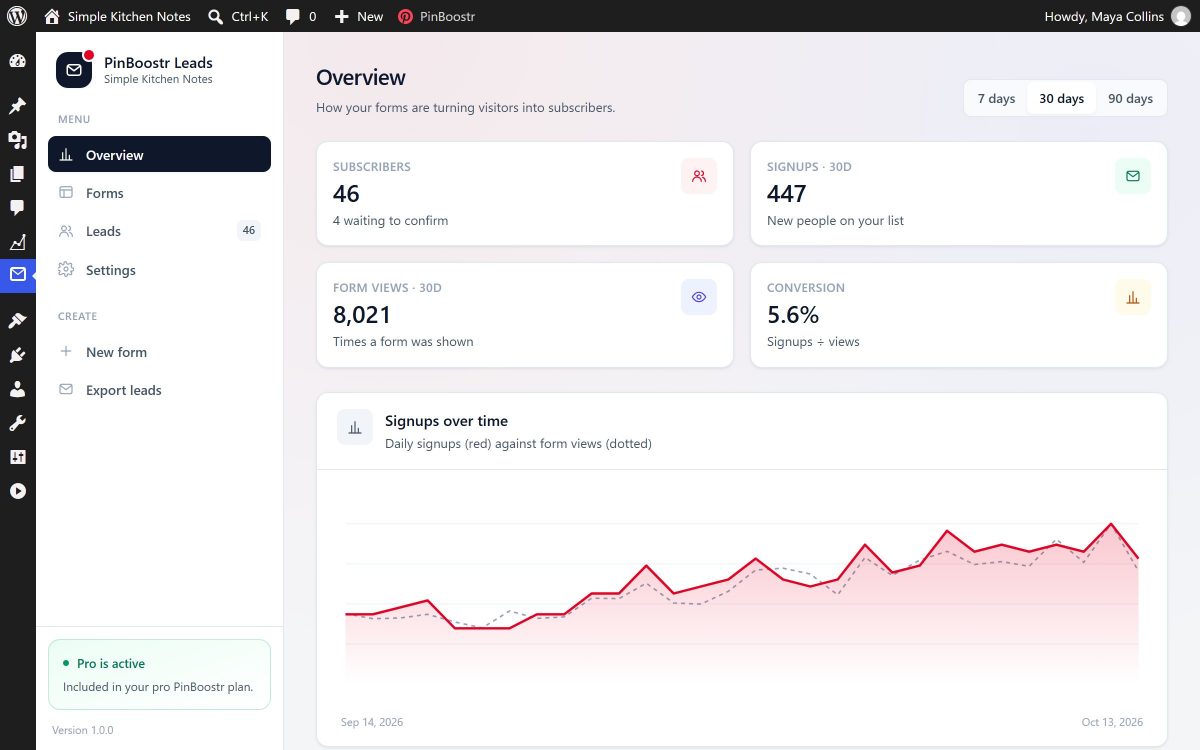
Subscribers, signups, views and the share of viewers who sign up, with a chart of how your list is growing. Keep the form that works and switch off the one that doesn't.
- Signups and views for every form
- 7 days of history on Free, 90 days on Pro
See what works: where subscribers come from, and when
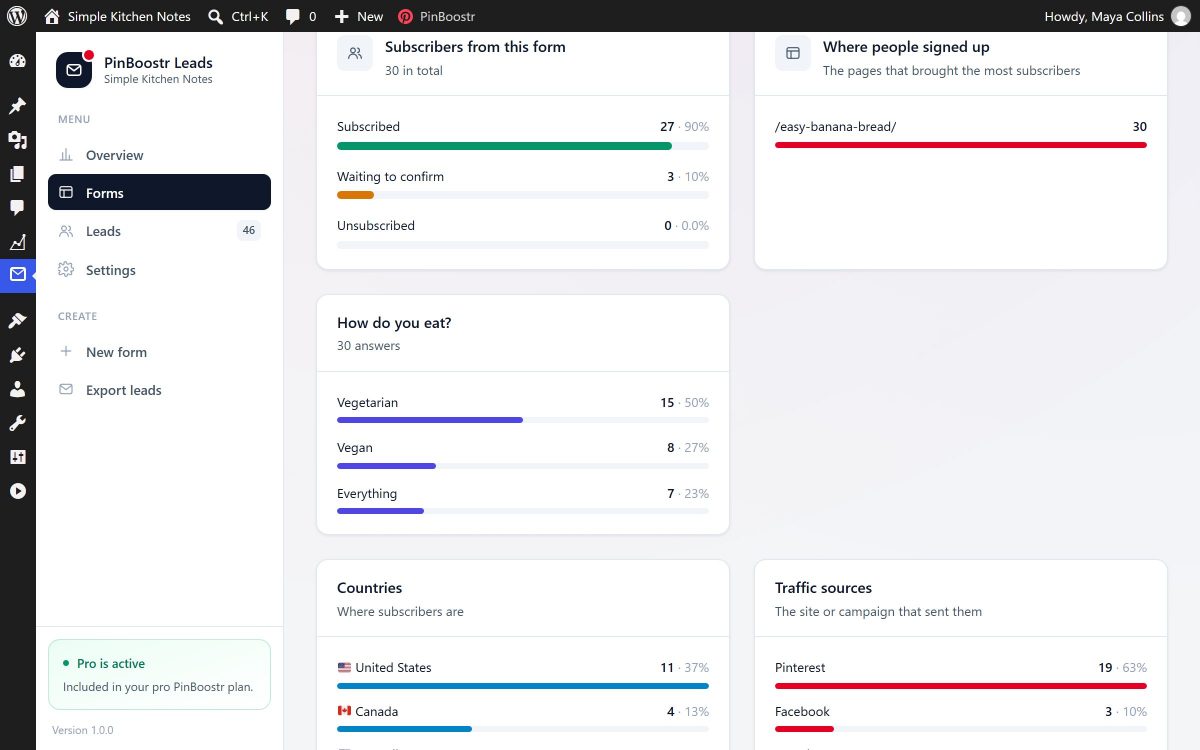
Every form gets its own report: the countries your subscribers are in, the sites and campaigns that sent them, like Pinterest, Google or Facebook, their devices, and the days and hours people sign up most. It is all recorded on your own site, and nothing is sent anywhere else.
- Countries, devices and where visitors came from
- The pages that brought the most subscribers, and how people answered your questions
- The best days and hours for signups
- 7 days on Free, 90 days on Pro
Every subscriber, with the answers they gave
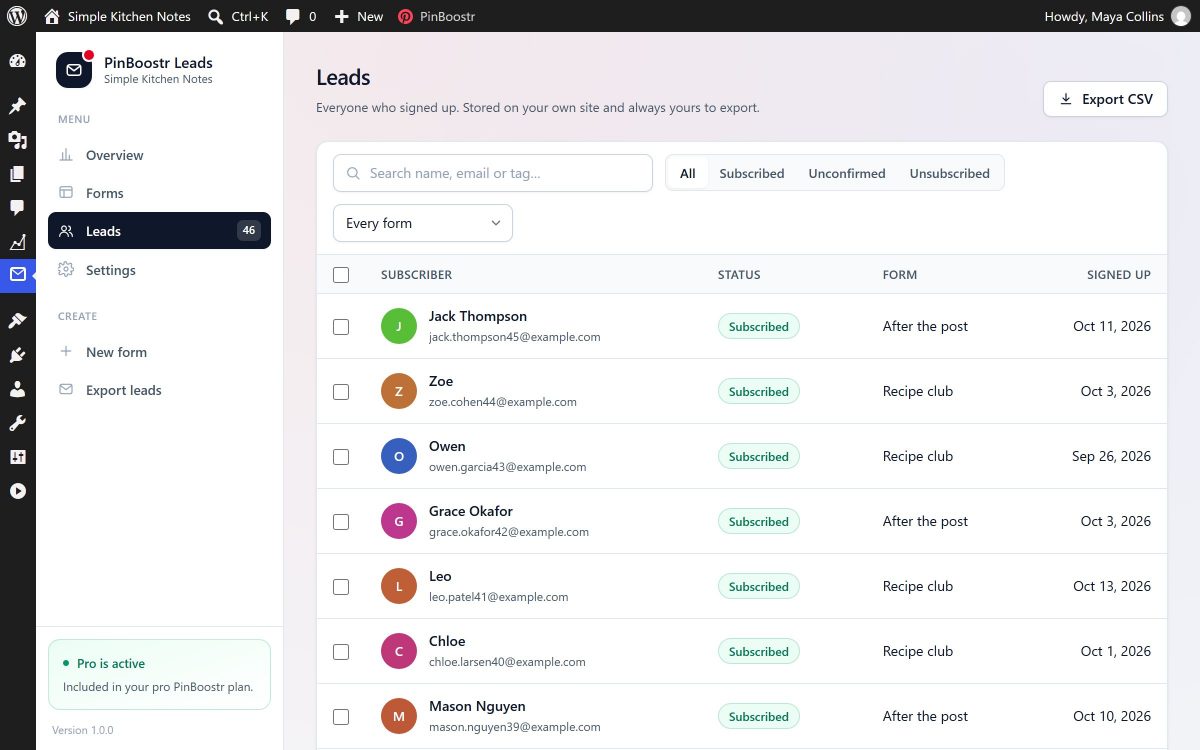
Each signup shows the form it came from, its status and the answers to your extra questions. Download the whole list as a spreadsheet whenever you like, on every plan.
- Export to a spreadsheet (CSV) at any time
- Send new subscribers to Zapier, Make or your email app (Pro)
- One-click unsubscribe, and WordPress's own privacy tools to find or delete someone's data on request
Emails that land in the inbox
Signup emails, confirmations and freebies are only useful if people receive them, and if they look like they came from you.
Send through the email service you already use
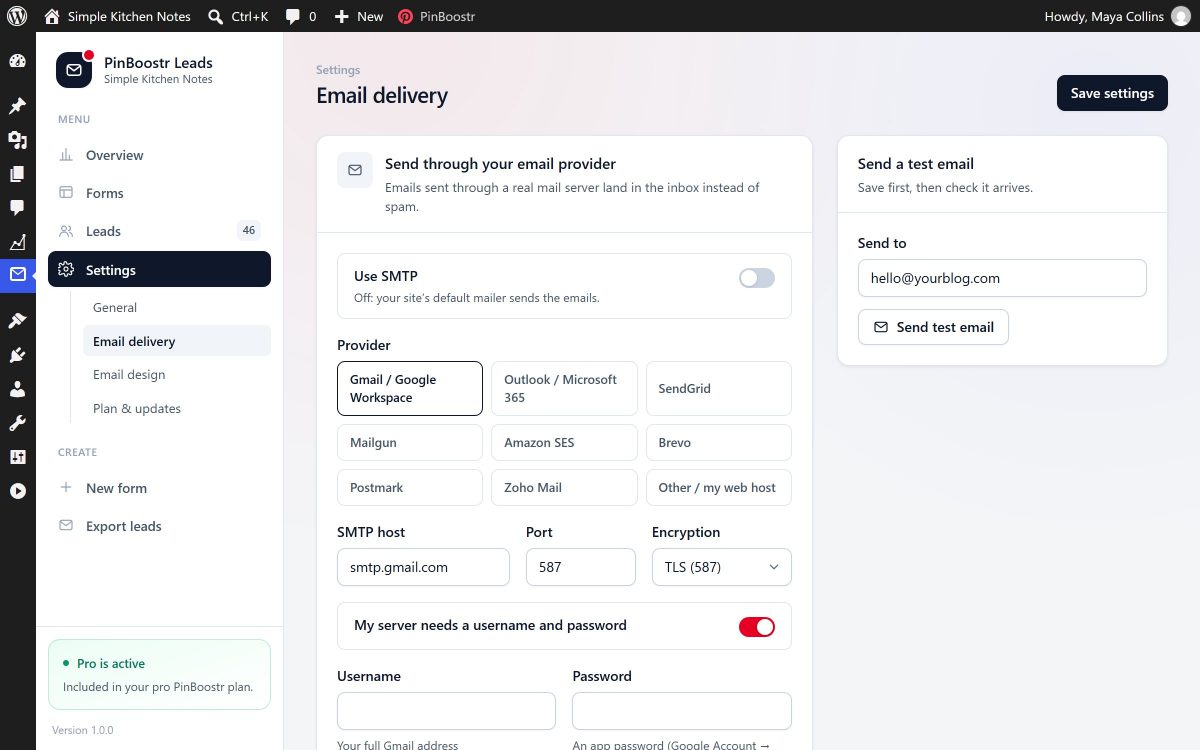
Many web hosts send email in a way inboxes don't trust, so messages end up in spam. Connect your own email provider instead, and PinBoostr Leads sends every email through it.
- Ready-made settings for Gmail, Microsoft 365, SendGrid, Mailgun, Amazon SES, Brevo, Postmark and Zoho
- Send yourself a test email before you go live
- Branded emails (Pro): your logo, colors and font on every email
Your first signup form in three steps
- 1
Pick a template
Choose a popup, slide-in, bar or signup box from the gallery, then change the words, colors and picture in the live designer.
- 2
Choose when it shows
Pick when it opens and on which pages, and what happens after signup: a thank-you message, a download, an email, or all three.
- 3
Turn it on
Switch the form on. New subscribers appear in the Leads screen in WordPress, ready to tag, export or send to your email app.
One plugin, four common jobs
Bloggers with a free PDF
Offer a checklist or printable that matches the post. It is delivered the moment someone signs up.
Shops with a welcome discount
Offer a first-order discount, with a countdown to the real end date of your sale.
Creators building a newsletter
A slim bar or a box after every post, and a signup email in your own words that says hello.
Pinterest traffic
A slide-in only for visitors who came from Pinterest, with a freebie that matches the pin they clicked.
Free to start. Pro comes with PinBoostr.
The free plan runs one signup form and collects up to 50 subscribers, so you can see it work on your own site. Pro removes the limits, and there is nothing extra to buy: it is included with every paid PinBoostr plan.
| FreeFor every site |  ProWith any paid PinBoostr plan ProWith any paid PinBoostr plan |
|
|---|---|---|
| Subscribers you can collect | Up to 50 | Unlimited |
| Live forms | 1 | Unlimited |
| Popups, slide-ins, bars and signup boxes in posts | ||
| Templates | 7 | All 24 |
| Designs | Light, Warm, Midnight | All 12 |
| Every layout, moving background, animation and font style | – | |
| Countdown to a deadline, your own image | – | |
| Your own style code for a single form | – | |
| When it opens | After a delay, on scroll | Plus on exit, when they stop moving, on click |
| Who sees it | Chosen pages, devices | Plus categories, new or returning visitors, logged-in readers, visitors from Pinterest, campaign links, pages viewed, a schedule |
| How often | Snooze after close, hide after signup | Plus a limit per visitor, once per visit |
| Signup email you write yourself, with preview and test | ||
| Optional double opt-in | ||
| Branded emails: your logo, colors and font | – | |
| Extra form fields | 1 | Up to 10 |
| Freebie delivery (download or email) | – | |
| Send subscribers to Zapier, Make or your email app | – | |
| Send emails through your own email provider | – | |
| Export to a spreadsheet, tags, privacy tools | ||
| Form analytics: countries, devices, sources, best times | 7 days | 90 days |
| Download free | See PinBoostr plans |
No license key. Connect your site and Pro switches on.
- Install PinBoostr LeadsThe free plugin from this page. Your form works on the free plan straight away, for up to 50 subscribers.
- Connect your site to PinBoostrInstall the free PinBoostr WordPress plugin and link it to your PinBoostr account.
- Pro unlocks on a paid planEvery design, rule and delivery option opens up in the designer. If your plan ends, your subscribers stay on your site and you can export them any time.
PinBoostr Leads Pro is not sold on its own. It comes with PinBoostr plans, which also turn your posts into Pinterest pins you approve.
Your theme can’t break the design
What you see in the designer is exactly what visitors see, on any theme or page builder, and the form never changes the rest of your site. Switch themes later and your forms still look right.
Turn Pinterest clicks into email subscribers
People who arrive from a pin often read one post and leave. A form shown only to them, with a freebie that matches the pin they clicked, gives them a reason to hear from you again.
Choose “visitors who came from Pinterest” and the form appears only for them. Some apps don’t tell your site where a visitor came from, so if you tag your pin links for a campaign, add that tag as a rule too. Both options are part of Pro.
Want more of those clicks? PinBoostr turns your posts into fresh pins you approve and publishes them on a steady schedule; see the Pinterest automation tool and the Pinterest scheduler.
A setup that suits Pinterest readers
- Form
- Slide-in, so the post stays readable
- Show to
- Visitors who came from Pinterest
- Open
- Once half of the post is read
- Device
- Phones and computers
- After signup
- A download button for a printable that matches the post
- How often
- Snooze for 7 days after someone closes it
Install the plugin in about a minute
- 1
Download the zip
Click Download on this page and keep the file zipped. WordPress installs it as it is.
- 2
Upload it to WordPress
Go to Plugins → Add New Plugin → Upload Plugin, choose the zip, click Install Now, then Activate.
- 3
Make your first form
Open Leads in the WordPress menu, pick a template, choose when it shows, and switch it on.
After that, updates install automatically, like any plugin.
Before you add a popup
Short answers about price, privacy, speed, themes, freebies and Pro.
Is PinBoostr Leads really free?
Yes. The free plan needs no PinBoostr account and collects up to 50 subscribers: one live form, 7 templates, the Light, Warm and Midnight designs, forms that open after a delay or on scroll, page and device rules, a signup email you write yourself, optional double opt-in, one extra form field, spreadsheet export and 7 days of analytics. Pro has no limit and is included with every paid PinBoostr plan.
What happens after 50 subscribers on the free plan?
Your forms stop showing to visitors until the site moves to Pro. Nothing is lost: the subscribers you already have stay in your WordPress, where you can still see them and download them as a spreadsheet.
Where are my subscribers stored?
In your own WordPress, on your own hosting. PinBoostr does not receive or keep your subscribers, and form analytics are recorded on your site too. You can download your list as a spreadsheet at any time, and on Pro you can also send each new subscriber to Zapier, Make or your email app.
Does it help with GDPR and double opt-in?
It gives you the tools: optional double opt-in (people confirm by email before they join your list), a one-click unsubscribe link, and WordPress's own privacy tools to find or delete a subscriber's data on request. Your privacy policy still needs to say what you collect and why; we cannot give legal advice.
Will it slow down my site?
It only loads on pages where a form can appear, and what it loads is small. Pages without a form load nothing extra.
Will it work with my theme?
Yes. Your theme can't break the design: what you see in the designer is exactly what visitors see, on any theme or page builder, and the form never changes the rest of your site.
How do I deliver a PDF lead magnet?
On Pro, upload your file in the form's Delivery settings and choose how it arrives: an instant download button after signup, an email with the file, or both. On the free plan you can still put a link in your signup email.
How do I get Pro?
Pro is included with every paid PinBoostr plan and is not sold separately. Install the free PinBoostr WordPress plugin, connect your site to your PinBoostr account, and Pro switches on in PinBoostr Leads by itself. There is no license key to paste.
How do updates work?
Updates install automatically, like any plugin, and only official PinBoostr updates are accepted. You will see them in Dashboard, Updates, and there is nothing to download or upload again.
Read next
Start growing your email list today
Install the free plugin and publish your first form in minutes. When you want more readers to turn into subscribers, PinBoostr brings them from Pinterest.
- Free plan, no account needed
- Subscribers stay on your site
- Pro with any paid PinBoostr plan